V-Ray for Cinema 4D
Splat Node
This page provides information about the Splat node in V-Ray for Cinema 4D.
Last updated 19 September 2025
This page provides information about the Splat node in V-Ray for Cinema 4D.
Overview
The Splat node offers a procedural effect that mimics a splatter, similar to the way paint can splatter onto a surface. Both of its two color channels can be connected to texture maps.
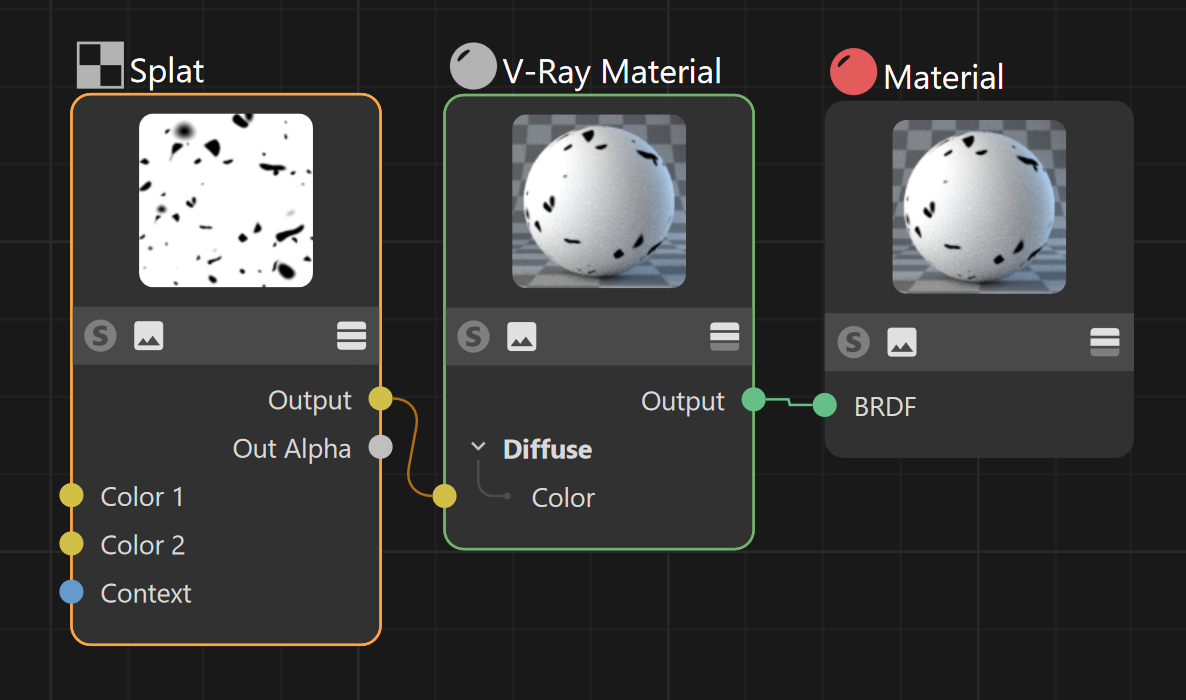
Properties
Space – Controls how the texture is positioned on the geometry.
UV (2D) – Uses the object UV coordinates to map the effect.
Texture – Uses an external UV placement source to map the effect.
Color 1 – Controls the color of the main surface.
Color 2 – Controls the color of the splatters.
Size – Controls the scale of the procedural texture produced.
Iterations – Controls how many times the procedural repeats the process of creating splatters.
Threshold – Controls how much of the texture is covered by splatters.
Smoothing – Controls the sharpness of the splatters. Lower values make the splatters sharper, and higher values make them more blurry.

Context
Context – Allows the attachment of a Context node (UVW generator) to adjust the UVWs of the texture. For more information, visit the Context Nodes page.
