V-Ray for Maya
DMC Sampler
This page provides information on the DMC Sampler rollout in the Render Settings.
Last updated 1 September 2026
This page provides information on the DMC Sampler rollout in the Render Settings.
Overview
The DMC Sampler is a framework within V-Ray for determining exactly which samples are to be taken around pixels involved in "blurry" effects such as anti-aliasing, depth of field, indirect illumination, area lights, glossy reflections/refractions, translucency, motion blur, and so on. DMC stands for Deterministic Monte Carlo. Read more about the origin of the DMC Sampler.
UI Path: ||Render Settings window|| > VRay tab > DMC sampler rollout

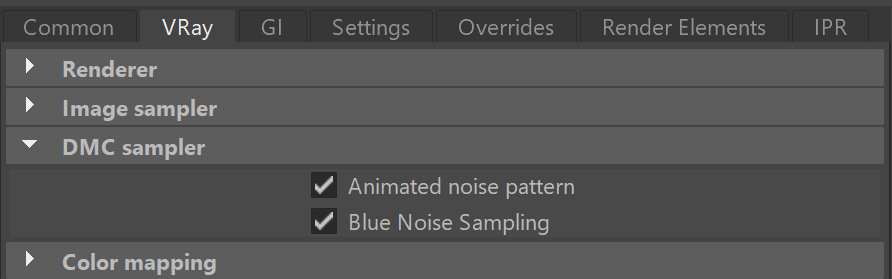
DMC Sampler Parameters
Animated noise pattern – When enabled, the sampling pattern will change with time. Disabling will make the sampling pattern be the same from frame to frame in an animation, which might be undesirable in some cases. Note that re-rendering the same frame will produce the same result in both cases.
Blue noise sampling – When enabled, reorders the DMC samples in screen space to produce a more pleasing result for low sample counts.

Example: Blue Noise Sampling
The Blue Noise Sampling optimization distributes the samples more uniformly across the image, resulting in a more pleasing visual noise pattern. The noise is visually less with the same amount of samples:
