V-Ray for Maya
Shading Group Attributes
This page provides information on V-Ray Attributes that can be added to standard shading engines.
Last updated 18 September 2025
This page provides information on V-Ray Attributes that can be added to standard shading engines.
Overview
The V-Ray Additional Attributes can be added to the shading engine of any material.
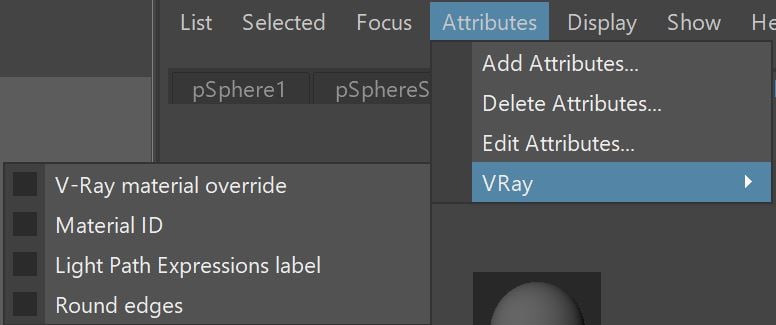
UI Path: ||Select shading engine|| > Attribute Editor > Attributes menu > VRay > (select attribute set)
VRay Material Override
Enable All Overrides – Enables/disables all material overrides.
V-Ray Material – Connecting a material in this slot overrides the material connected to the surface material slot of the shading engine. This gives you the ability to use a specific material only when rendering with V-Ray.
GI Material – The material V-Ray uses while calculating the GI solution.
Reflection Material – The material V-Ray uses to render the object with, when the object is seen in reflections.
Refraction Material – The material V-Ray uses to render the object with, when the object is seen through refractions.
Shadow Material – The material used to render shadows cast from the object.
Environment Override – Allows the user to specify a local environment map for the material for reflections and refractions.
Environment Priority – If several materials in the scene override their environment maps, this option allows to specify which map takes precedence when rays bounce between those objects.
Scripting

Material ID
Material ID – The color used by the "Material ID" render element.
Multimatte ID – The integer ID of the material to be used by the "Multimatte" render element.
Scripting

Round Edges
When added to a shading group the Round Edges attribute has the same behavior as when applied to a mesh. It will affect all objects to which the shading group is connected. Click here to see the full documentation of the Round Edges attribute.