V-Ray for Nuke
Environment Settings | VRayBackground
This page provides information on the VRayBackground node.
Last updated 18 September 2025
This page provides information on the VRayBackground node.
Overview
VRayBackground is a node which allows you to set up a background image for your rendering. Additionally you can specify a separate environment override for GI, Reflection, Refraction. This is achieved by connecting the appropriate texture to one of its four inputs.
UI Path: ||Toolbar|| > V-Ray Menu icon > Render > VRayBackground

Inputs
bg – Specifies the image to be used as a background.
gi – Specifies the image to be used as a background when calculating global illumination.
refl – Specifies the image to be used as a background when viewed through reflections.
refr – Specifies the image to be used as a background when viewed through refractions.
Parameters
The options here allow you to control the mapping for each of the environment overrides.
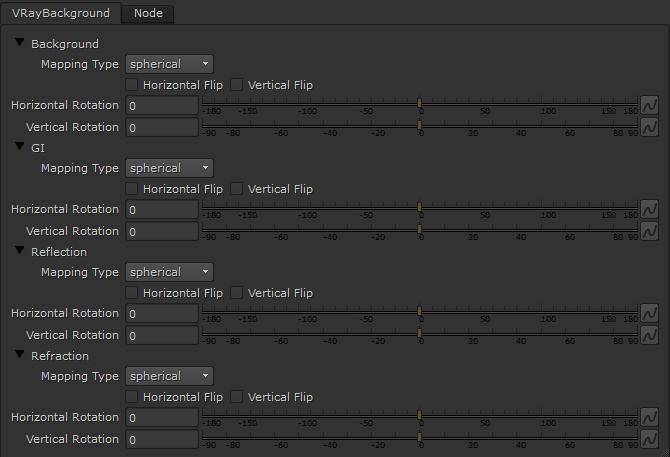
Mapping Type – Allows the user to control the mapping type used by the dome light. The available options are:
angular
cubic
spherical
mirror ball
screen
Horizontal Flip – When enabled, flips the texture horizontally.
Vertical Flip – When enabled, flips the texture vertically.
Horizontal Rotation – Controls the horizontal rotation.
Vertical Rotation – Controls the vertical rotation.