V-Ray for Rhino
Geometry Normals
This page provides information about the Geometry Normals ID render element in V-Ray for Rhino.
Last updated 18 May 2026
This page provides information about the Geometry Normals ID render element in V-Ray for Rhino.
Overview
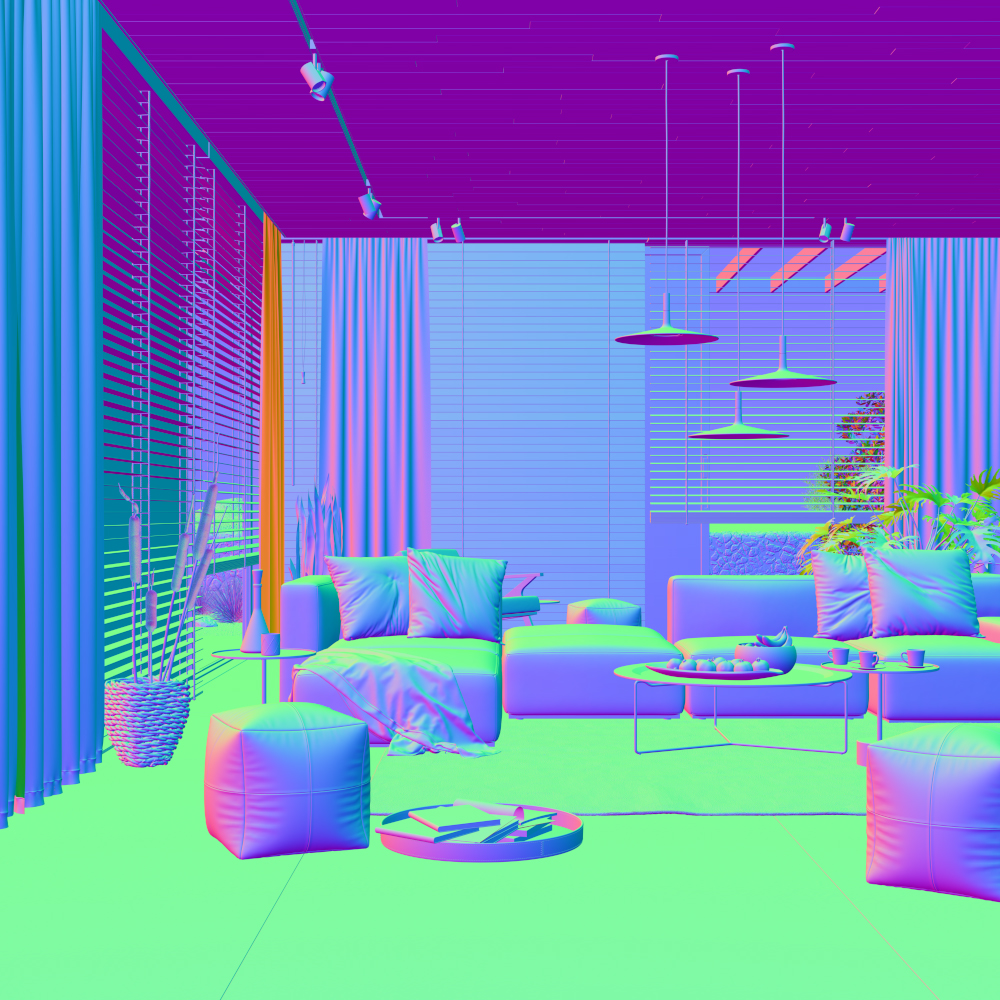
Shows surface normals in the scene. Stores the camera space normal map using the geometry's surface normals. Material bump and normal maps don't affect this element.

UI Paths
||V-Ray Asset Editor|| > Render Elements (right-click) > Geometry Normals
||V-Ray Asset Editor|| > Create Asset (left-click) > Render Elements > Geometry Normals
Geometry Normals Color Generation
The Geometry Normals Render Element uses screen space to determine the colors in the render element. With screen space in the camera view:
The X axis runs left-right perpendicular to the camera viewing angle. This is represented in the Red channel of Geometry Normals with 1 being left-facing geometry and 0 being right-facing geometry.
The Y runs up-down perpendicular to the viewing angle. This is represented in the Green channel of Geometry Normals with 1 being up-facing geometry and 0 being down-facing geometry.
The Z runs forward-back to the viewing angle. This is represented in the Blue channel of Geometry Normals with 1 being forward-facing geometry and 0 being back-facing geometry.
