V-Ray for Rhino
V-Ray Instancer
This page provides information about the Instancer in V-Ray for Grasshopper.
Last updated 18 May 2026
This page provides information about the Instancer in V-Ray for Grasshopper.
Overview
The V-Ray Instancer creates instances of the input V-Ray Geometry at the Move input positions. The number of Move transforms will determine the number of instances that will be created.

Input Parameters
V Geo (Generic Data) – V-Ray Geometry input expected. Multiple geometries can be used here. V-Ray randomly distributes the inputs between the Move positions.
Move (Transform) – List of Move (position) transformations used for instance positioning. Usually, the Transformation (X) output of a Move component is used here. The number of input transformations determines the number of instances.
Rotate (Transform) – List of Rotate transformations used for instance orientation. Usually, the Transformation (X) output of a Rotate 3D's Rotate component is used.
Scale (Transform) – List of Scale transformations used for instance scaling. Usually, the Transformation (X) output of a Scale / Scale NU component is used here.
Group (Boolean) – When enabled, all input objects are treated as a group that is instanced at each point. When disabled, input objects are treated as separate items. A single object will be positioned at each point.
Output Parameters
V Geo (Generic Data) – V-Ray Geometry output.
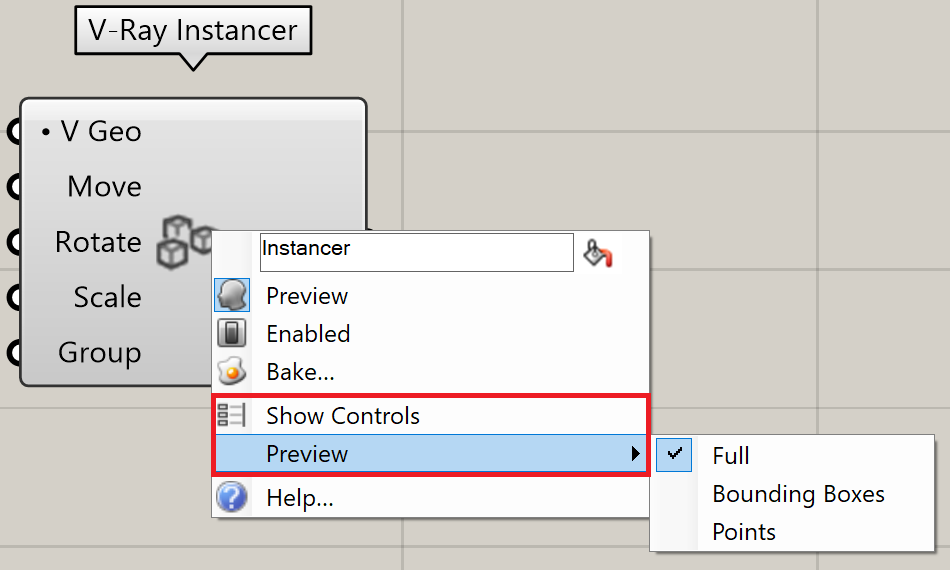
Right-click on the component to see more options.
Example


Instanced Proxy Mesh
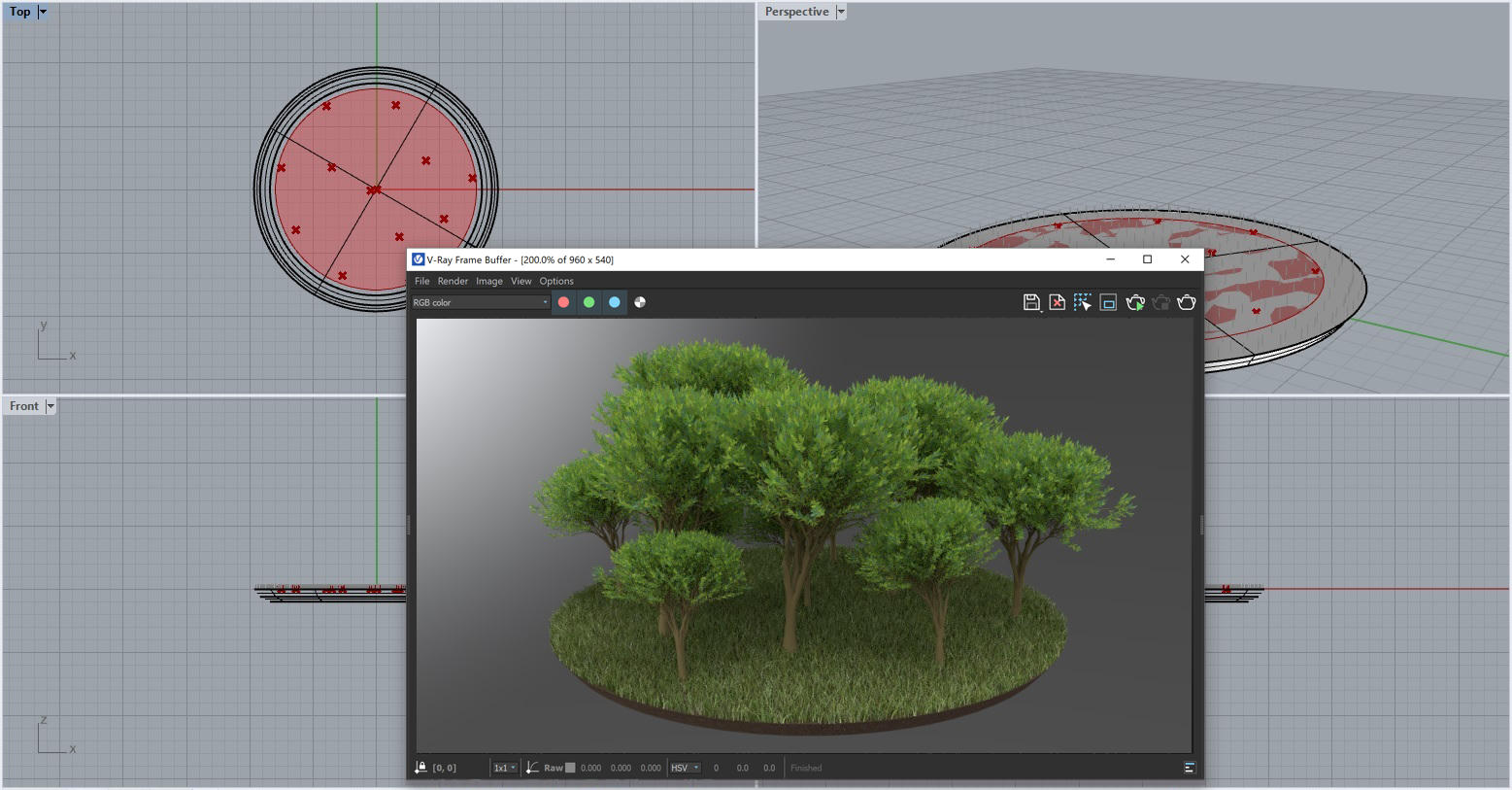
Viewport and Render output results in Rhino

Group Objects option is disabled
(Click to enlarge image)
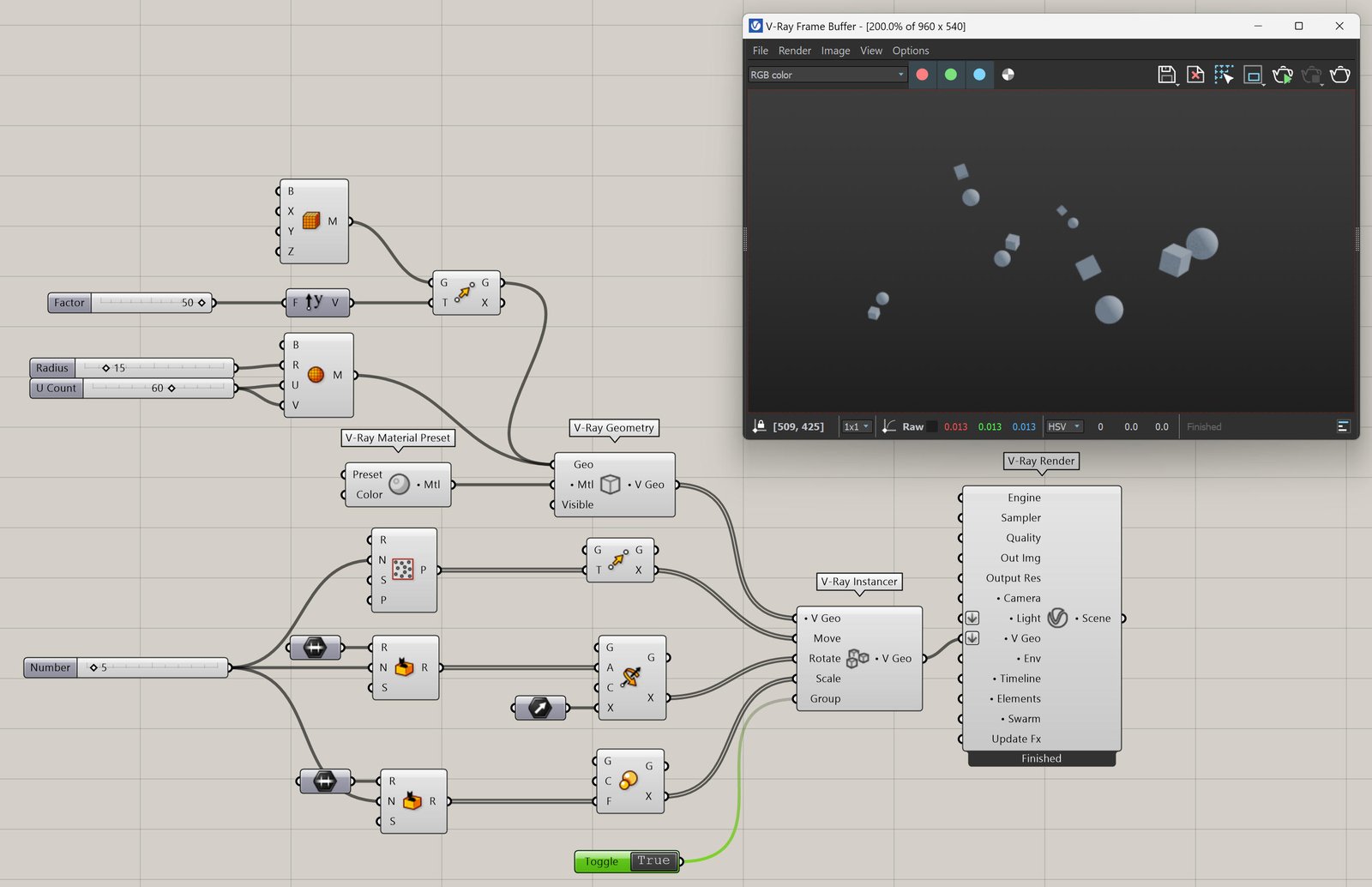
Group Objects option is enabled
(Click to enlarge image)