V-Ray for Rhino
V-Ray Light Rig Sun System
This page provides information about the Light Rig Sun System in V-Ray for Grasshopper.
Last updated 18 May 2026
This page provides information about the Light Rig Sun System in V-Ray for Grasshopper.
Overview
The Light Rig Sun System includes a V-Ray Sun Light and Sky texture plugged in all environment slots.
The Sun direction is visible in the Rhino viewport.

Input Parameters
On (Boolean) – Enables the Sun Light. Note that disabling the Sun does not disable the Sky texture and the set is still illuminated.
Position (Point) – Controls the point position of the Sun. Keep in mind that the Sun is always infinitely far away (it's a directional light source). The Position combined with the Target determines the Sun direction vector. If there is no target specified it is automatically placed in the world origin.
Target (Point) – Controls the point position of the Sun target.
Intensity (Number) – Controls the intensity of the Sun light.
Filter Color (Color) – Tints the automatic Sun light color. Note that Sun light color also depends on its altitude.
Ground Color (Color) – Provides a connection slot to the Ground Albedo Color.
Caustics Radius (Number) – Defines the area around the V-Ray Sun from where the photons will be shot.
Caustic Subdivs (Integer) – Determines the number of caustic photons emitted from the light source. Lower values equal noisier images for less render time. Higher values produce smoother images for longer render time.

Output Parameters
Light (Generic Data) – This Light output should be connected to the V-Ray Renderer's Light input slot.
Env (Generic Data) – V-Ray Environment to be connected to the V-Ray Renderer's Environment input slot.
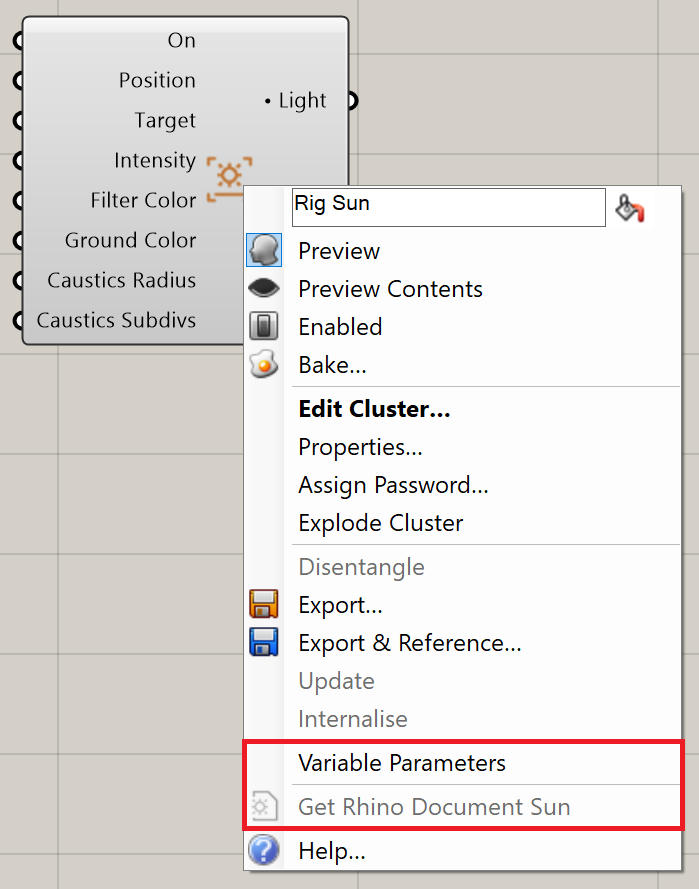
Right-click on the component to see more options.
Footnotes
- Loading Rig components from projects created with V-Ray 6.10.00 into newer versions, requires parameter rewiring.