V-Ray for Rhino
V-Ray Lighting Components
This section contains information about the lighting components in V-Ray for Grasshopper.
Last updated 18 May 2026
This section contains information about the lighting components in V-Ray for Grasshopper.
Overview
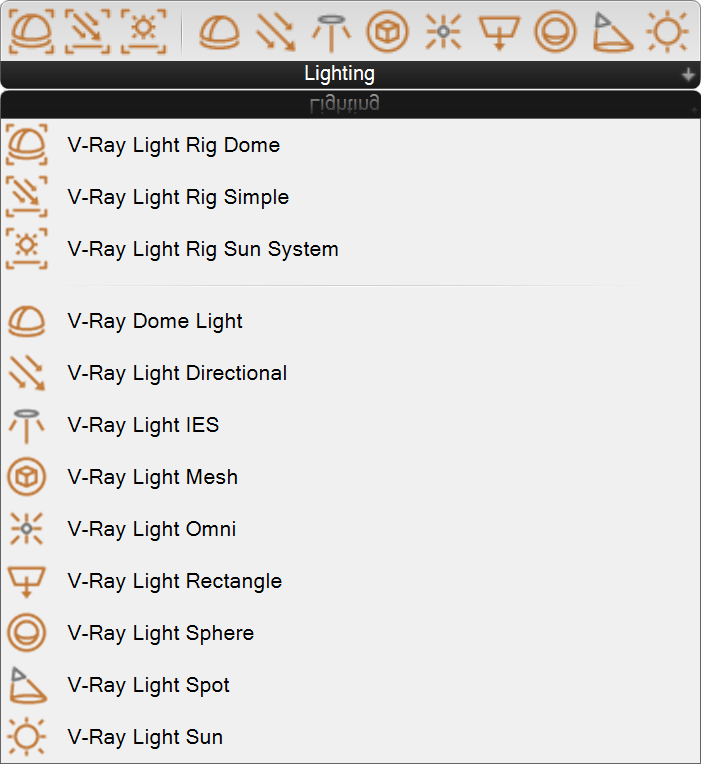
The Lighting tab displays all the V-Ray lights components. They are the following: V-Ray Light Rig Dome, V-Ray Light Rig Simple, V-Ray Light Rig Sun System, V-Ray Dome Light, V-Ray Light Directional, V-Ray Light IES, V-Ray Light Mesh, V-Ray Light Omni, V-Ray Light Rectangle, V-Ray Light Sphere, V-Ray Light Spot and V-Ray Light Sun.
www.youtube.com
Example: Default Light
To disable the environment, connect an Environment component with black GI to the V-Ray Render component.
To disable the light, connect a new lighting component or a Rig Dome component with disabled “Light On” parameter to the V-Ray Render component.

Default Light and Environment

Environment with GI that is overridden with black color
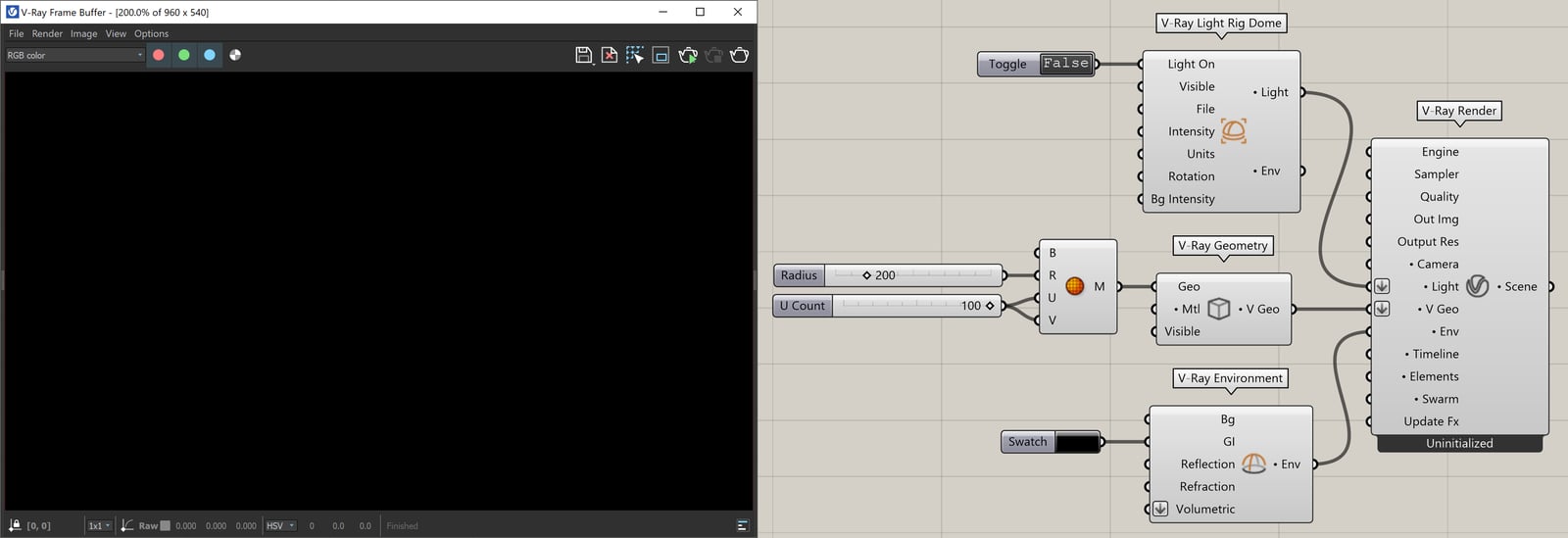
Rig Dome light with disabled Light On
Notes
- Grasshopper creates default lighting and environment in every scene if no inputs specified in the V-Ray Render component.