V-Ray for Rhino
V-Ray Live Link
This page provides information about the V-Ray Live Link component in V-Ray for Grasshopper.
Last updated 18 May 2026
This page provides information about the V-Ray Live Link component in V-Ray for Grasshopper.
Overview
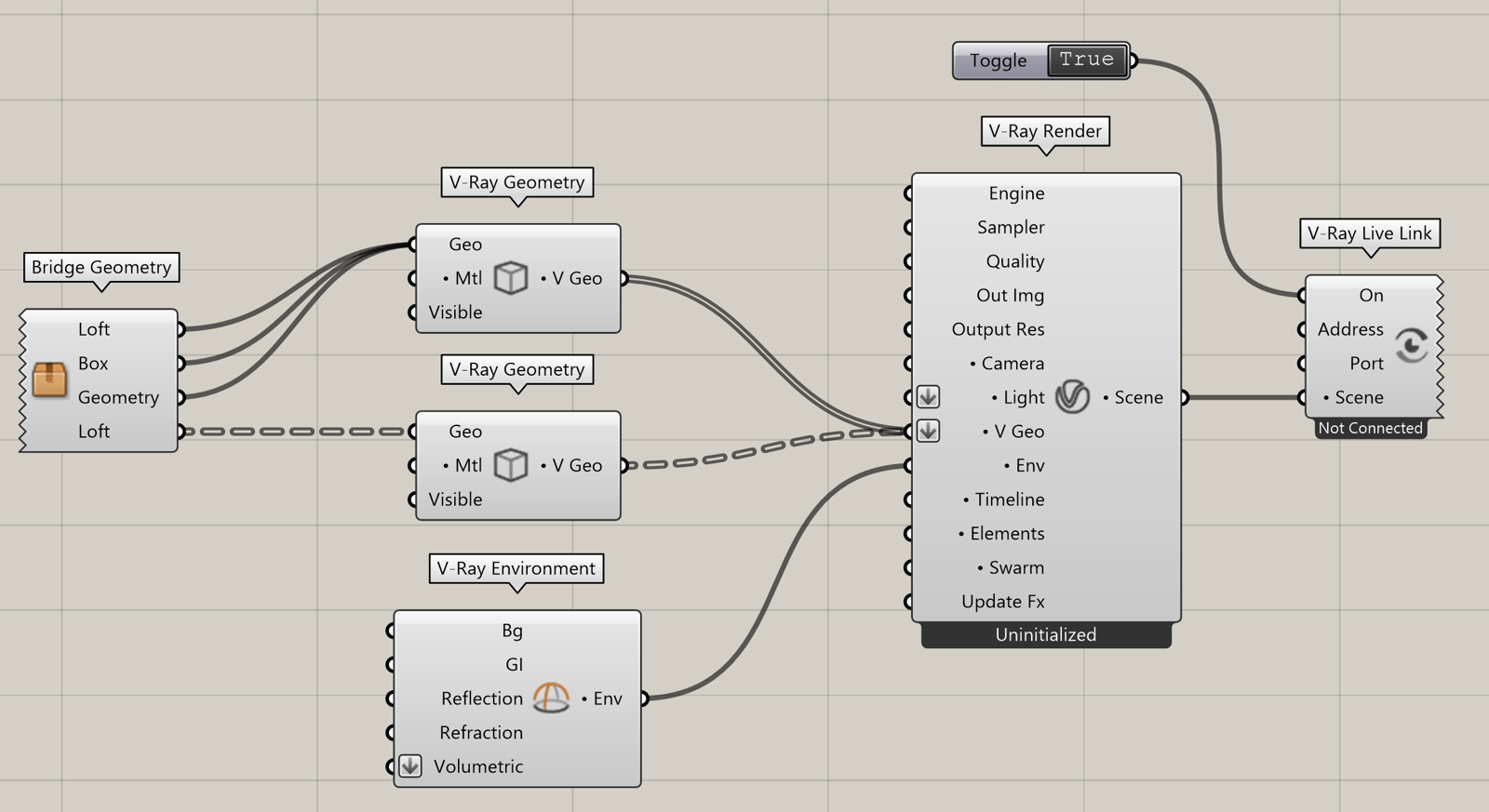
While this component is running, it interactively shares the input V-Ray scene on the port specified. V-Ray instances running in other applications can make use of the data. This component is most commonly used for V-Ray Vision sessions inside Grasshopper. Right-click and select 'Start V-Ray Vision' to do so.
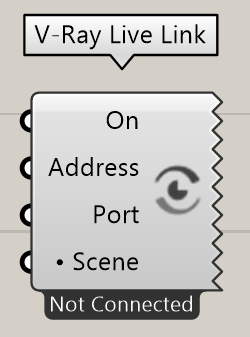
Input Parameters
On (Boolean) – Specifies whether the scene changes are sent to the V-Ray server or not.
Address (Text) – Specifies an IPv4 address where a V-Ray server instance is or will be running.
Port (Integer) – Specifies a TCP port on which the V-Ray server instance is or will be connected on.
Scene (Generic Data) – The scene the V-Ray server will be rendering.
Output Parameters
Show Controls – Opens a Toggle where you can switch on/off the V-Ray Live Link.
Start V-Ray Vision – Opens V-Ray Vision.
Start V-Ray Vantage - Opens V-Ray Vantage.
Export Animation - Exports animation to V-Ray Vision or V-Ray Vantage. This option becomes enabled after starting V-Ray Vision or V-Ray Vantage.


Example: Live Link Component

Notes
- Sun and camera animations from Grasshopper can be rendered in V-Ray Vision both through Live Link or from manually exported .vrscene files. Note that object animations are currently unsupported.
- Sun and Camera animation is supported for both V-Ray Vision and Chaos Vantage.