V-Ray for Rhino
V-Ray Outlines
This page provides information about the Outlines Component in V-Ray for Grasshopper.
Last updated 18 May 2026
This page provides information about the Outlines Component in V-Ray for Grasshopper.
Overview
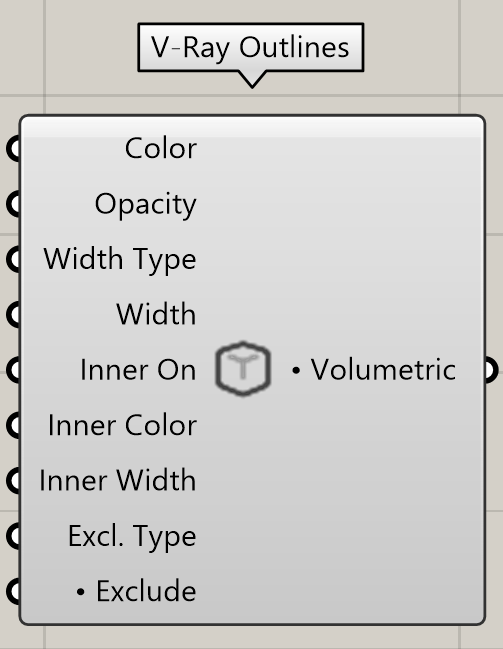
The V-Ray Outlines component adds outlines to all scene objects, like the global Outlines rollout in V-Ray for Rhino, making it easier to give renders an illustrative look.
Input Parameters
Color (Color) – Specifies the color of the lines.
Opacity (Number) – Specifies the opacity of the outlines.
Width Type (Integer) – Controls the width measurement units.
Width (Number) – Specifies the width of the outlines (in the units set in Width Type parameter).
Inner On (Boolean) – Enables rendering of the inner lines.
Inner Color (Color) – Specifies the color of the inner lines.
Inner Width (Number) – Specifies the width of the inner lines (in the units set in Width Type parameter).
Excl. Type (Number) – When set to Exclude(0) - the outlines affect all scene objects except for those in the Exclude List. When set to Include(1) - the outlines affect only the scene objects from the Exclude List.
Exclude (Generic Data) – Specifies which scene objects will be affected by the outlines.
Output Parameters
Volumetric (Generic Data) – Environment volume shader output that can be connected to a V-Ray Environment component.
Examples:
Download the GH definition here.

Inner Line On = False

Inner Line On = True

Exclude Type = Exclude

Exclude Type = Include