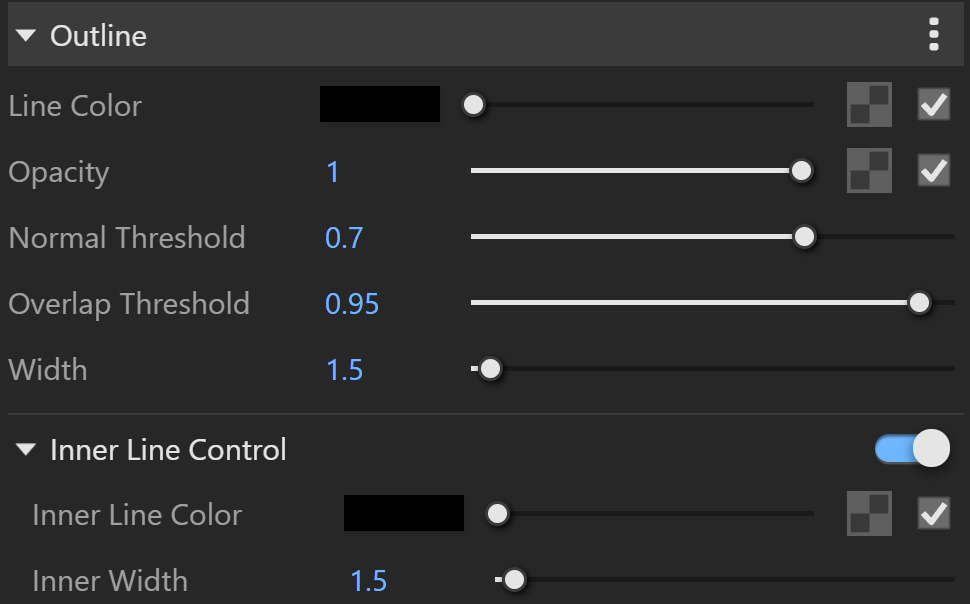
Use the Outline attribute in V-Ray for SketchUp to control outline colours, opacity and width.
Overview
Some V-Ray materials have an Add Attribute button. Use it to add attributes that change the material's appearance. For details, see Add Attribute on the How to Work with Materials page.
Properties
The Outline attribute is available only when the engine is set to CPU. GPU is not currently supported.
Line Color sets the colour of the outlines.
Opacity sets the opacity of the outlines.
Normal Threshold controls when lines appear between surfaces of the same object with different normals, such as the inside edges of a box. At 0.0, only angles of 90 degrees or more generate internal lines. Higher values allow lines at smoother transitions between face normals. At 1.0, curved objects fill completely.
Overlap Threshold controls when outlines appear where parts of the same object overlap. Lower values produce fewer internal overlapping lines. Higher values produce more. At 1.0, curved objects fill completely.
Width sets the width of the outlines.
Inner Line Control enables separate control of the inner edges.
Inner Line Color sets the colour of the inner lines.
Inner Width sets the width of the inner lines.