V-Ray for Unreal
Exporting a VRayScene
This page provides information about export .vrscene file with V-Ray for Unreal.
Last updated 25 February 2026
This page provides information about export .vrscene file with V-Ray for Unreal.
Overview
VRayScene allows for assets to be shared between all platforms that run V-Ray.
UI Path
ІІV-Ray toolbar drop-downІІ > Export vrscene
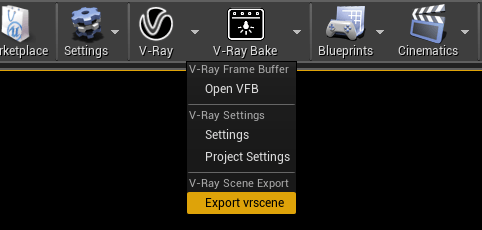
Exporting a .vrscene
A vrscene from the an Unreal project can be exported with in two ways:
V-Ray toolbar
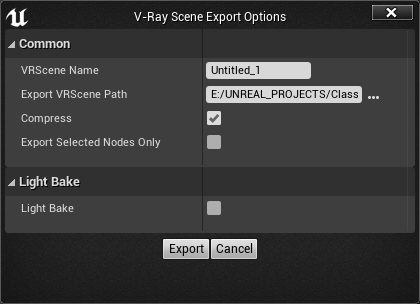
VRScene Name – Specifies the name of the generated .vrscene file.
Export VRScene Path – Directory where the .vrscene file is saved. Default directory is <ProjectPath>\Content
Compress – Compresses geometric information thus making the resulting .vrscene file smaller.
NEW
Export Selected Only – Exports only selected actors in the scene to a .
vrscene
file. Option will be ignored when
Light Bake
option is enabled.
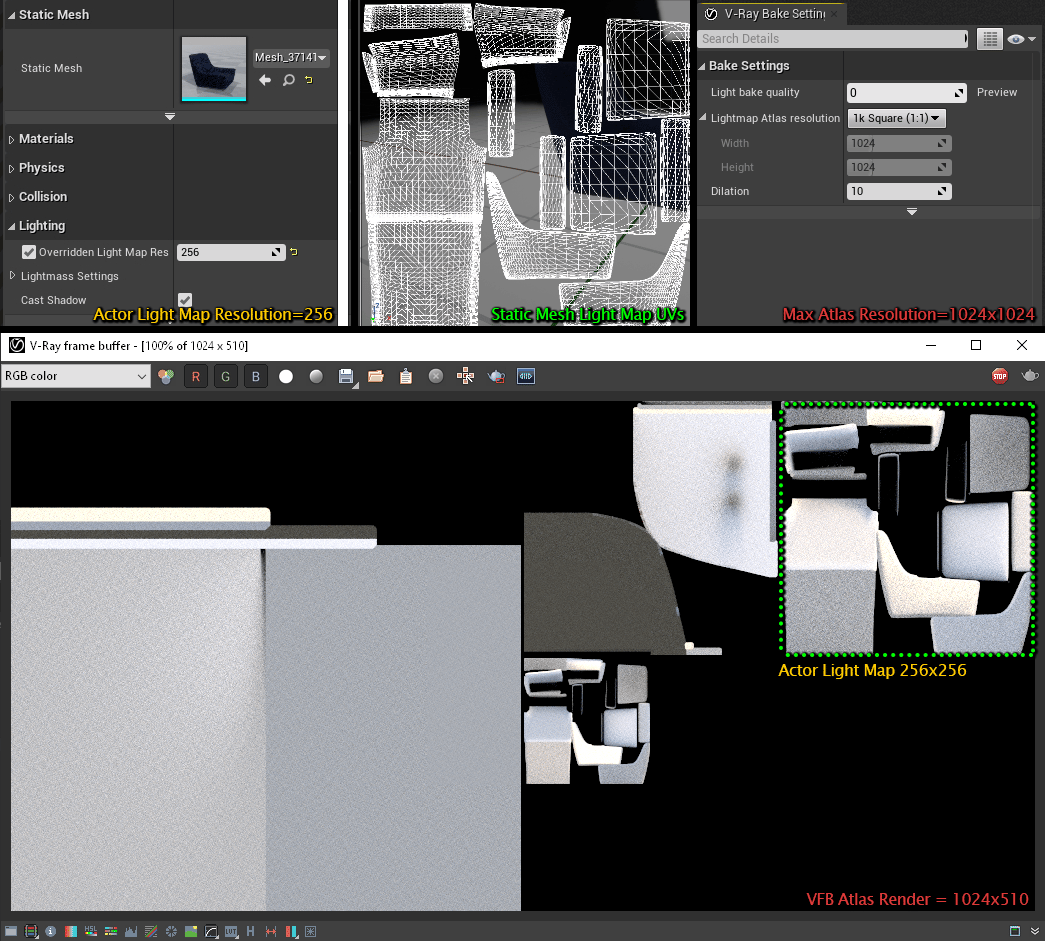
Light Bake – Exports separate .vrscene files for every light map atlas.
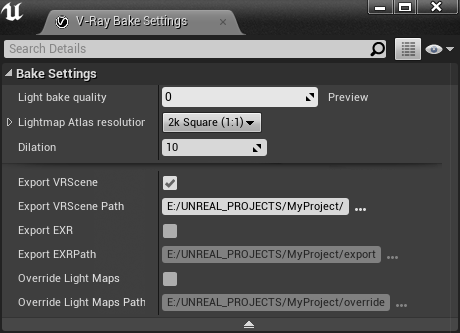
V-Ray Bake Settings
Export VRScene – Enables the export of a .vrscene file when the V-Ray Bake button is clicked.
Export VRScene Path – Directory where the .vrscene file is saved with the file name bake#.vrscene. Default directory is <Project_Path>
Supported Features
Unreal
Rendering and Light Baking |
|---|
Rendering and Light Baking | |
|---|---|
Cameras |
|
Geometry |
|
Lights |
|
Materials | Supported expressions:
|
Supported Inputs:
| |
Supported Blend Modes:
| |
Supported Shading Models:
| |
Supported Material Options
| |
Textures | Texture with Compression Settings:
Texture Settings:
Adjustment Settings:
|
Textures with file format:
| |
Other |
|
V-Ray
Rendering and Light Baking |
|---|
Rendering and Light Baking | |
|---|---|
Cameras |
|
Lights |
|
Materials | Material Instances, V-Ray Material Instances with V-Ray Parent Materials:
|
Light Baking |
|
Render Elements |
|
Export |
|