V-Ray for Unreal
Point Light
This page provides information on the Point Light in Unreal.
Last updated 25 February 2026
This page provides information on the Point Light in Unreal.
Overview
Point Lights work much like a real world light bulb, emitting light in all directions from the light bulb's tungsten filament. For any additional information, see the Unreal Point Light documentation.
UI Path
||Modes Tab|| > Lights > Point Light
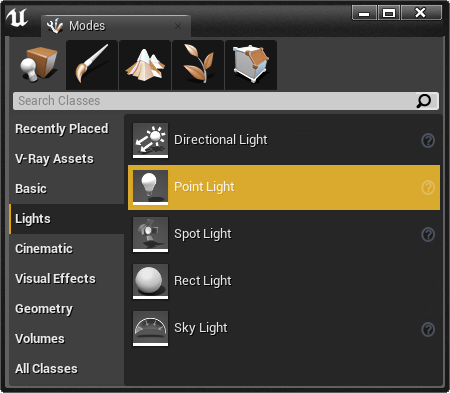
Point Light Properties
When rendering with V-Ray, the following parameters are supported:
Light
Intensity – The total energy that the light emits.
Light Color – The color that the light emits.
Intensity Units – Determines how the light's Intensity setting should be interpreted.
Source Radius – Radius of light source shape. Value of 0 will treat the light as Omni Light. Values greater than 0 will treat it as a Sphere Light.
Temperature – Specifies the color value of the light expressed in Kelvin.
Use Temperature – When enabled, the color of the light is specified by the Temperature value multiplied by the Light Color value.
Affects World – When enabled (the default), the light contributes to the lighting in the level. Disabling it will stop the contribution of the light in the environment.
Cast Shadows – When enabled (the default), the light casts shadows. Turn this option off to disable shadow casting for the light.
Use Inverse Squared Falloff – Specifies whether to use the physically based inverse squared distance falloff.
Specular Scale – Multiplier on specular highlights. The value controls the light's contribution to specular reflections
