V-Ray for Unreal
V-Ray Material Instance Asset
This page provides an overview of the V-Ray Material Instance Asset and its use.
Last updated 25 February 2026
This page provides an overview of the V-Ray Material Instance Asset and its use.
Overview
The V-Ray Material Instance Asset is a material asset that enables you to easily create V-Ray materials in Unreal.

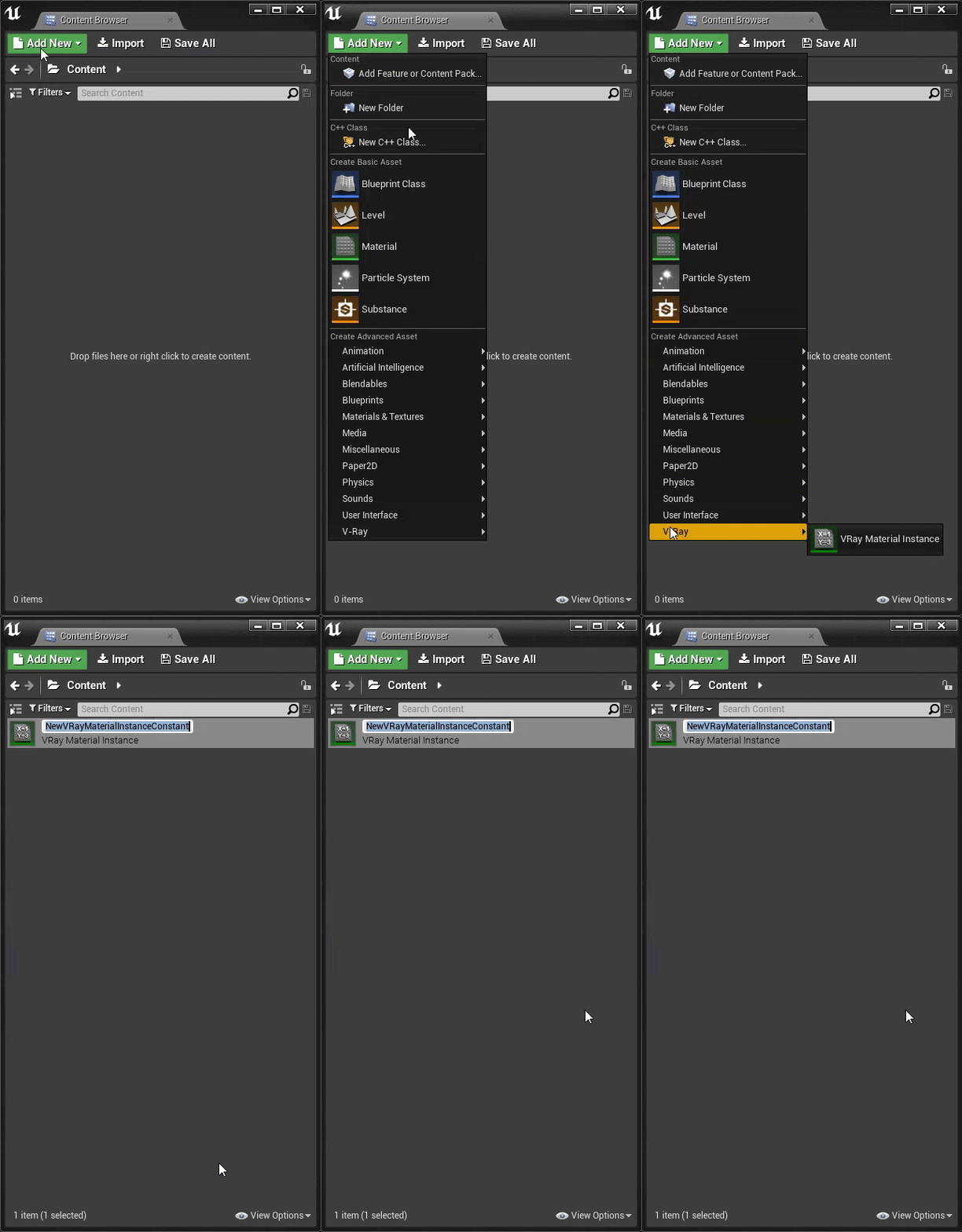
VRay Material Instance Setup
- In the Content Browser > Add New > V-Ray > VRay Material Instance
- In the Content Browser > Right Mouse Button click > V-Ray > VRay Material Instance
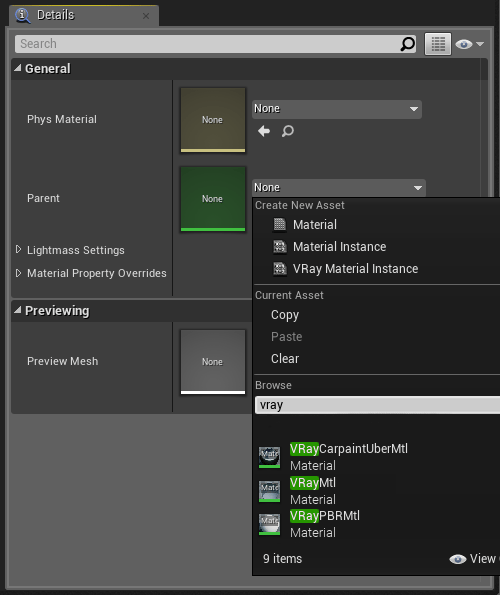
After a VRay Material Instance Asset is created in the Content Browser you can choose which V-Ray material will be its parent. Double click the newly created material and at the bottom of the asset editor, in the General section, click the Parent slot and set one of three V-Ray materials:
- VRayMtl - a very versatile material that can easily be set up to simulate a huge variety of surfaces from plastics to metals to glass and more by adjusting a handful of parameters. For more details see theVRayMtl documentation.
- VRayCarpaintUberMtl - a material that simulates metallic car paint. For more details see the VRayCarpaintMtl documentation.
- VRayPBRMtl - The VRayPBRMtl enables you to use the PBR workflow with V-Ray, similar to the one in Unreal. For more details see the VRayPBRMtl documentation.