V-Ray for Unreal
V-Ray Project Settings
This page provides details on the V-Ray for Unreal Project Settings.
Last updated 24 February 2026
This page provides details on the V-Ray for Unreal Project Settings.
Overview
In V-Ray Project Settings you set global option for the entire project.

UI
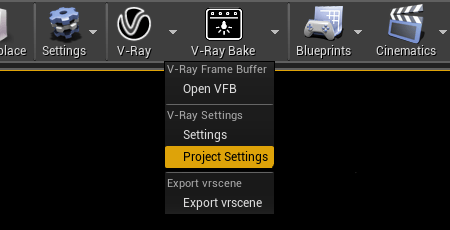
When the Project Settings button is pressed in the drop-down menu next to the V-Ray button in the toolbar, the V-Ray Category in Projects Settings pops up.
||V-Ray toolbar|| > Project Settings
||Edit|| > Project Settings > Plugins > V-Ray
General
In General category you can set the following options:
- Toggle check at start up for latest versions.
- Toggle the Chaos Telemetry. Check the Chaos Telemetry page for additional information.

VRay CUDA GPU Device Select
You may not want to use all available GPU devices for rendering, especially if you have multiple GPUs and you want to leave one of them free for working on the user interface or you may want to combine your CPU and GPU together. Enable the desired render device by ticking the checkbox.
