Deleting Collections
The My Collections tab of your content library lets you delete one or multiple collections.
Last updated 17 July 2026
The My Collections tab of your content library lets you delete one or multiple collections.
To delete a single collection, follow these steps:
- Click Delete (
 ) at the lower-right corner of the collection. A confirmation dialog will appear.
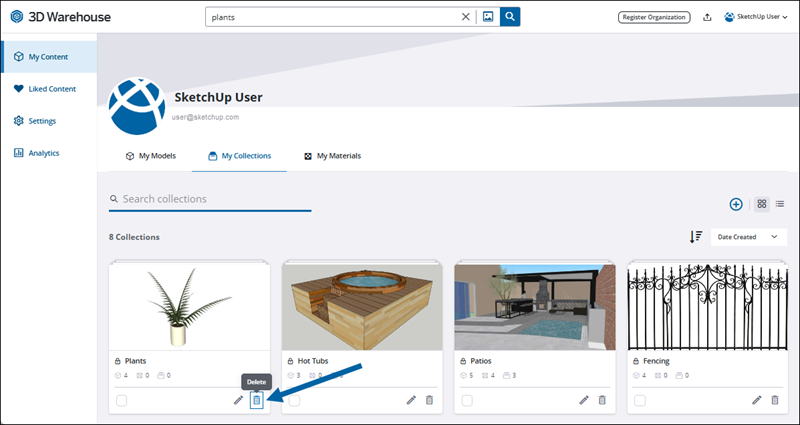
- Click Yes.
To delete multiple collections at the same time, follow these steps:
- Select the check box at the lower left corner of each collection you want to delete. A new set of icons, including Delete (), replace the controls on the upper-right of the My Collections tab.
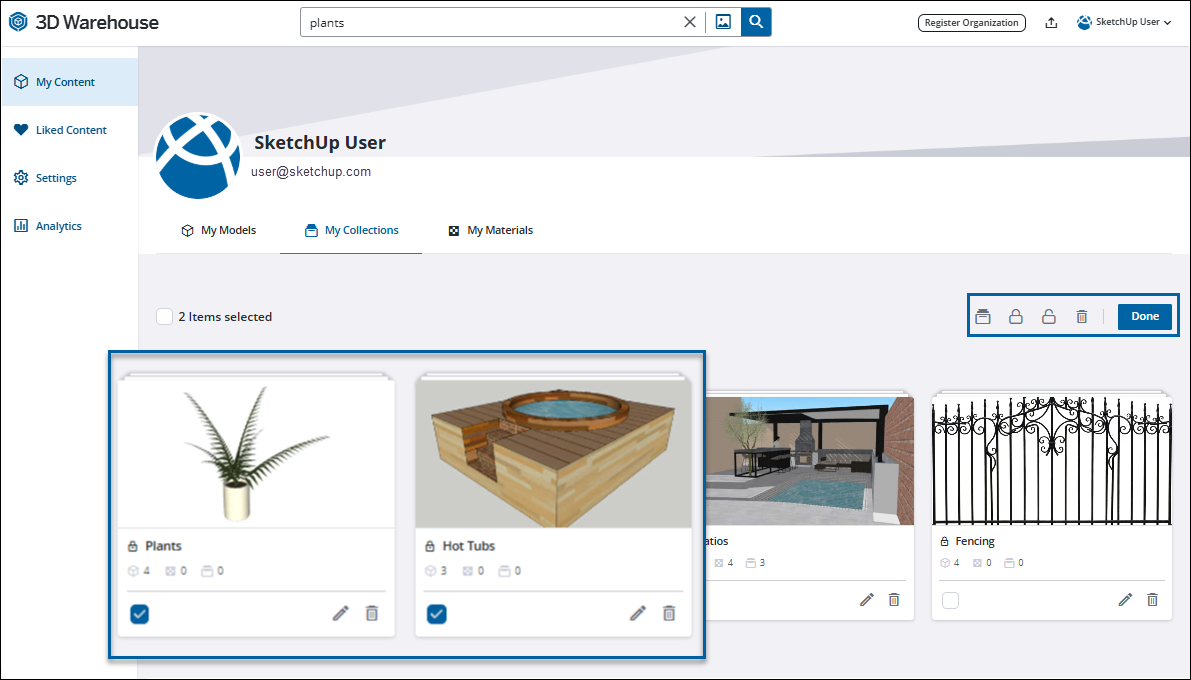
- Click Delete (. A confirmation dialog will appear.
- Click Yes.
Still need help?
Technical support from our New Zealand team is available to customers with a current Procadsys SketchUp Plus subscription: Pro Plus, Pro Scan Plus, Pro Civil Contractor Plus, Advanced Workflows Plus or Studio Plus. Self-help articles are public.
Contact SketchUp support