Geolocating
SketchUp files can be placed relative to real world coordinates using the Geolocation feature. This is great for buildings or parks or cities, but it is not necessary for product models.
Last updated 17 July 2026
SketchUp files can be placed relative to real world coordinates using the Geolocation feature. This is great for buildings or parks or cities, but it is not necessary for product models. Clear any geolocation in your content file unless there is a need for it (for example, a historic building).
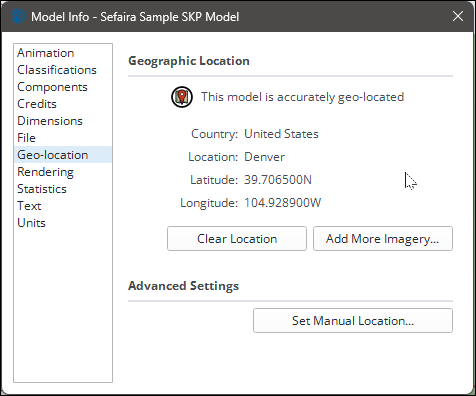
You can easily clear geolocation data from your model in the Model Info window, under Geo-location. Click Clear Location to remove the data.
Still need help?
Technical support from our New Zealand team is available to customers with a current Procadsys SketchUp Plus subscription: Pro Plus, Pro Scan Plus, Pro Civil Contractor Plus, Advanced Workflows Plus or Studio Plus. Self-help articles are public.
Contact SketchUp support