Sharing a Model in 3D Warehouse
Share a 3D Warehouse model by link or website embed.
Last updated 17 July 2026
Share a 3D Warehouse model by link or website embed.
To share a link, click Share (  ) and select Copy Link for SketchUp for Web.
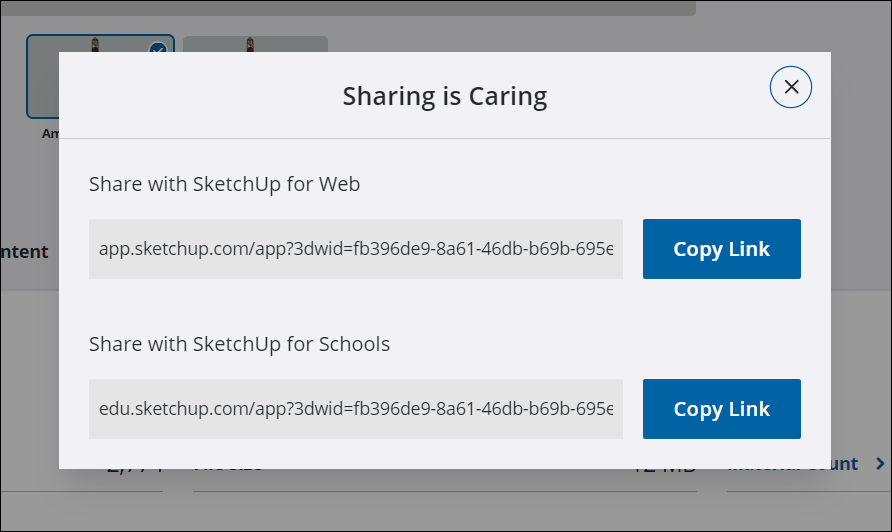
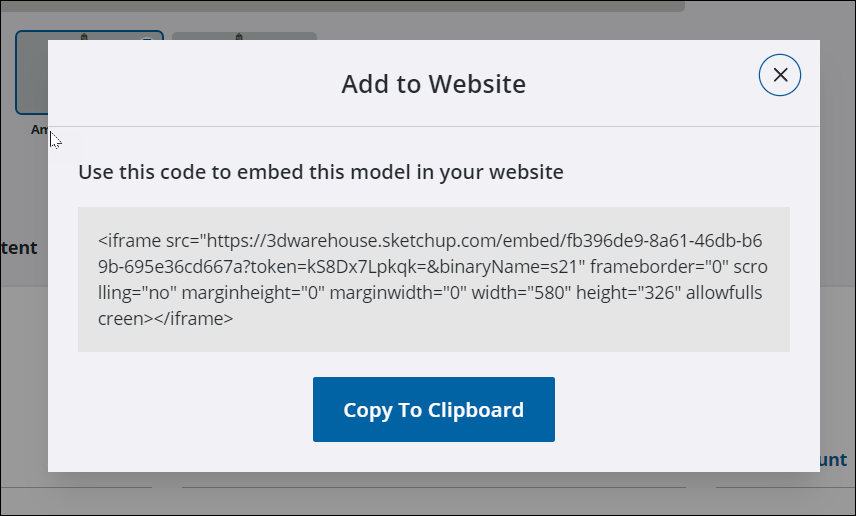
To embed a 3D Warehouse model on a web page, follow these steps:
- On the model details page, click Embed (
 ).
). - In the window that opens click Copy to Clipboard to copy the code you need. You may want to save the code snippet to a text file.
Still need help?
Technical support from our New Zealand team is available to customers with a current Procadsys SketchUp Plus subscription: Pro Plus, Pro Scan Plus, Pro Civil Contractor Plus, Advanced Workflows Plus or Studio Plus. Self-help articles are public.
Contact SketchUp support