Accessing the SketchUp Content Library
The SketchUp Content Library is a curated collection containing models, materials, and environments that are available to all 3D Warehouse users free of charge. You can use any of these assets however you want.
Last updated 17 July 2026
The SketchUp Content Library is a curated collection containing models, materials, and environments that are available to all 3D Warehouse users free of charge. You can use any of these assets however you want. For example, you can download a model from the library, customize it, and present it as your own model.
3D Warehouse includes relevant SketchUp Content Library content in search results together with content uploaded by other users that meet the search criteria.
In 3D Warehouse, you can access the SketchUp Content Library through the user menu.
To access the SketchUp Content Library, follow these steps:
- Go to 3dwarehouse.sketchup.com and sign in using your Trimble ID.
- In 3D Warehouse, click your display name.
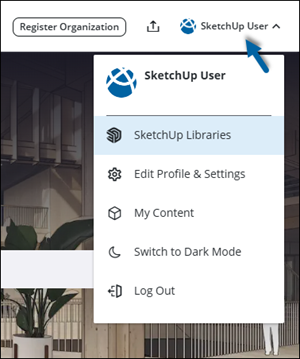
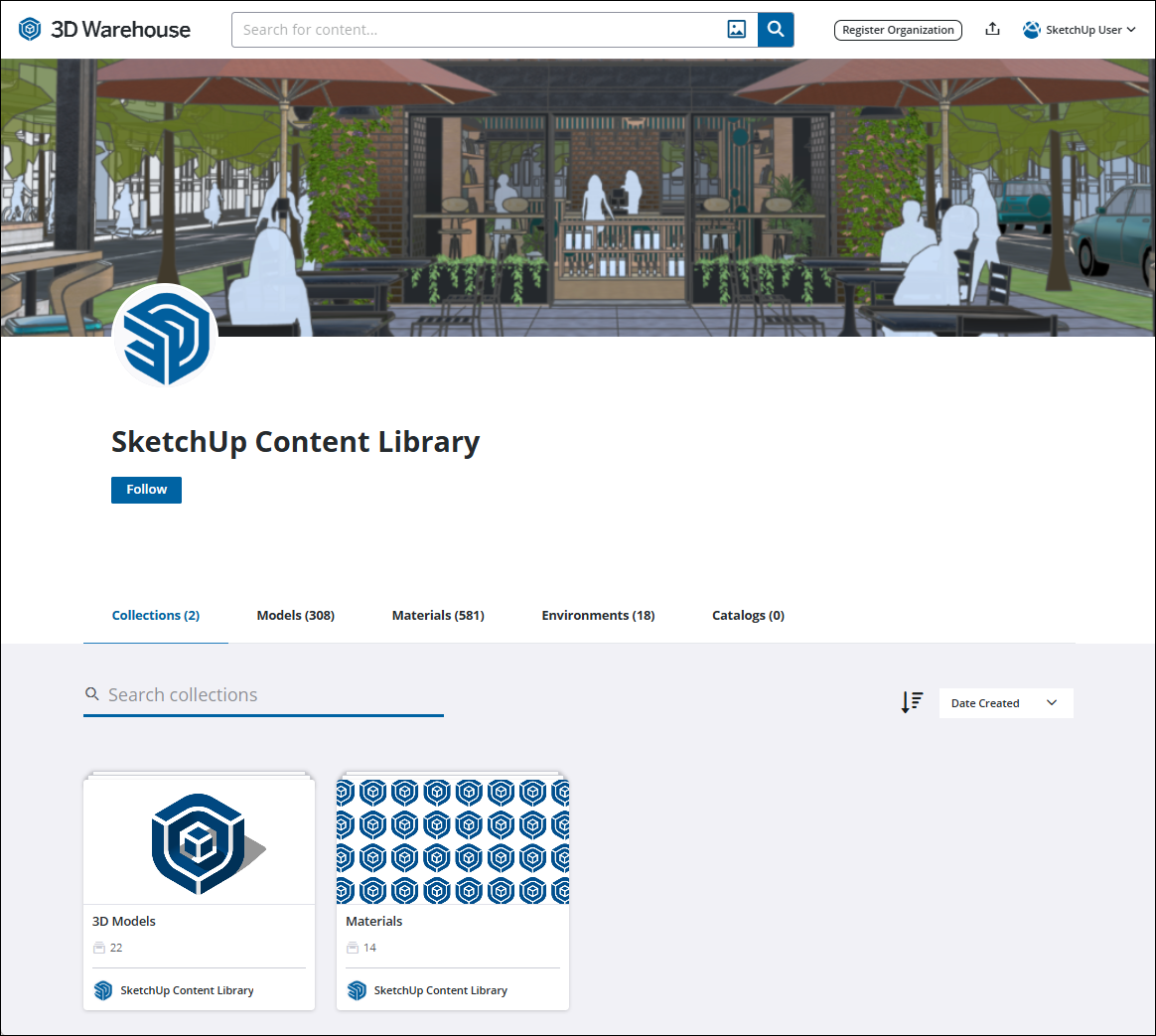
- Select SketchUp Libraries. The SketchUp Content Library page appears with the Collections tab selected.
Still need help?
Technical support from our New Zealand team is available to customers with a current Procadsys SketchUp Plus subscription: Pro Plus, Pro Scan Plus, Pro Civil Contractor Plus, Advanced Workflows Plus or Studio Plus. Self-help articles are public.
Contact SketchUp support