Skip to content
07-848 2005

SketchUp, SketchUp desktop

Evaluation Mode

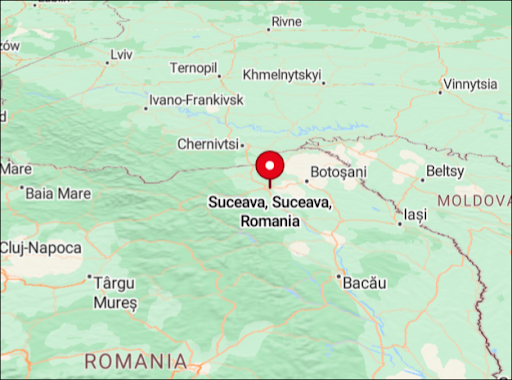
Sefaira's Evaluation Mode lets SketchUp subscribers try all Sefaira functions before buying a subscription. There is no time limit, and the location is fixed to Suceava, Romania.
Evaluation Mode

Use Sefaira's Evaluation Mode to try all Sefaira functions as a SketchUp subscriber before buying a subscription. There is no time limit, and the location is fixed to Suceava, Romania.

Map showing Suceava, Romania, the fixed location used in Sefaira's Evaluation Mode.

Two demo projects will be available to guide you through Sefaira and let you run analysis.
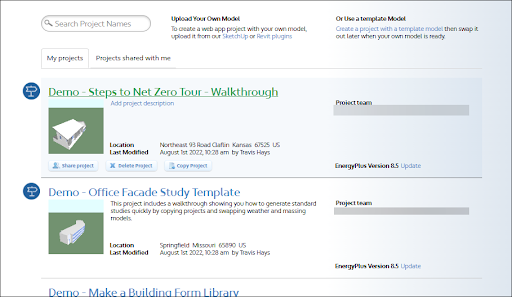
My projects page showing the 'Steps to Net Zero Tour - Walkthrough' and 'Office Facade Study Template' demos.

For more information, see the Sefaira product page.

Adapted from SketchUp Help Center documentation: Evaluation Mode. © 2026 Trimble Inc.

Procadsys customer support

Still need help?

Licences, renewals and billing

Our New Zealand team looks after your SketchUp licences, renewals and invoices.

Monday to Friday, 9:00 am to 4:30 pm NZ time, excluding New Zealand public holidays.

Technical problems

Technical support from our New Zealand team is available with a current Procadsys SketchUp Plus subscription: Pro Plus, Pro Scan Plus, Pro Civil Contractor Plus, Pro Advanced Workflows Plus or Studio Plus.

Initial response within one business day.

On another SketchUp plan? Technical problems go to Trimble support.