Paid Extensions
How paid Extension Warehouse products are purchased and supported, with seller-specific billing and New Zealand consumer rights.
Last updated 17 July 2026
Extension Warehouse offers a wide range of extensions both free and paid. Some extension developers require either a one-time purchase, or a recurring payment, to use their extension. Paid extensions in Extension Warehouse appear in search results with either the price listed or a “Listing Page” tag.
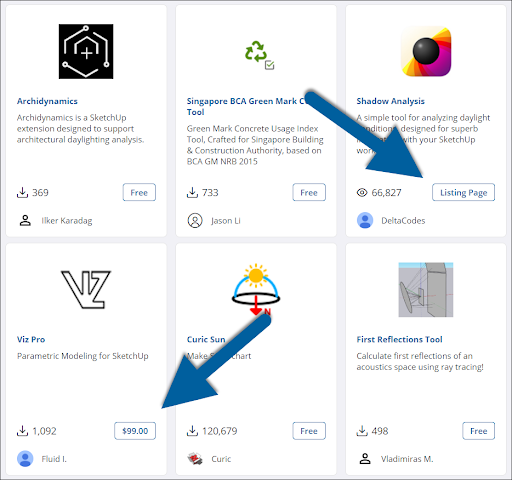
Extensions with a price listed can be purchased in Extension Warehouse. Those with a Listing Page tag require you to visit the extension developer’s page to purchase and download.
To purchase an extension:
- On the extension details page, click Try or Purchase and select Purchase .
- A window will appear asking for your billing and payment information.
- After entering your information, agreeing to Trimble’s eCommerce Terms and Conditions , and acknowledging you have read the Trimble Privacy Notice , click Pay Now.
- After your purchase, an email receipt will be sent to your Trimble ID email address.
Still need help?
Technical support from our New Zealand team is available to customers with a current Procadsys SketchUp Plus subscription: Pro Plus, Pro Scan Plus, Pro Civil Contractor Plus, Advanced Workflows Plus or Studio Plus. Self-help articles are public.
Contact SketchUp support