Scan Essentials for SketchUp
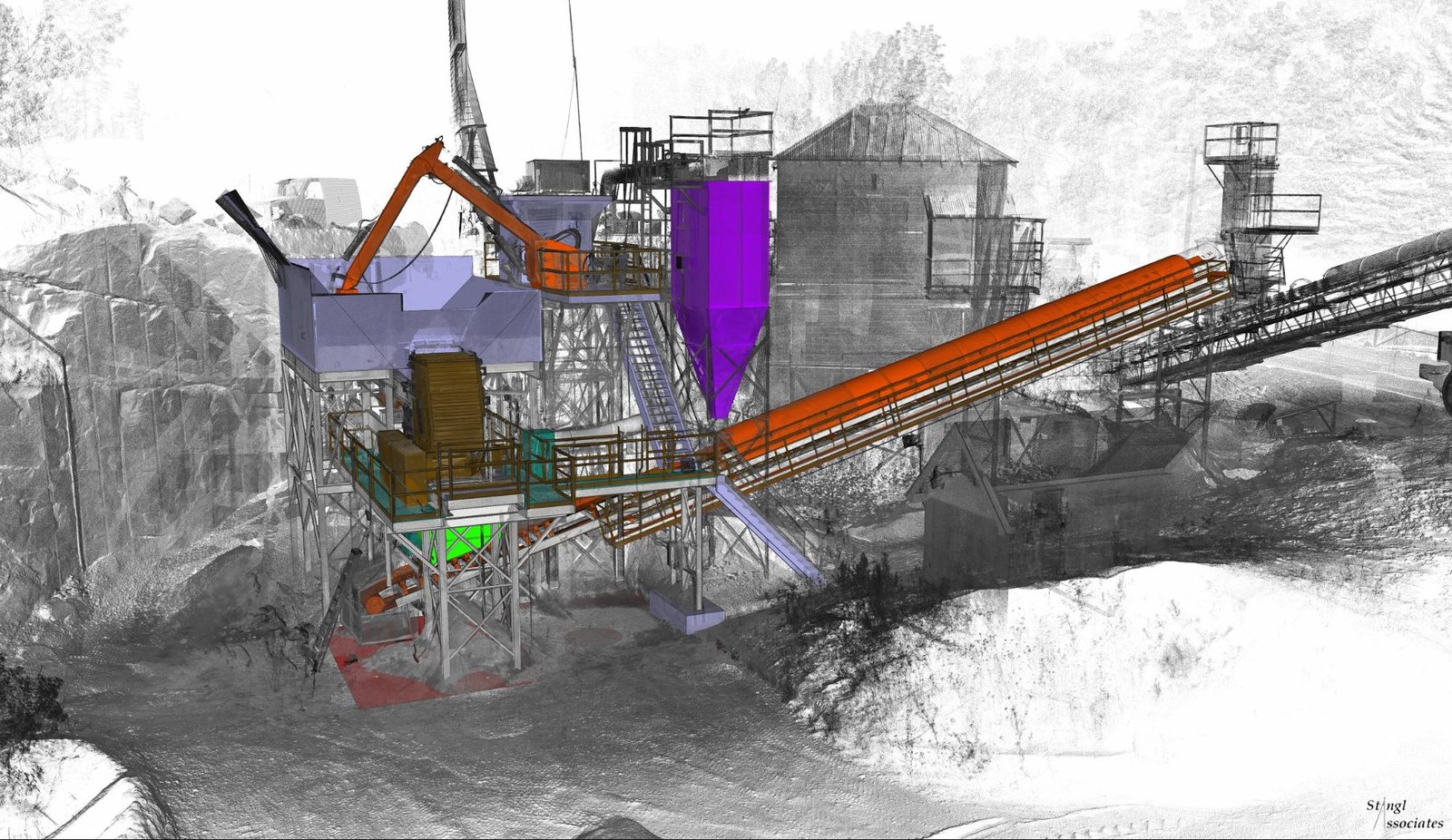
Scan Essentials provides the ability to import, view and interact with point cloud data in the SketchUp modeling environment. The imported point cloud can be used within SketchUp to model the scanned as-built condition, provide accurate visual context to your existing sketchup model, and to collect accurate measurement
Last updated 17 July 2026
Scan Essentials provides the ability to import, view and interact with point cloud data in the SketchUp modeling environment. The imported point cloud can be used within SketchUp to model the scanned as-built condition, provide accurate visual context to your existing SketchUp model, and to collect accurate measurement data.
If you’re a SketchUp Pro Scan, SketchUp Pro Advanced Workflows, or SketchUp Studio user, the Scan Essentials for SketchUp extension is part of your subscription. This extension will allow you to use point clouds directly in the SketchUp modeling interface. The point clouds can be used to assist in modeling existing buildings and/or project conditions or it can be used for visual context alongside the SketchUp model you have already created.
Still need help?
Technical support from our New Zealand team is available to customers with a current Procadsys SketchUp Plus subscription: Pro Plus, Pro Scan Plus, Pro Civil Contractor Plus, Advanced Workflows Plus or Studio Plus. Self-help articles are public.
Contact SketchUp support