Skip to content
07-848 2005

SketchUp, SketchUp for Web and iPad

3D Text

Use the 3D Text tool to add text as geometry in your model. Opening the 3D Text tool displays the 3D Text options dialog.

The 3D Text (3D Text tool icon.) tool creates geometry from the text you enter. Use it for house numbers, engravings or decorations in your model.

Open the 3D Text tool to display the 3D Text options dialog.
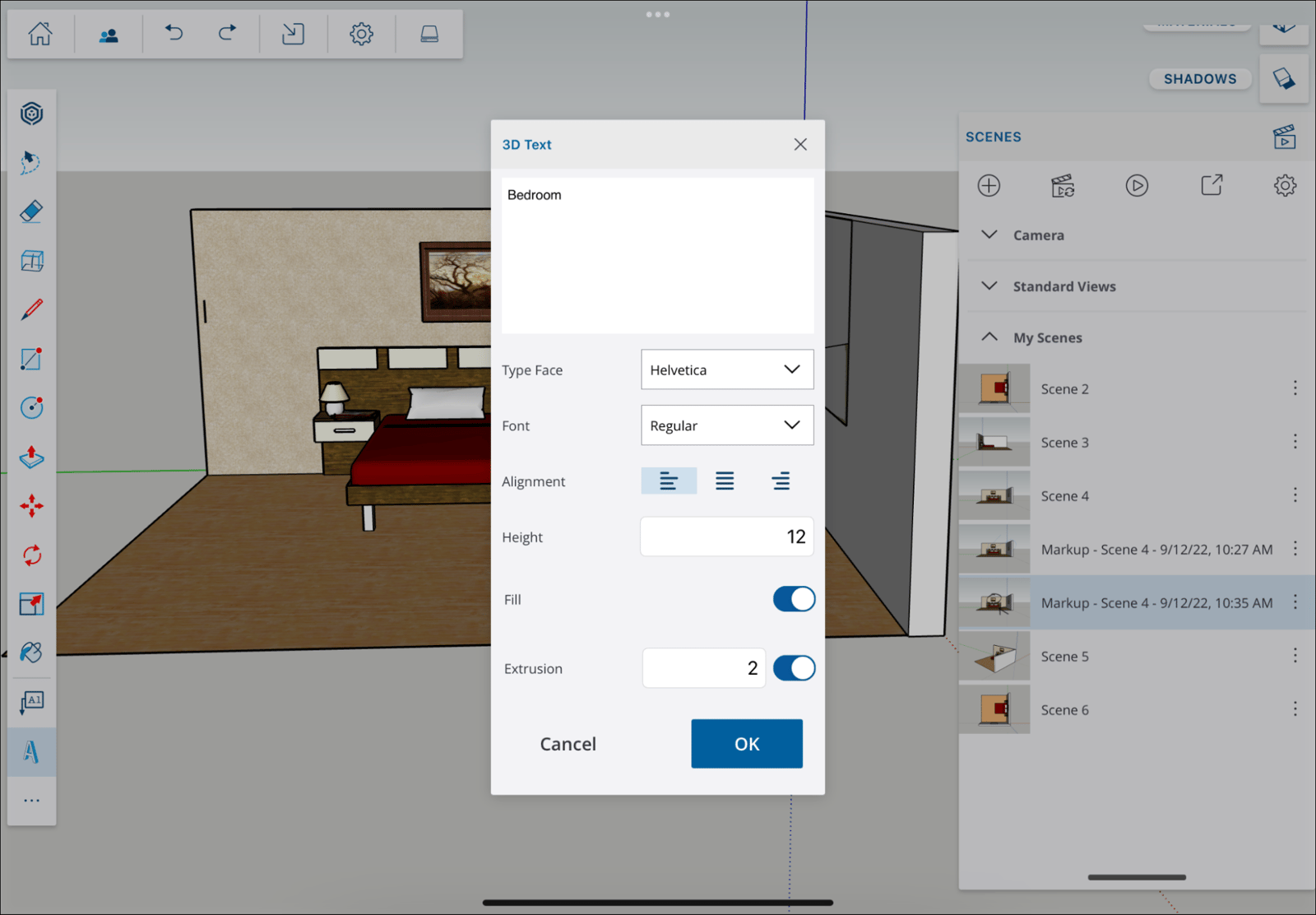
3D Text dialog with 'Bedroom' entered and options for typeface, font, alignment, height, fill and extrusion.

Use your Apple Pencil or your iPad's native keyboard to enter text in the box at the top of the dialog. Then adjust the text with these options:

  • Type Face
  • Font
  • Alignment
  • Height
  • Fill
  • Extrusion

Select your options, then tap OK to create your 3D text. The 3D text appears in your model as geometry. For help using 3D text, see Adding Text, Labels, and Dimensions to a Model.

Adapted from SketchUp Help Center documentation: 3D Text. © 2026 Trimble Inc.

Procadsys customer support

Still need help?

Licences, renewals and billing

Our New Zealand team looks after your SketchUp licences, renewals and invoices.

Monday to Friday, 9:00 am to 4:30 pm NZ time, excluding New Zealand public holidays.

Technical problems

Technical support from our New Zealand team is available with a current Procadsys SketchUp Plus subscription: Pro Plus, Pro Scan Plus, Pro Civil Contractor Plus, Pro Advanced Workflows Plus or Studio Plus.

Initial response within one business day.

On another SketchUp plan? Technical problems go to Trimble support.