Entity Info Panel
Each Entity in a model is made up of attributes. These attributes include what type of entity it is, the entity's measurements, and more. You can view these attributes using the Entity Info panel. After selecting an entity, you can open the Entity Info panel and see the following information:
Last updated 17 July 2026
Each Entity in a model is made up of attributes. These attributes include what type of entity it is, the entity's measurements, and more. You can view these attributes using the Entity Info panel.
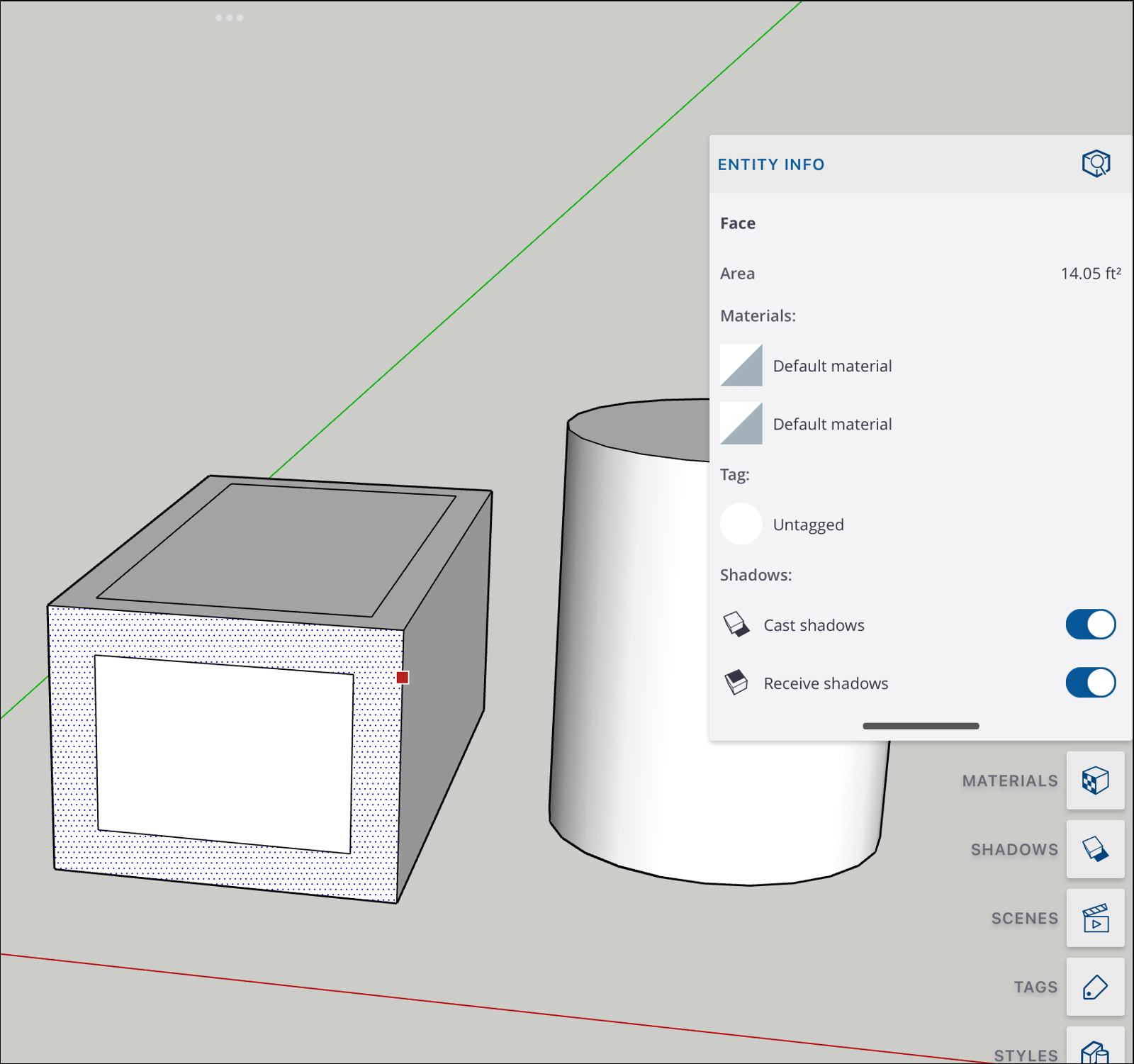
After selecting an entity, you can open the Entity Info panel and see the following information:
- What type of entity (edge, face, group, or component) you've selected.
- Measurements appropriate to the type of entity selected (e.g. area for a face, length for an edge).
- Any materials present in the entity.
- Any tags associated with the entity.
- The shadow settings for the entity. You'll see two toggles, Cast shadows and Receive shadows.
Still need help?
Technical support from our New Zealand team is available to customers with a current Procadsys SketchUp Plus subscription: Pro Plus, Pro Scan Plus, Pro Civil Contractor Plus, Advanced Workflows Plus or Studio Plus. Self-help articles are public.
Contact SketchUp support