Environment Panel
The Environment panel helps you add or manage the environment your model is using.
Last updated 17 July 2026
The Environment panel helps you add or manage the environment your model is using.
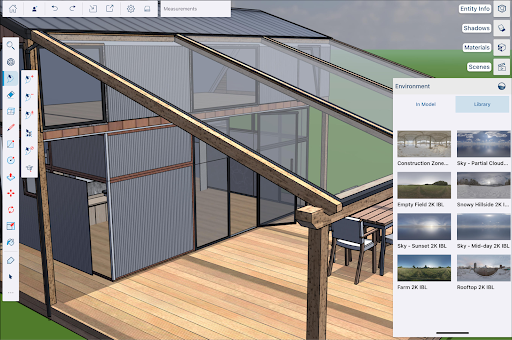
The In Model tab shows any environment you have added to the scenes in your model. The Library tab contains a collection of environments you can use. For more information on how to use environments in your model, see Adding an Environment to a Model .
Still need help?
Technical support from our New Zealand team is available to customers with a current Procadsys SketchUp Plus subscription: Pro Plus, Pro Scan Plus, Pro Civil Contractor Plus, Advanced Workflows Plus or Studio Plus. Self-help articles are public.
Contact SketchUp support