Subtract Tool
The Subtract tool () uses one solid entity to cut another, overlapping solid entity. The geometry used to make the cut is removed from your model. In SketchUp for iPad, the Subtract tool does not have any optional tool modes.
Last updated 17 July 2026
The Subtract tool (  ) uses one solid entity to cut another, overlapping solid entity. The geometry used to make the cut is removed from your model.
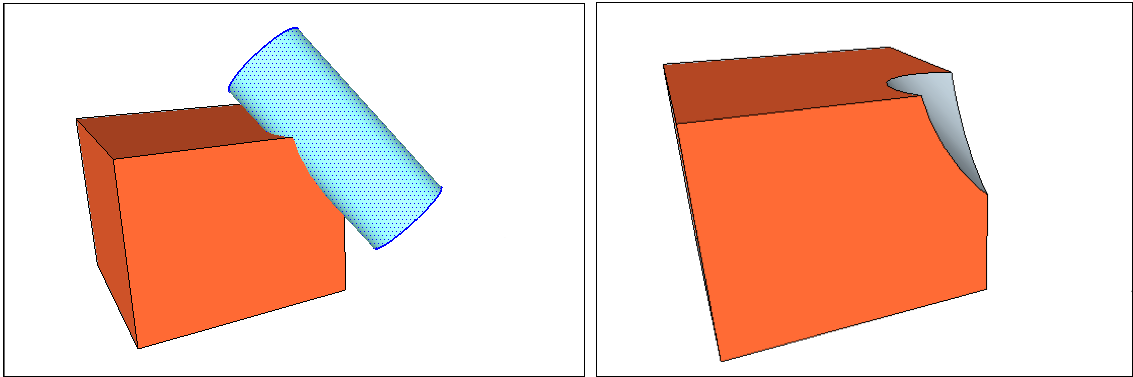
In SketchUp for iPad, the Subtract tool does not have any optional tool modes.
iPad Input Methods for the Subtract Tool
The Subtract tool can be used with any of SketchUp for iPad's input methods in either Just Draw or Click-Move-Click mode.
Click-Move-Click Mode or Just Draw Mode
Mouse or Trackpad - Select the Subtract tool and click your first solid, then click your second solid.
Pencil or Multitouch - Select the Subtract tool and tap your first solid, then tap your second solid.
For more information on how to use the Subtract tool in your models, see Subtracting one solid from another in Modeling Complex 3D Shapes with the Solid Tools .
Still need help?
Technical support from our New Zealand team is available to customers with a current Procadsys SketchUp Plus subscription: Pro Plus, Pro Scan Plus, Pro Civil Contractor Plus, Advanced Workflows Plus or Studio Plus. Self-help articles are public.
Contact SketchUp support