Replacing Components
You can easily replace the components you place in your model with another one by following these steps:
Last updated 17 July 2026
You can easily replace the components you place in your model with another one by following these steps:
- Add the new component to your model. You can place the component somewhere as long as it appears in your In Model collection.
- In the Components panel, navigate to your In Model collection.
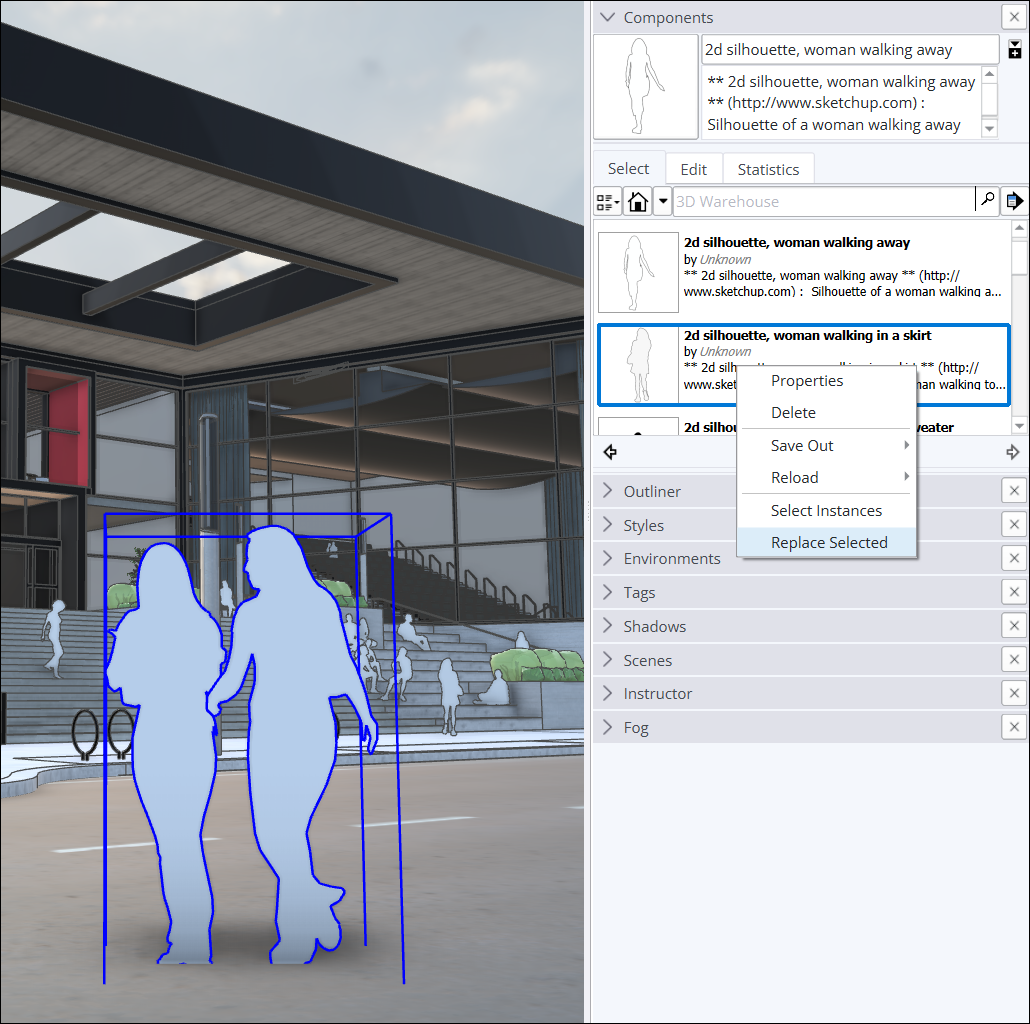
- Select the component or components that you want to replace. To select all instances of a component, context-click the component in the Components panel and choose Select Instances .
- In the Components panel, context-click the new component you want to add and select Replace Selected from the context menu.
Still need help?
Technical support from our New Zealand team is available to customers with a current Procadsys SketchUp Plus subscription: Pro Plus, Pro Scan Plus, Pro Civil Contractor Plus, Advanced Workflows Plus or Studio Plus. Self-help articles are public.
Contact SketchUp support