Testing a Dynamic Component
After you define the attributes and values for a dynamic component, test how it works in the Component Options window, which you can open in any of the following ways:
Last updated 17 July 2026
After you define the attributes and values for a dynamic component, test how it works in the Component Options window, which you can open in any of the following ways:
- Click the Component Options tool (
 ) on the Dynamic Components toolbar.
 - Select Window > Component Options .
- Context-click the component and select Dynamic Components > Component Options .
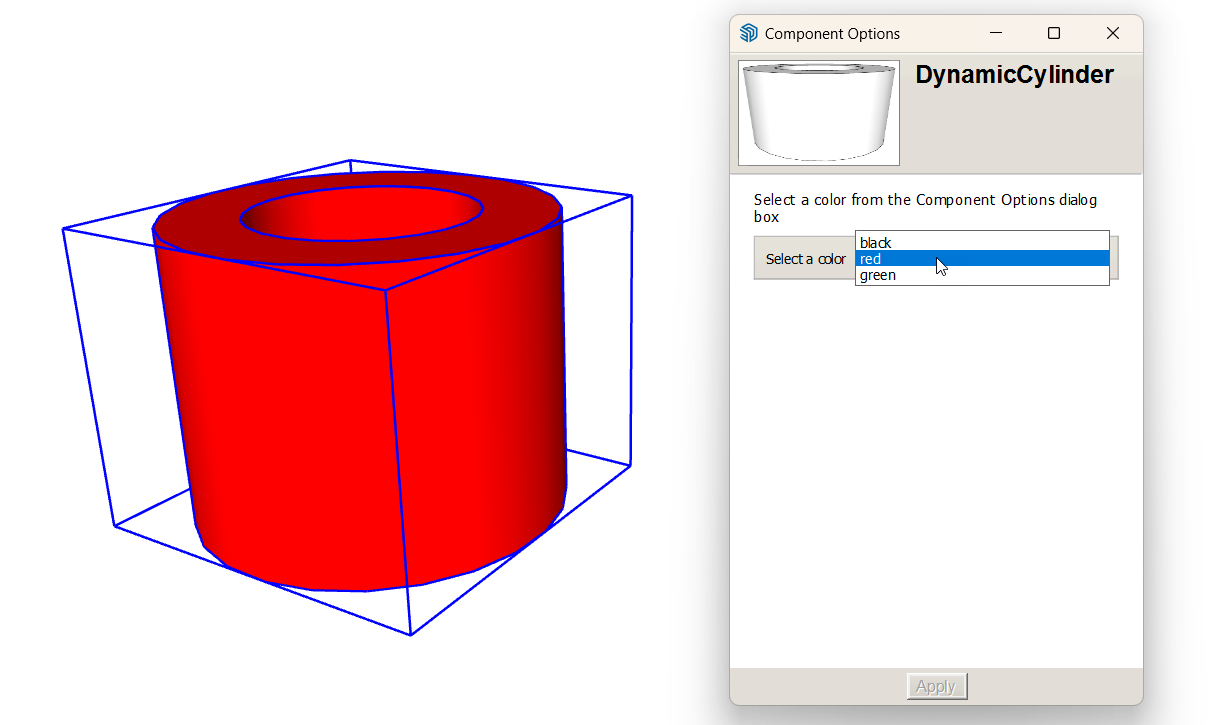
- Select an option and click Apply to change the component’s color.
Still need help?
Technical support from our New Zealand team is available to customers with a current Procadsys SketchUp Plus subscription: Pro Plus, Pro Scan Plus, Pro Civil Contractor Plus, Advanced Workflows Plus or Studio Plus. Self-help articles are public.
Contact SketchUp support