Chaos Cosmos
Deleting Downloaded Assets
This page provides a step-by-step guide on how to delete downloaded Chaos Cosmos assets.
Last updated 11 June 2026
This page provides a step-by-step guide on how to delete downloaded Chaos Cosmos assets.
Overview
When downloading assets in the Cosmos Browser, the following happens:
- The asset files are saved to the Cosmos asset download directory; and
- The asset is marked as downloaded in the local Cosmos assets database.
In some cases, you might wish to delete downloaded Cosmos assets.
When deleting an asset, it is not enough to delete the downloaded asset files, as the record in the local database remains and the asset still shows as downloaded.
To delete an asset, it is necessary to delete it from the Cosmos Browser. Find below information on how to do it.
Steps
- In Cosmos Browser, click on the downloaded asset you wish to delete.
- In the top right corner, click on "…" and then on Delete downloaded asset. If the asset has variants, you can instead choose whether to Delete all variants or only Delete current variant.
- Make sure to check if existing projects reference this asset(s), as those references will break.
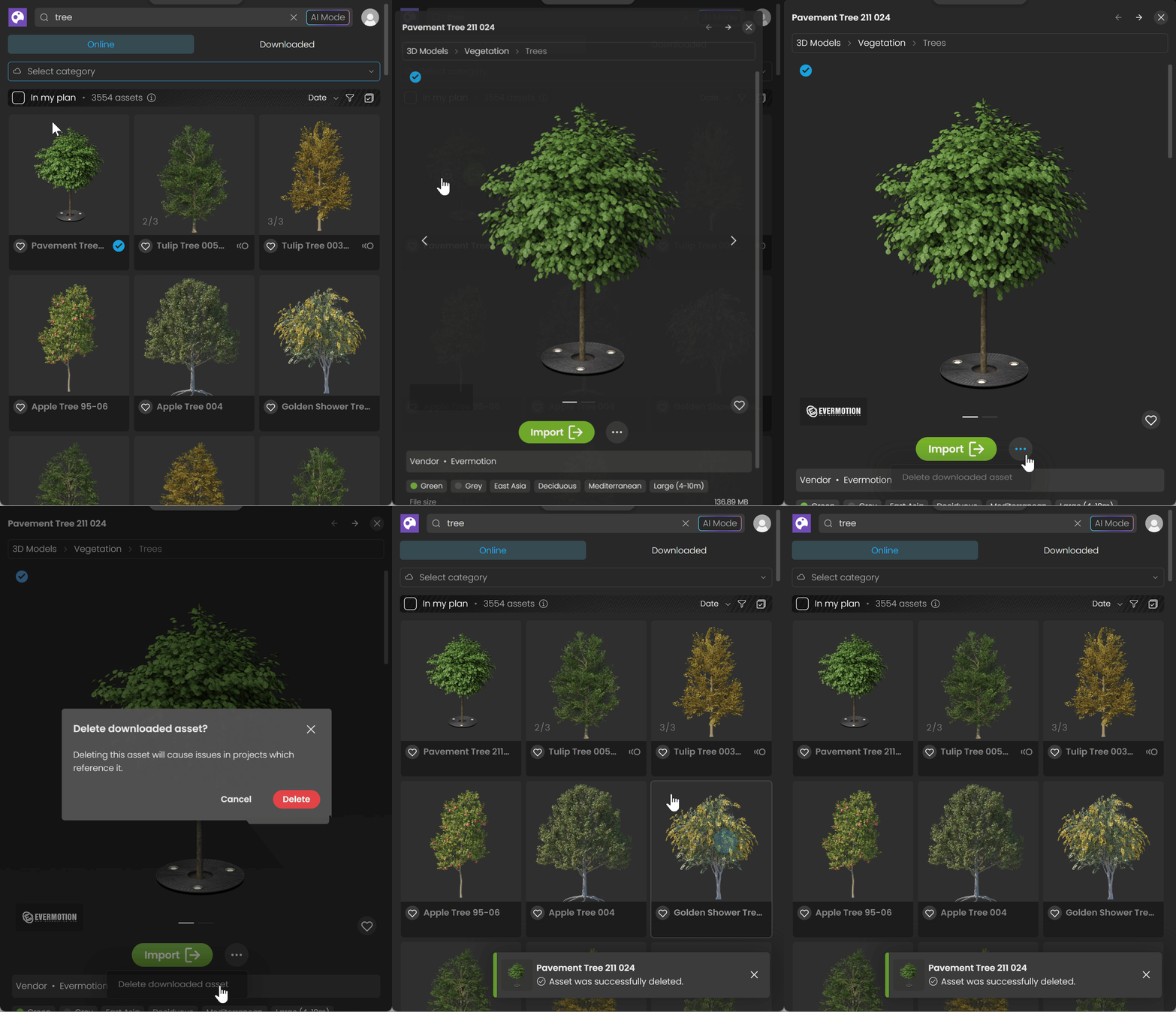
At this point:
- The assets' files previously saved to the Cosmos asset download directory are deleted, and
- The asset mark in the local Cosmos database is restored to "not downloaded".
From this moment on, this asset no longer appears downloaded. You can download it again.