Chaos Vantage
Vantage Live Link from Corona
This page provides information about the Start Vantage live link tool in Corona for Cinema 4D.
Last updated 28 February 2026
This page provides information about the Start Vantage live link tool in Corona for Cinema 4D.
Overview
The Start Vantage live link tool helps you send your Cinema 4D scene to Chaos Vantage with a click of a button. Any changes you make in the scene will be sent instantly to Vantage without the need to reexport the scene. You need to have Corona for Cinema 4D installed in order to use this tool.
The Vantage settings tool sets specific settings for Vantage connection.
For detailed instructions on setting up Live Link from Corona for Cinema 4D to Chaos Vantage, see the Live Link tutorial.
Installation
The installation of the Start Vantage live link tools comes with the installation of Corona 12 for Cinema 4D, update 1 and later.
UI Path
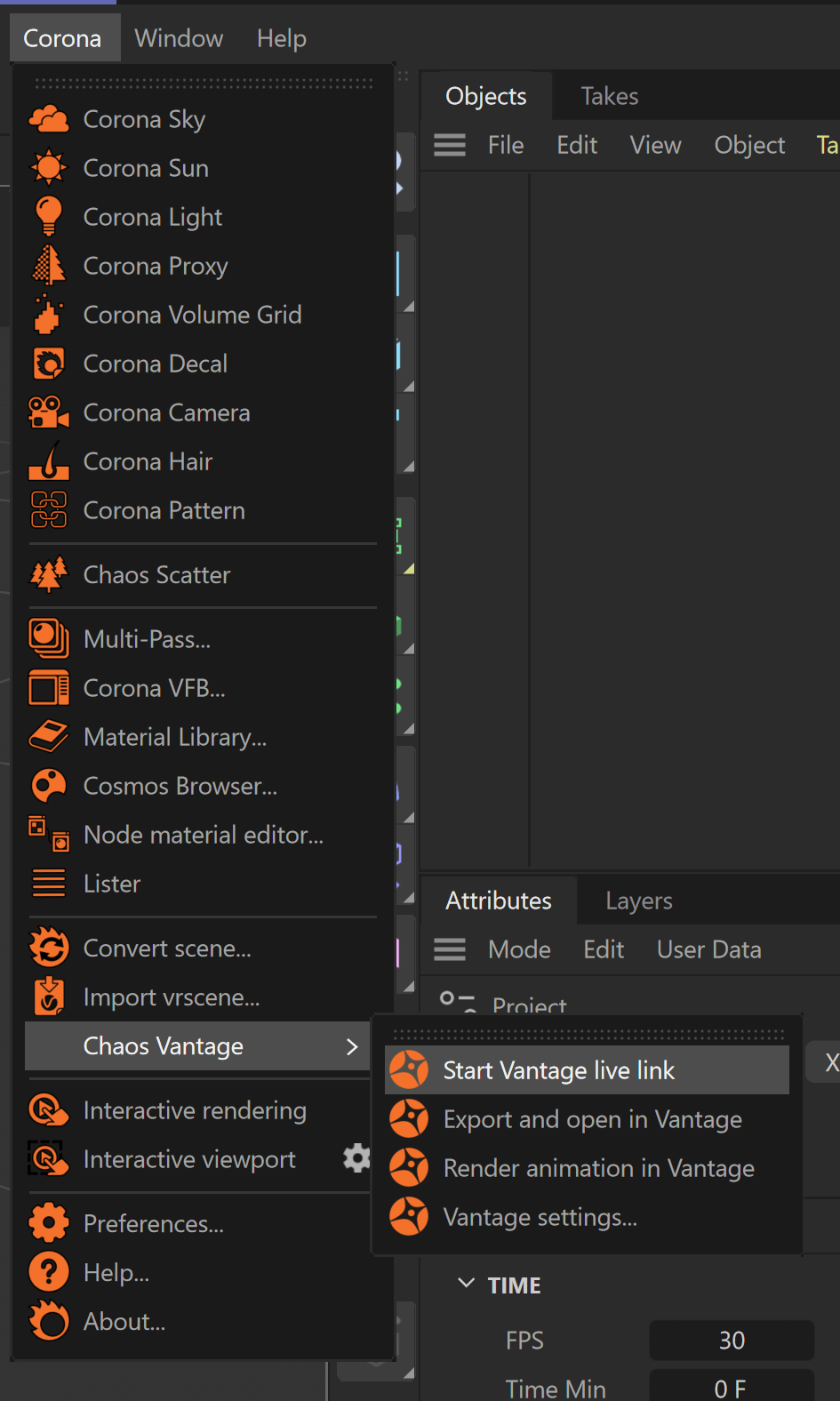
To access the tools, in Cinema 4D go to:
||Corona|| > Chaos Vantage > Start Vantage live link
||Corona|| > Chaos Vantage > Vantage settings
Click here to expand an image of the options' location.
Chaos Vantage Configuration
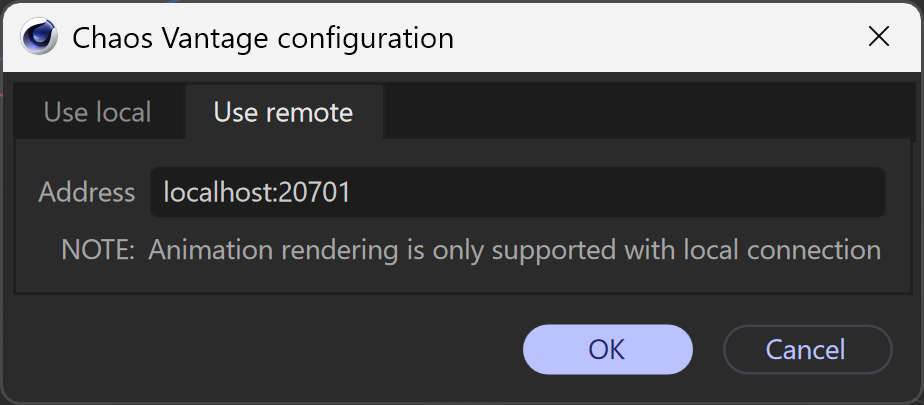
The Chaos Vantage configuration dialog, available by clicking the Vantage settings button, allows you to specify port.
Use local
Port – Specifies the port at which the Live Link connection is started.

Use remote
Address – Specifies an IPv4 address where where a Vantage server instance is or will be running.
Usage
To use the Start Vantage live link tool, go to Corona menu > Chaos Vantage > Start Vantage live link and a Live Link session will be initialized between Cinema 4D and Chaos Vantage.
The tool automatically:
- Starts Chaos Vantage if it is not already running.
- Sends the scene to Chaos Vantage on 20701 port.
To stop a Live Link session, click again the Start Vantage live link button.