Chaos Vantage
Vantage Live Link from V-Ray
This page provides information about the Vantage Live Link tool in V-Ray for Cinema 4D.
Last updated 11 June 2026
This page provides information about the Vantage Live Link tool in V-Ray for Cinema 4D.
Overview
The Vantage Live Link tool helps you send your Cinema 4D scene to Chaos Vantage with a click of a button. Any changes you make in the scene will be sent instantly to Vantage without the need to reexport the scene. You need to have V-Ray for Cinema 4D installed in order to use this tool.
The Vantage Settings tool sets specific settings for performance.
For detailed instructions on how to set up Vantage Live Link, see the Live Link from Cinema 4D tutorial.
UI Path
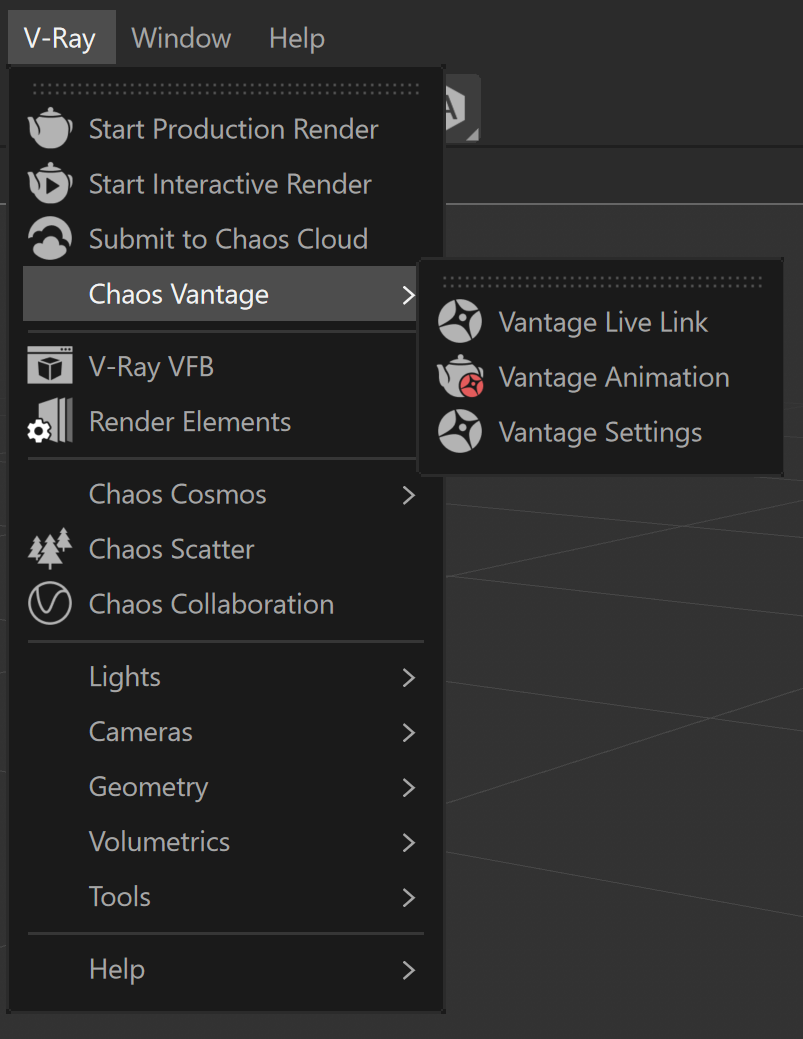
To access the tools, in Cinema 4D go to:
||V-Ray|| > Chaos Vantage > Vantage Live Link
||V-Ray|| > Chaos Vantage > Vantage Settings
Click here to expand an image of the UI path.
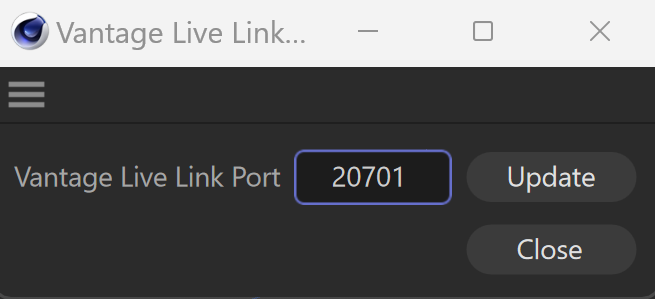
Vantage Live Link Port
The Vantage Live Link Port dialog allows you to specify the port. The dialog is available by clicking the Vantage Settings button.
Vantage Live Link Port – Specifies the port at which the Live Link connection is started.
Update – Updates the port with the data entered in the Vantage Live Link Port field.
Close – Closes the Vantage Live Link Port dialog.
Usage
To use the tool, just click the Vantage Live Link button and a Live Link session will be initialized between Cinema 4D and Chaos Vantage.
The tool automatically:
- Starts Chaos Vantage if it is not already running.
- Sends the scene to Chaos Vantage on 20701 port.
To stop a Live Link session, click again the Vantage Live Link button.
Live Link Supported Features
The following changes made in the V-Ray compatible DCC are propagated through Live Link:
- Editing, creating and deleting of:
- Camera
- Geometries
- Lights
- Materials
- Textures
- Environment
Known Limitations
The following actions can be done inside Chaos Vantage during Live Link:
- create cameras;
- create camera animation in the animation editor;
- edit environment and fog;
- add color correction effects;
- Render:
- snapshots;
- HQ still image;
- HQ sequence;
- save .vantage file with the changes from above.
The following actions cannot be done inside Chaos Vantage during Live Link:
- transform objects;
- hide/unhide objects;
- reassign materials;
- edit lights;
- import external(including cosmos assets) files;
- animation playback.
The following requires a restart of the Live Link session in order to be updated properly.
- Updating of:
- animated V-Ray Proxy files (.vrmesh)
During Live Link session the UI in Chaos Vantage adapts to the limitations mentioned in the Known limitations section. The following is hidden from the Top Toolbar and Side panels:
- Select, Move, Rotate, Scale, Move Pivot tools;
- Chaos Cosmos Browser;
- Create Scatter, Fur, Decal, Lights, Camera and Scene State tools;
- Lights and Object tabs;
- Material lister in Material tab;
- Sun properties in the Environment tab if there is a Sun light already existing in the Host application.