Corona for Cinema 4D
Corona Color Picker
This page provides information on using the Corona Color Picker with Corona for Cinema 4D.
Last updated 24 September 2025
This page provides information on using the Corona Color Picker with Corona for Cinema 4D.
Overview
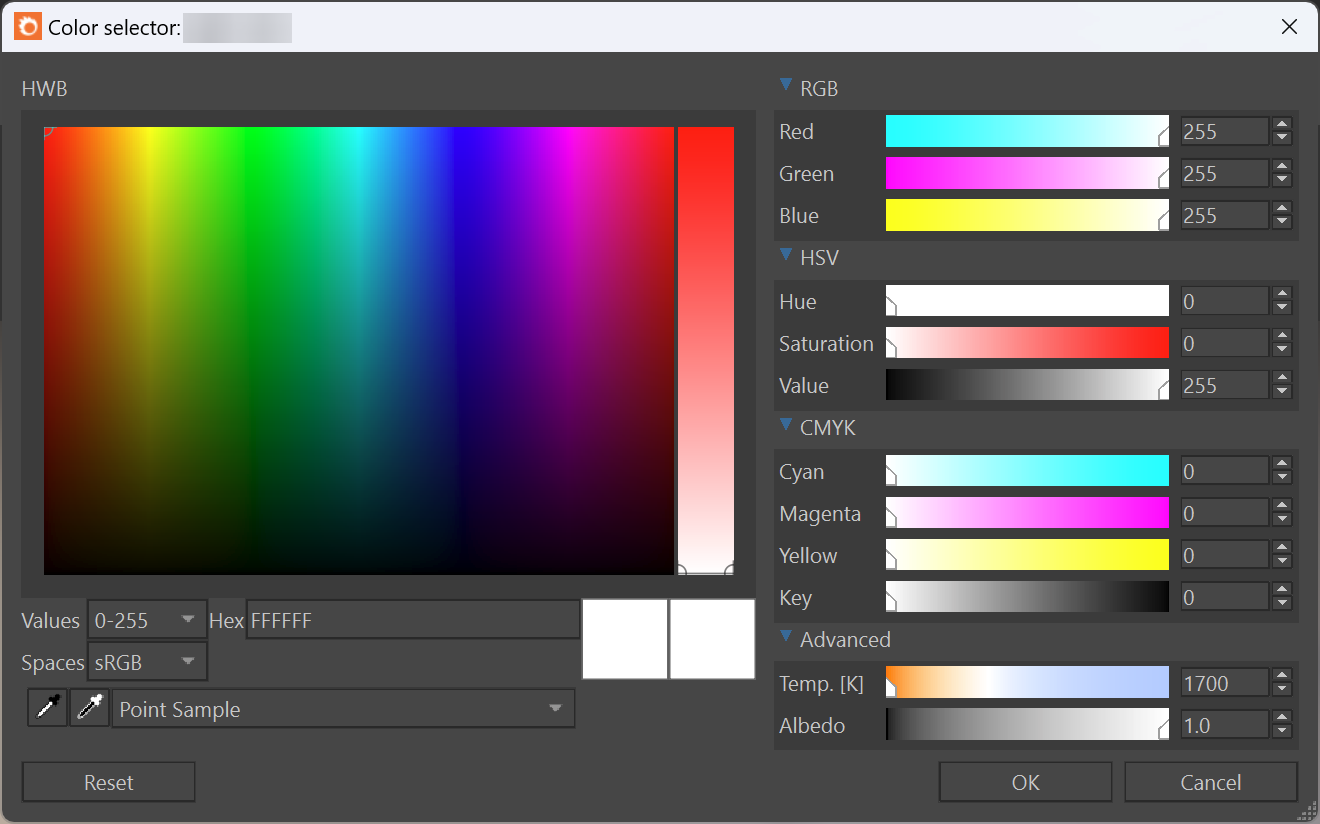
Corona comes with its own color picker that offers several enhancements:
- Change the color based on Temperature.
- Pick a color from anywhere on the screen using the Pick Color icon by sampling either a single pixel or by getting the average color from a square sample of various sizes.
- Pick an inverse color using the Pick Inverse icon. This is useful for example to adjust white balance of an image by setting a custom color tint in the VFB.
- Choose the scale you wish to use for adjusting colors, either 0-255, 0-1, or 0-100%.
- Enable sRGB mode for compatibility with Photoshop, which allows you to copy and paste numerical values directly from Photoshop and similar applications. This is on by default. When Linear space is selected, the color picker works the same way as the native Cinema 4D color picker.
Notes about the Corona Color Picker
