Corona for Cinema 4D
Corona Front Back Shader
This page provides information on the Corona Front Back Shader, its settings, and usage.
Last updated 1 September 2026
This page provides information on the Corona Front Back Shader, its settings, and usage.
Overview
Corona Front Back Shader is a simple shader that allows you to assign different colors/texture maps to a surface based on the orientation of the normal (front face / back face). This is useful, for example, for backface culling when used in the Opacity channel, for assigning print to the front of a label on a bottle, or for plain paper on the back of the same label (seen through the glass of the bottle).

Shader properties
Swap front and back - Allows swapping the texture maps for the front/back faces.

Front
These parameters apply only to the polygon's front face.
Level - Determines the front face color strength.
Color - Sets the color for the polygon's front face.
Texture - Overrides the color slot with the use of a shader.
Mix mode - Controls the blending mode between the color and the texture slot.
Mix strength - Determines the mixing strength of the color and the texture slots.

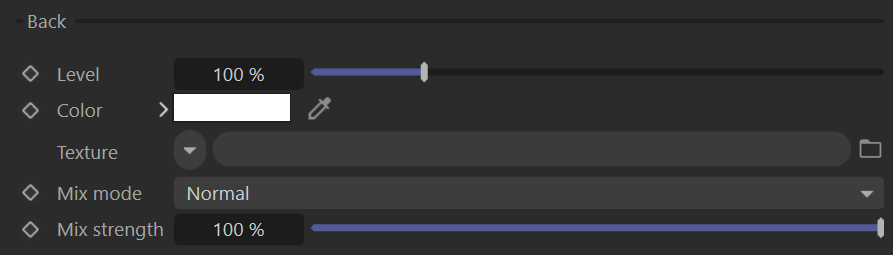
Back
These parameters apply only to the polygon's back face.
Level - Determines the back face color strength.
Color - Sets the color for the polygon's back face.
Texture - Overrides the color slot with the use of a shader.
Mix mode - Controls the blending mode between the color and the texture slot.
Mix strength - Determines the mixing strength of the color and the texture slots.
Examples
Corona Front Back Shader is used to apply a single material to the play cards with different texture maps for the front/back faces.
