Corona for Cinema 4D
Corona Ray Switch Shader
This article explains the settings and values for the Corona Ray Switch shader.
Last updated 1 September 2026
This article explains the settings and values for the Corona Ray Switch shader.
Overview
The Corona Ray Switch is a shader that allows you to assign different shaders or solid colors for different ray types (GI, reflection, refraction, direct visibility).
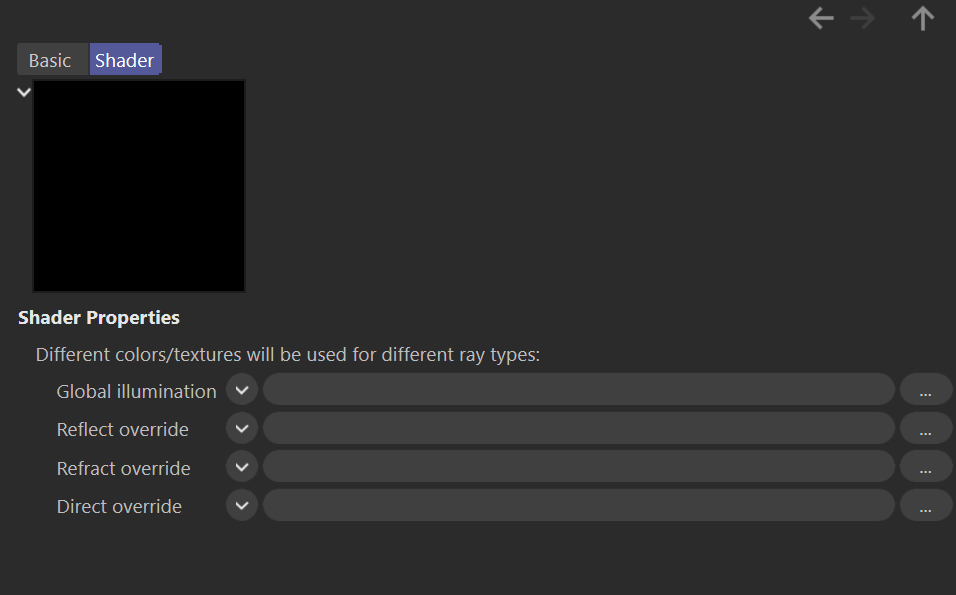
Shader Properties
Global illumination – Specifies the color or texture used for global illumination rays (light reflected off this Rayswitch shader).
Reflect override – Specifies the color or texture used for reflections (the appearance of this Rayswitch shader when it is reflected in other objects).
Refract override – Specifies the color or texture used for refraction (the appearance of this Rayswitch shader when it is refracted in other objects).
Direct override – The texture map or shader loaded here is the one that is going to be directly visible.

Examples
Global illumination
Reflect override


Refract override
Direct override


