Enscape Envision
Cosmos Asset Types
This page provides information about the asset types of the Cosmos Asset Library in Enscape Envision.
Last updated 10 June 2026
This page provides information about the asset types of the Cosmos Asset Library in Enscape Envision.
Overview
The Cosmos Asset Library assets are categorized into four main groups: 3D Models, Materials, AI Materials, and HDRIs. The 3D Models include a wide variety of items such as furniture, accessories, people, vegetation, vehicles, lights, and more.


3D Models
The 3D models category displays a wide variety of 3D models. The 3D models include furniture, accessories, lighting, vegetation, vehicles, people, animals, architecture, and presets. Once imported, the 3D models are listed in the Left panel > Objects tab > Cosmos filter tab.

Animated Assets

Some vegetation assets have an animation indicatorshowing that the assets are animated and the animation is available in Envision only.

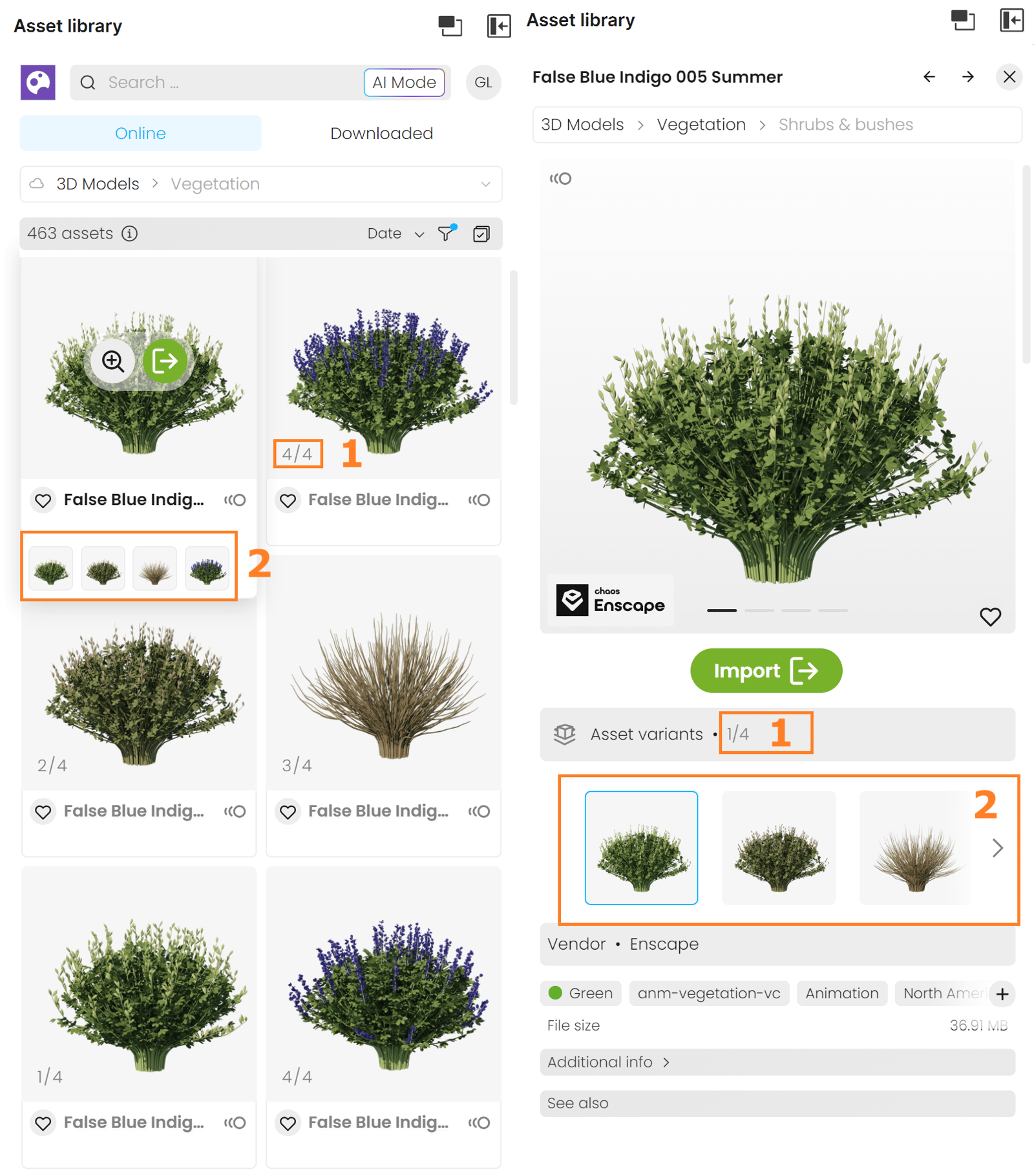
Assets with Variants
Some assets have more than one variant. Assets with variants combine different versions of the same asset into a single item in the library.
- Assets with variants have an indicator displaying the total number of its variants.
- To display the asset variants, hover over the asset. The variants show as small thumbnails and you can preview them by hovering over the thumbnail.
Materials
The Materials category displays a wide variety of pre-made material assets, such as wood, metal, glass, etc., that can shade any type of object. It also contains Decals, which can simulate dirt or stickers on objects.
Apart from using the pre-made Cosmos materials, you can generate your own materials. For more information, see the AI Material Generator page.
Once imported, the material assets can be found in the Materials tab in the Bottom dock panel.

HDRIs
The HDRIs category displays a wide variety of HDRI assets, organized by type: night, day, and studio lighting. The HDRI assets can be imported as Environment textures.
Once imported, the HDRI texture is visible in the Right panel > Environment tab > HDRI subtab.

See also: