V-Ray for 3ds Max
VRayGlobalIllumination
This page gives an overview of the Global Illumination render element and explains how it is used in compositing.
Last updated 8 May 2026
This page gives an overview of the Global Illumination render element and explains how it is used in compositing.
Overview
The Global Illumination Render Element is a color image that stores indirect lighting information coming from reflected diffuse light in a scene (without direct light and reflection contributions) when Indirect Illumination is enabled. This element may be used directly in Back to Beauty compositing and adjusted for brightness and color to control the final image easily.
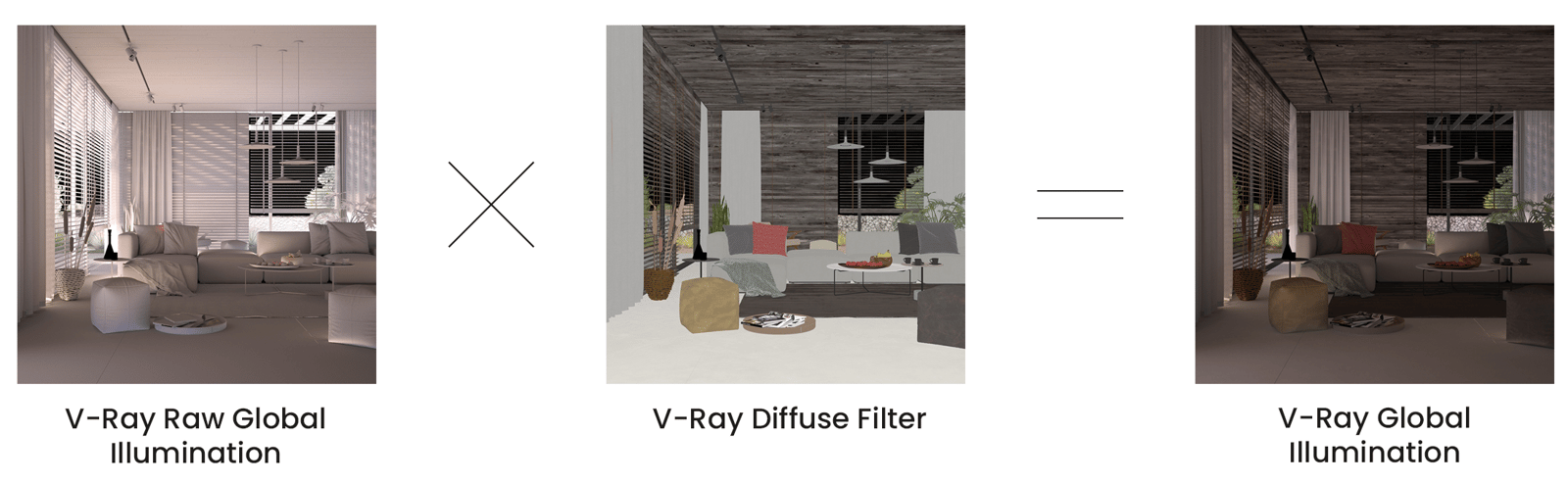
For even more control of indirect illumination without rerendering the scene, the Global Illumination render element may be re-assembled by multiplying the VRayRawGlobalIllumination Render Element by the Diffuse Filter Render Element:
VRayRawGlobalIllumination x VrayDiffuseFilter = VRayGlobalIllumination
UI Path

Parameters
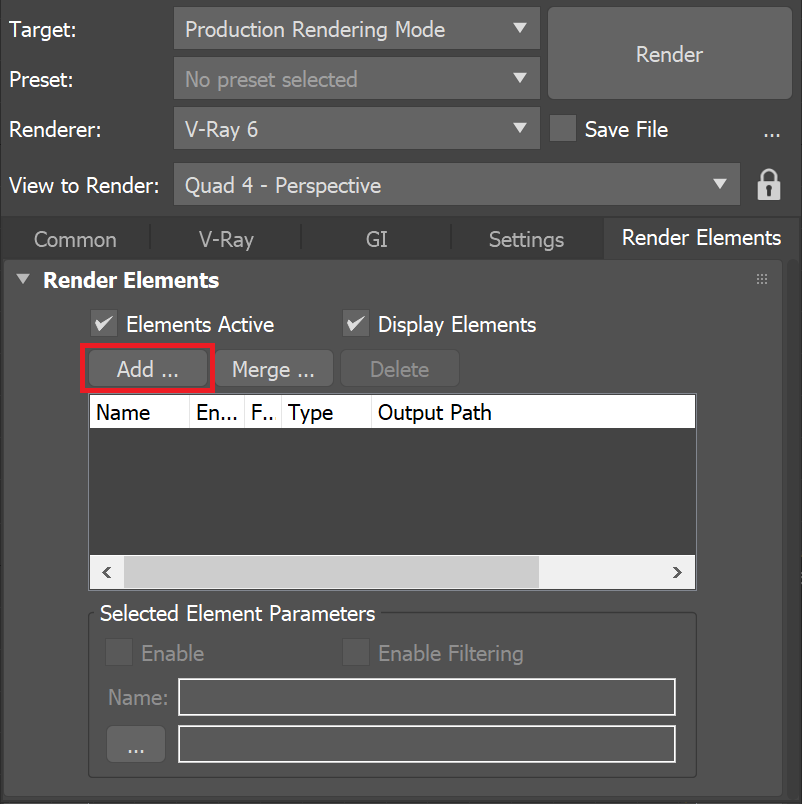
This render element is enabled through the Render Elements tab of the Render Setup window in 3ds Max and displays its parameters in a rollout at the bottom of the window:
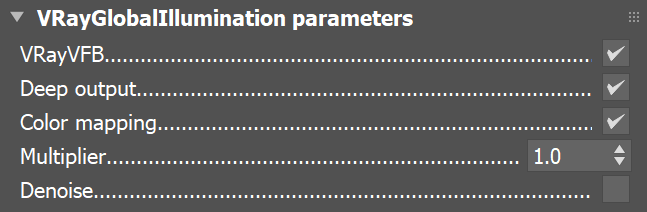
VRayVFB – Enables the render element inside the V-Ray Frame Buffer.
Deep output – Specifies whether to include this render element in deep images.
Color mapping – Applies the color mapping options specified in the Color mapping rollout (Render Setup window > V-Ray tab) to this render element. This option is enabled by default.
Multiplier – Can be used to amplify the element by a number value.
Denoise – Specifies whether to denoise this render element
Common Uses
The Global Illumination Render Element is useful for changing the appearance of Indirect lighting after rendering in a compositing or image editing software. See how a scene looks before and after compositing.

Before

After
Compositing Formula
VRayRawGlobalIllumination x VrayDiffuseFilter = VRayGlobalIllumination