V-Ray for 3ds Max
VRayICC
This page provides information on the ICC Map.
Last updated 28 April 2026
This page provides information on the ICC Map.
Overview
VRayICC is a V-Ray utility node that allows you to apply an ICC profile to any texture. In this example an AdobeRGB1998.icc file is applied to the texture.
UI Path
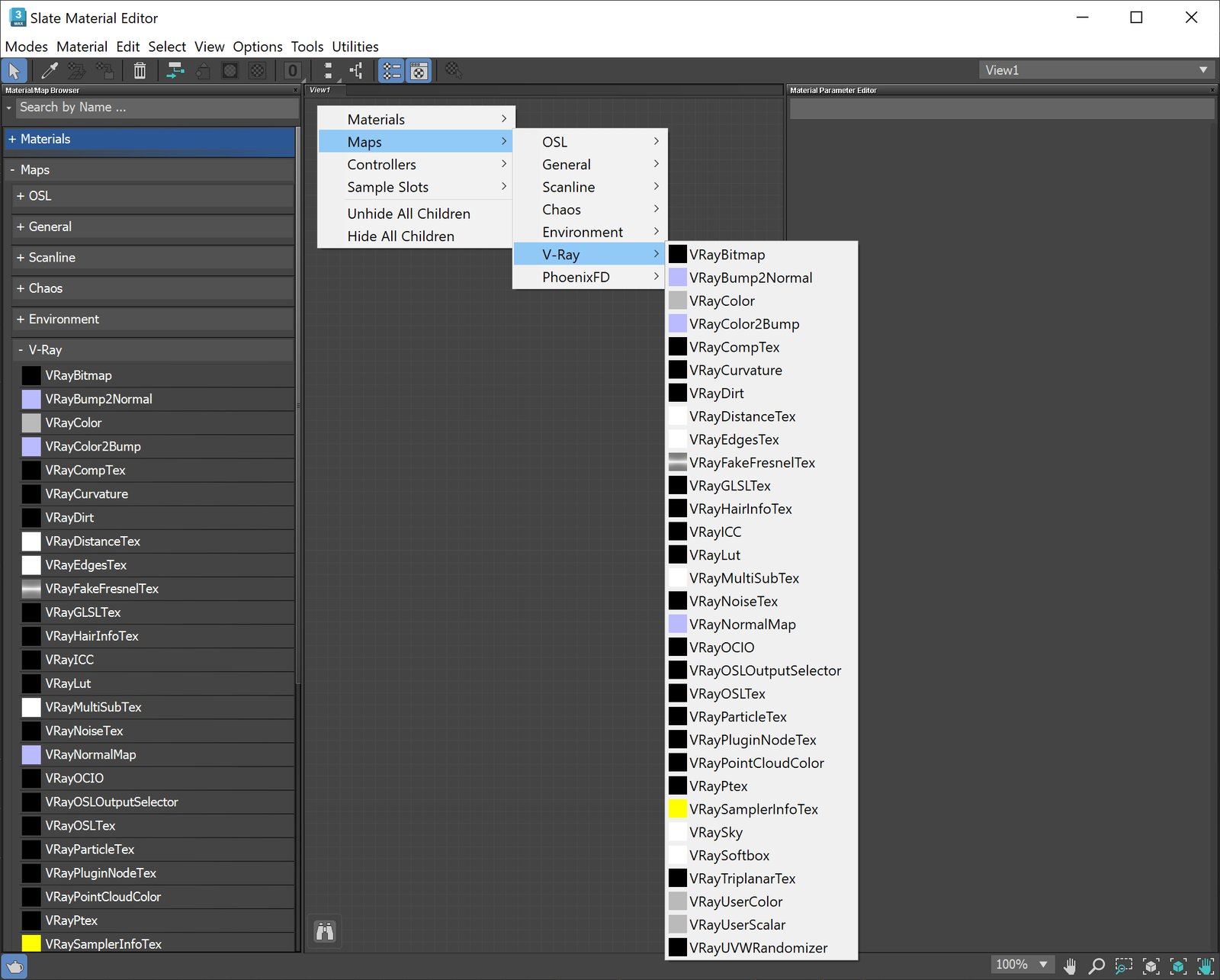

Parameters
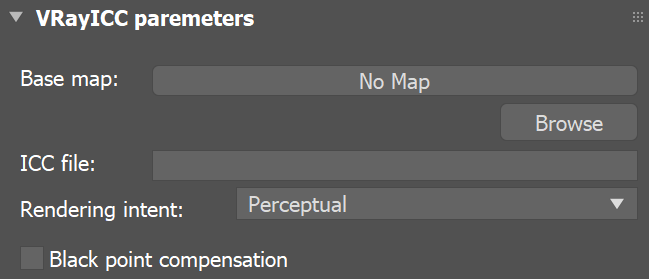
Base map – Loads the map to which you want the ICC profile to be applied.
Browse – Loads the look up table.
ICC file – Specifies the location of the ICC profile.
Rendering intent – Chooses between different color gamuts, which in turn affect the set of color corrections applied to the texture. The available render intents are Perceptual, Relative Colorimetric, Saturation, and Absolute Colorimetric.
For more information on V-Ray's implementation of Render intents, see the ICC Specifications and the Image technology colour management papers.
Black point compensation – When enabled, black point compensation maps the darkest possible value in the scene to the darkest possible value in the resulting image displayed.
References
- ICC White Paper 40 - Black-point compensation: theory and application (International Color Consortium) https://www.color.org/WP40-Black_Point_Compensation_2010-07-27.pdf
- Introduction to the ICC profile format (International Color Consortium) https://www.color.org/iccprofile.xalter
- Color Rendering Intent https://www.color.org/icc_white_paper_9_workflow.pdf