V-Ray for 3ds Max
VRayPluginNodeTex
This page provides information about creating textures from plugin with VRayPluginNodeTex.
Last updated 29 April 2026
This page provides information about creating textures from plugin with VRayPluginNodeTex.
Overview
VRayPluginNodeTex allows you to create a texture from V-Ray Standalone texture plugin that comes with the V-Ray installation. This gives you access to a lot of handy plugins used by V-Ray and is particularly useful when rendering with V-Ray Cloud. All VRayPluginNodeTex textures work with V-Ray Cloud.
UI Path

General parameters
Plugin - Chooses from the available texture plugins that come with the V-Ray installation.
Mapping Coordinates – Only texture plugins with UVW generator activate this parameter. Its mode is automatically set to planar (2D) or spatial (3D) in order to provide best coordinates mapping options for the selected plugin.

Plugin nodes parameters
Details on plugin nodes from plugins are available with the plgparams.exe tool that comes with the V-Ray installation. For further information, see the Exploring Plugin Parameters in CMD page.
Example
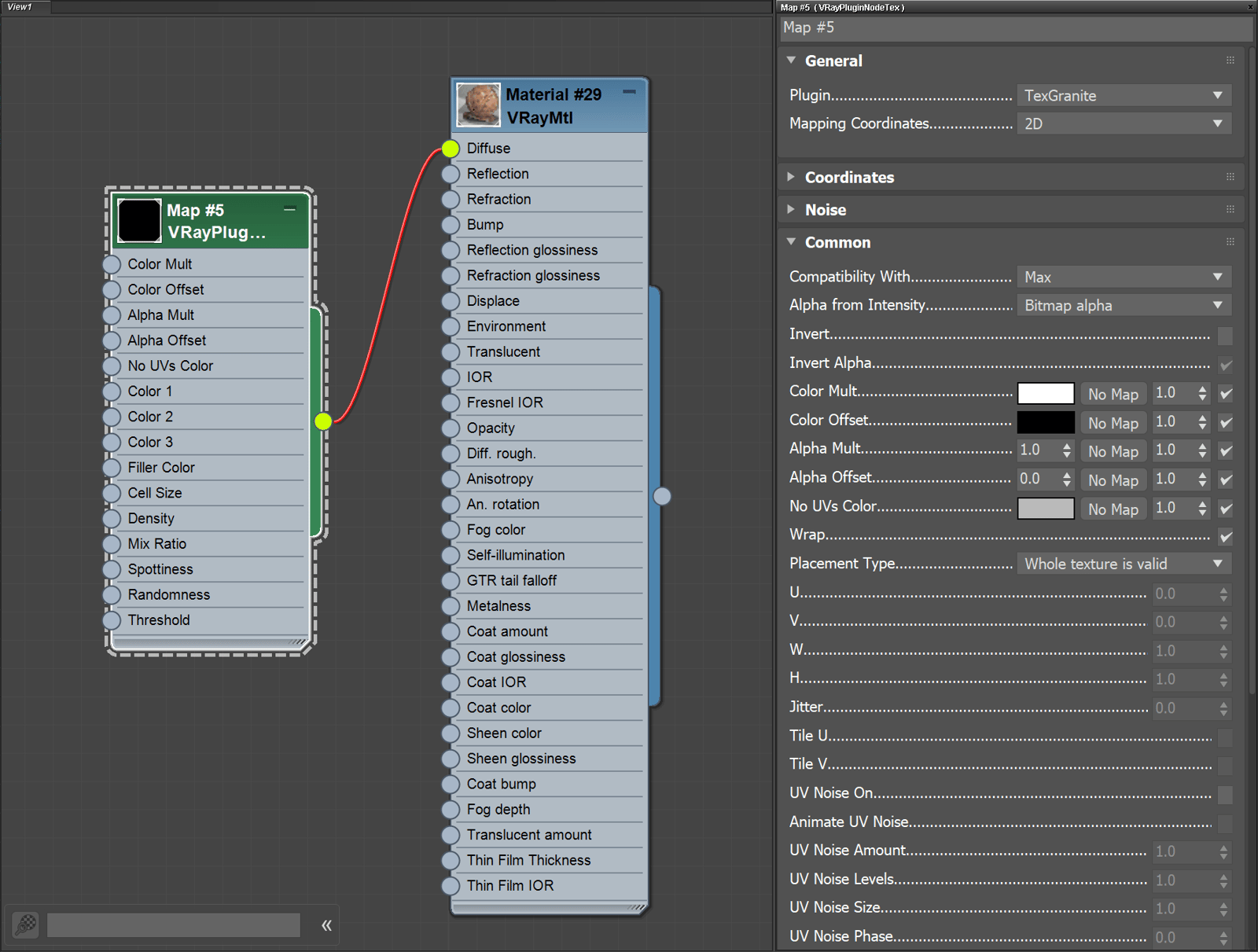
The content of the Parameters rollout of VRayPluginNodeTex is dynamically generated and the available parameters are different for every texture that can be created in this way.
In the example below, the VRayPluginNodeTex is used with the TexGranite texture.