V-Ray for Cinema 4D
Chaos Cloud
This page provides information about submitting render jobs to Chaos Cloud from V-Ray for Cinema 4D.
Last updated 4 June 2026
This page provides information about submitting render jobs to Chaos Cloud from V-Ray for Cinema 4D.
Overview
Submitting render jobs to Chaos Cloud can be done easily and directly from V-Ray for Cinema 4D's interface.
Chaos Cloud requires the installation of the Chaos Cloud Client application. You can opt to install the Chaos Cloud client during the V-Ray installation. For an alternative install, please visit the Installation of Chaos Cloud Client page.
Submitting Render Jobs
V-Ray provides a built-in integration with Chaos Cloud, allowing you to submit render jobs to the cloud directly from Cinema 4D, using the dedicated Submit to Chaos Cloud button. The button is located in the V-Ray Menu.

An Export and Submit window opens, where you can confirm the export of the current scene and the submit of the exported .vrscene to the Cloud.

You are then prompted to finalize some of Chaos Cloud's render settings in a web browser. Refer to the Submitting Jobs to Render in Chaos Cloud page for more details on each option in the Submit job window.

Submitting an animation
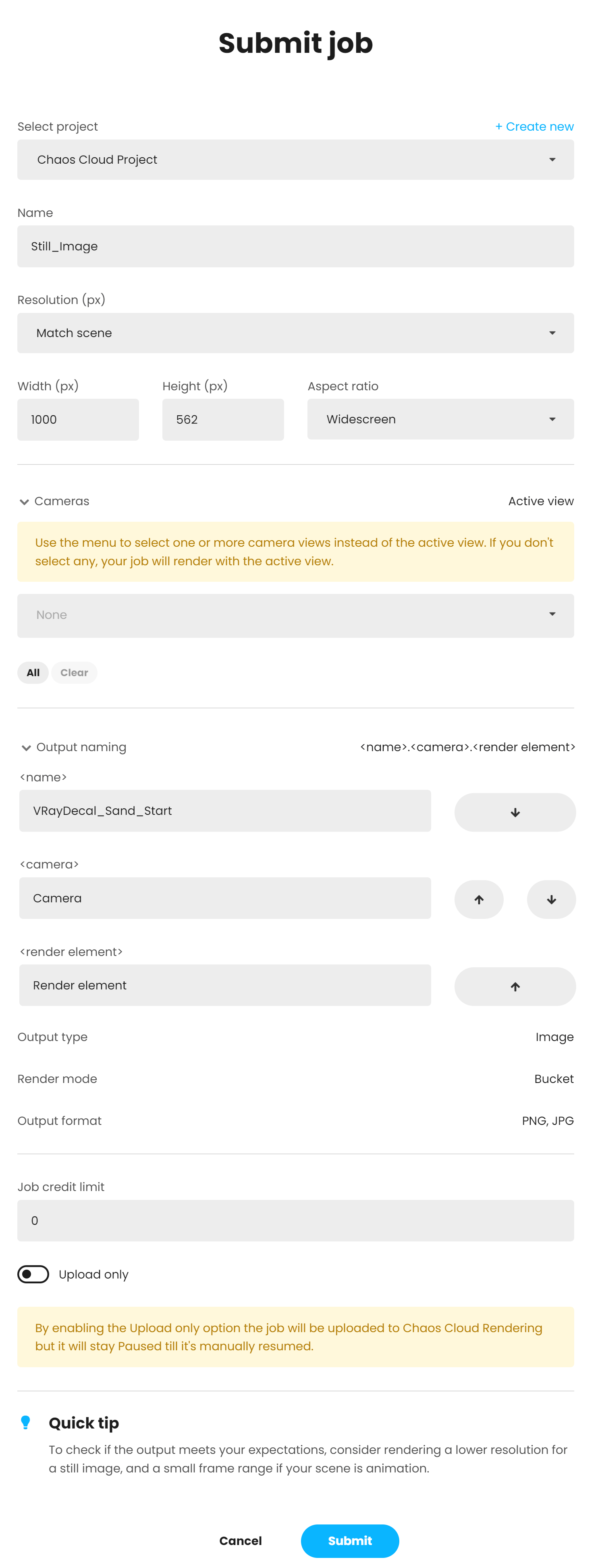
Submitting a still image
Footnotes
- .vrimg is a Chaos proprietary file format used by the V-Ray Frame Buffer to store the rendered image incrementally (bucket by bucket) while rendering in full floating-point format, with all available render elements. It is used as a render output but it is not recommended to use it as a texture file format. VRIMG contains metadata, i.e. render statistics. It supports dynamic bucket size.
- When a scene has no visible lights and GI is disabled, a default light is exported with the active camera. In case of multiple cameras export, rendering from a different camera can have unexpected results.