V-Ray for Cinema 4D
How to Create God Rays Effect
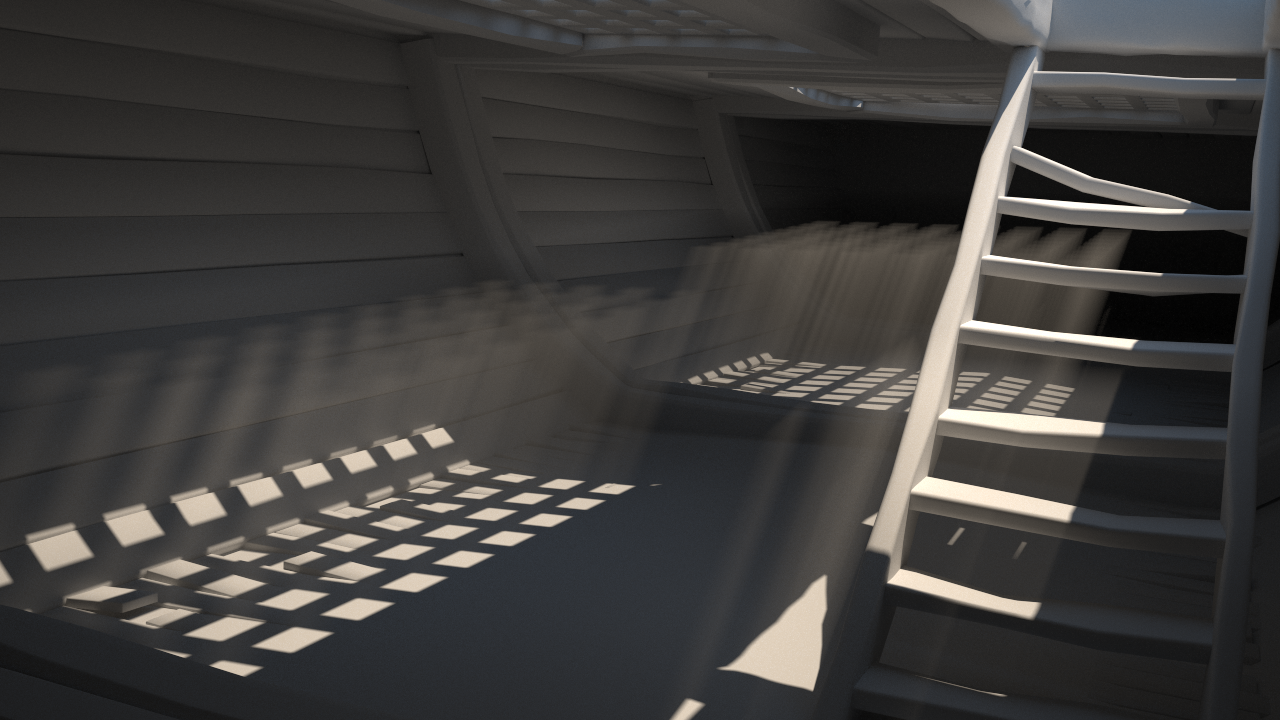
This tutorial shows how to create God Rays effect in V-Ray using the Environment Fog feature.
Last updated 19 September 2025
This tutorial shows how to create God Rays effect in V-Ray using the Environment Fog feature.
Want to follow along but don’t have a license?
Step-by-step Guide
To create God rays effect in V-Ray for Cinema4D, follow the steps below.
- Create a camera, e.g., V-Ray Physical Cam.
- Create a light, e.g., V-Ray Sun.
- Add EnvironmentFog effect from: V-Ray > Volumetrics > Environment Fog.

At this point, Environment Fog should be visible in the rendered image. To achieve a more convincing effect, adjust the Fog Color, Fog Distance, and Fog Height parameters accordingly.
4. The Fog Color parameter determines the color of the fog.


5. The Fog Distance parameter controls the fog density. Larger values make it more transparent, whereas smaller values make it more dense.


6. The Fog Height parameter determines the height of the fog.