V-Ray for Cinema 4D
Live Link to Chaos Vantage
This page provides an overview of the Vantage Live Link feature in V-Ray for Cinema 4D.
Last updated 10 July 2026
This page provides an overview of the Vantage Live Link feature in V-Ray for Cinema 4D.
Overview
Chaos Vantage is a tool that allows you to explore and manipulate your scenes within a 100% ray-traced environment in real time. This allows for quicker and more interactive edits.
The Live Link feature makes it possible to instantly see changes made in Cinema 4D without the need to export and import .vrscenes in Chaos Vantage. Changes can be viewed in Chaos Vantage or in the Cinema 4D viewport.
UI Path
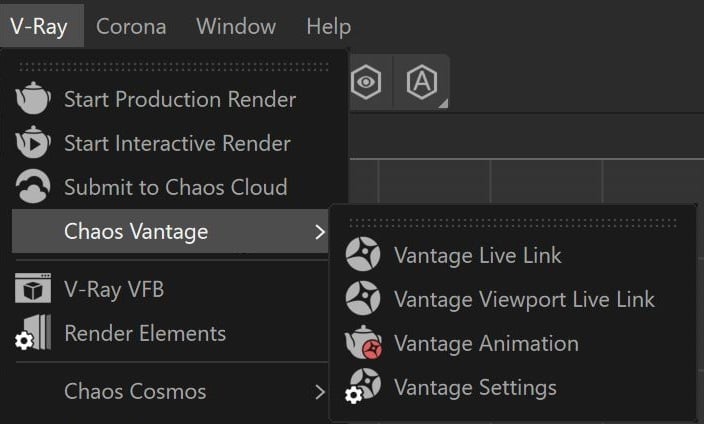
Menu Options
Vantage Live Link – Initiates a Live Link session between Cinema 4D and Chaos Vantage.
Vantage Viewport Live Link – Initiates and ceases the Vantage Live Link in the Cinema 4D viewport. See the dedicated section for more information.
Vantage Animation – Exports and sends the current animation range to Chaos Vantage.
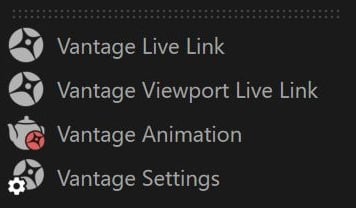
Vantage Settings – Allows you to change the Live Link port.
Settings
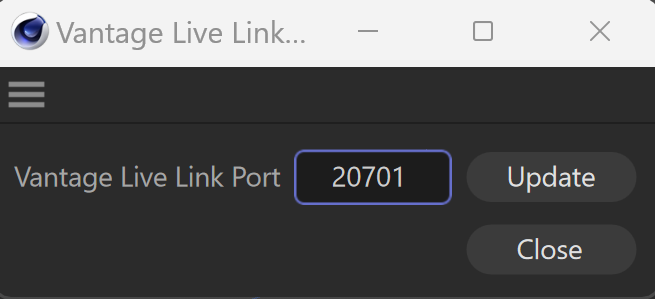
Vantage Live Link Port – Sets the listening port for the live link server. Always make sure you are using the same port in both Cinema 4D and Chaos Vantage.
Starting Live Link
To start a Live Link to Chaos Vantage, go to the V-Ray menu and select Vantage Live Link. This initiates the link and sends your scene to Chaos Vantage on 20703 port. Always make sure you are using the same port in both Cinema 4D and Chaos Vantage!

In Cinema 4D, you can set from the Vantage Settings button .
In Chaos Vantage, go to Live Link > Change Port... and open the Enter Live Link Port window.
Viewport Live Link
With V-Ray 7.4, Live Link can be activated inside the Cinema 4D viewport.
To start a Viewport Live Link, go to the V-Ray menu > Chaos Vantage > Vantage Viewport Live Link. This starts Chaos Vantage. Do not close it, as it needs to be running for the Viewport Live Link to function. You can minimize the Chaos Vantage window and view your scene in the Cinema 4D viewport. All changes are reflected in real time both in Cinema 4D and Chaos Vantage.
You can end the session again from the V-Ray menu > Chaos Vantage > Vantage Viewport Live Link. All changes made during the session are kept in V-Ray for Cinema 4D.
youtu.be
Supported Features
For a list of supported features, see the Live Link from Cinema 4D page.