V-Ray for Maya
How to Add Render Elements to Render Layers
This short guide shows how to work with render elements for specific render setup layers.
Last updated 19 September 2025
This short guide shows how to work with render elements for specific render setup layers.
Scene Render Elements
By default, when the Master render layer is selected, render elements added are considered for all other render layers. Any changes made in the Master layer, such as adding render element, enabling or disabling them, are applied to all other render layers.
Want to follow along but don’t have a license?

Add Render Elements to Layer
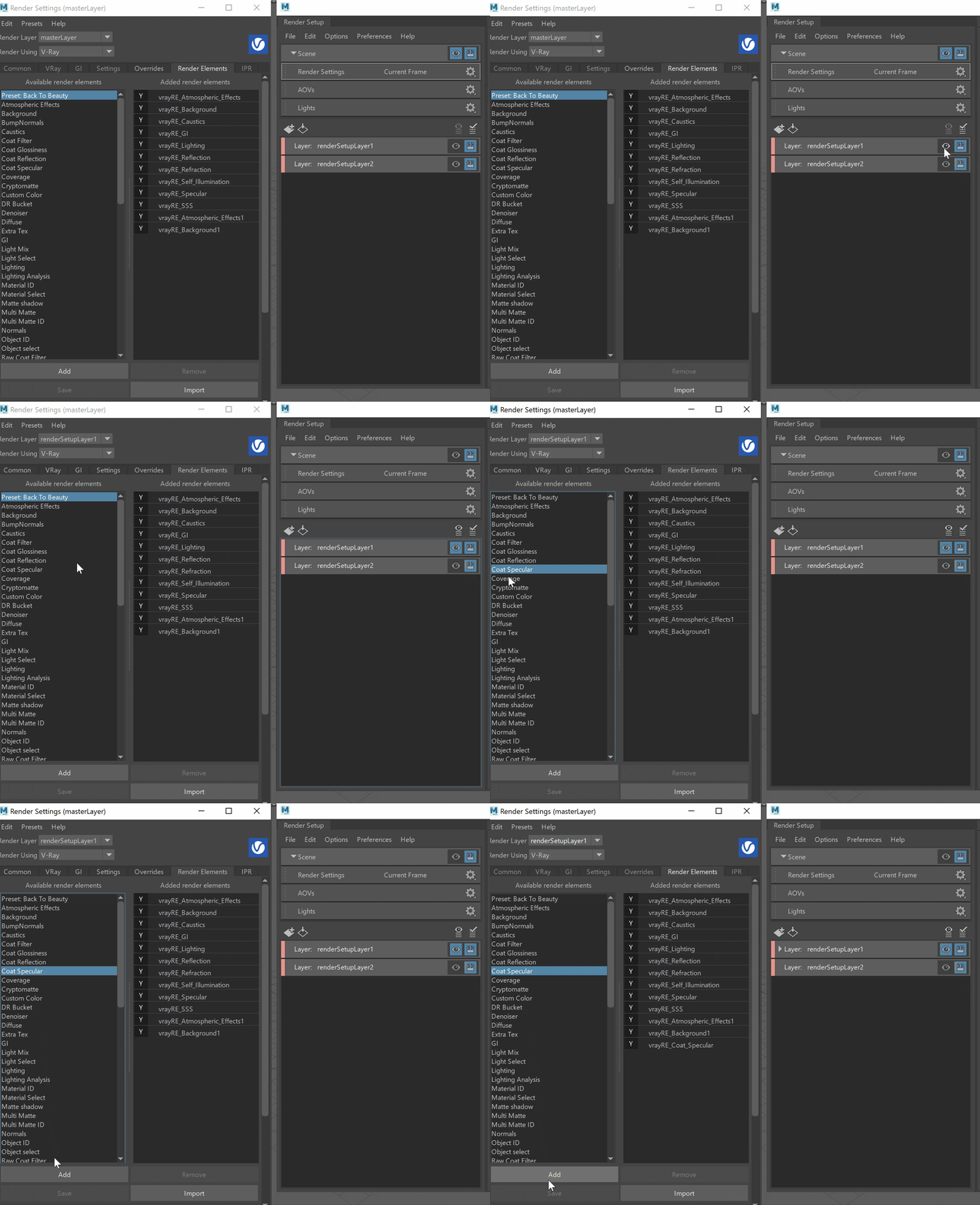
To add render elements to a specific layer only, select the render setup layer and make it visible.
Then add the chosen render element to the Added render elements list.
Now the specified render channel takes into consideration only the selected render setup layer.
Exclude Render Elements from Layer
If you want to exclude a render element for a specific layer, do the following:
- Make the render setup layer visible
- Select the render element you want to exclude (Render Settings > Render Elements)
- Go to its Extra VRay Attributes and right-click on Enabled
- From the context menu, select Create Absolute Override for Visible Layer
- Go to the Added render elements and next to the specified render element, press the Y (Yes) button, so it turns to N (No). Alternatively, disable the Enabled checkbox.
Repeat the steps for all render elements you want to exclude for this render setup layer.
