V-Ray for Maya
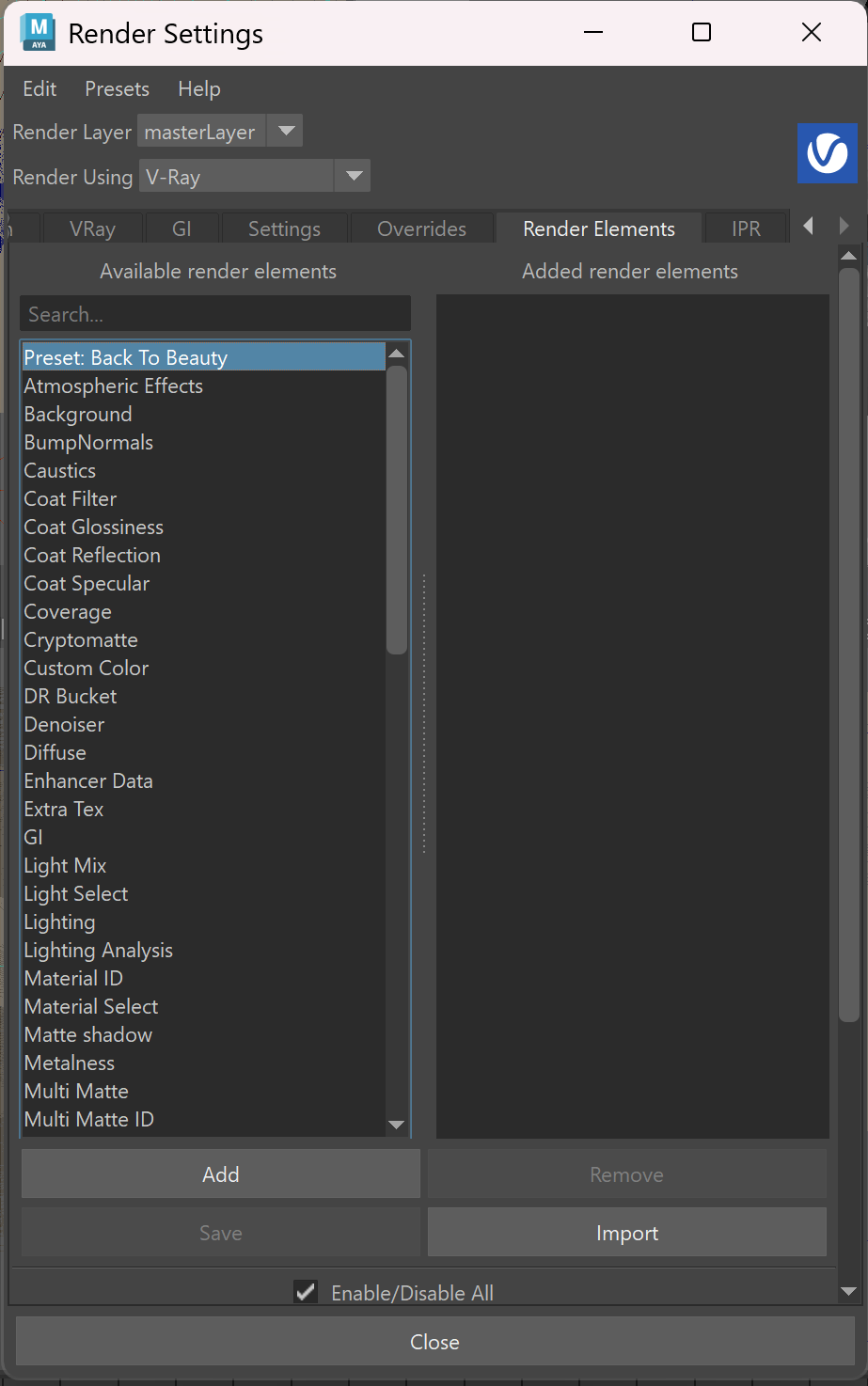
Render Elements
This page discusses render elements in general, with links to sub-groups of render elements.
Last updated 2 July 2026
This page discusses render elements in general, with links to sub-groups of render elements.
Overview
Render Elements are a way to break out renders into their component parts such as diffuse color, reflections, shadows, mattes, etc. This gives fine control over the final image when using compositing or image editing applications to reassemble the component elements. Render elements are also sometimes known as render passes.
Render elements appear in the V-Ray Frame Buffer (VFB) and can be viewed from the drop-down at the upper left corner of the VFB. They can also be saved out of the VFB as many common file formats.
Render elements are generated at render time based on the user's selection before rendering. Most render elements have parameters that can be customized to further assist the composting process. These parameters are described on each render element's individual page, along with common uses and any notes on their generation and usage.
V-Ray supports the built-in Maya Render Elements User Interface. However, V-Ray provides its own render elements and does not support the standard render elements implemented in Maya. Therefore standard Maya render elements will not work with V-Ray, and vice-versa.

The list of render elements that are supported by V-Ray can be found on the List of Supported Render Elements section below. All render elements support native V-Ray materials. Some render elements also support standard Maya materials, and these are noted on the Supported Render Elements page as well.
When using the V-Ray frame buffer, V-Ray will write render elements only if you specify either one of the V-Ray raw image file outputs or the Separate render channels options. If you want to specify the render elements outputs using the Maya Render Output field or using the output options of the various render elements, then you have to disable the V-Ray frame buffer.
UI Path
Render Elements Sub-groups
Render Elements in V-Ray break down into four major groups:
Beauty Render Elements

The Beauty Render Elements are the primary render elements that form V-Ray's
pre-composited final render pass known as Beauty or RGB Color. These include the
Lighting, Global Illumination, Reflection, Refraction, Specular, etc.
Matte Render Elements

The Matte Render Elements aid selection masking in the compositing process.
These include the Material ID, Multi Matte, Object ID, and Render ID Render Elements.
Geometry Render Elements
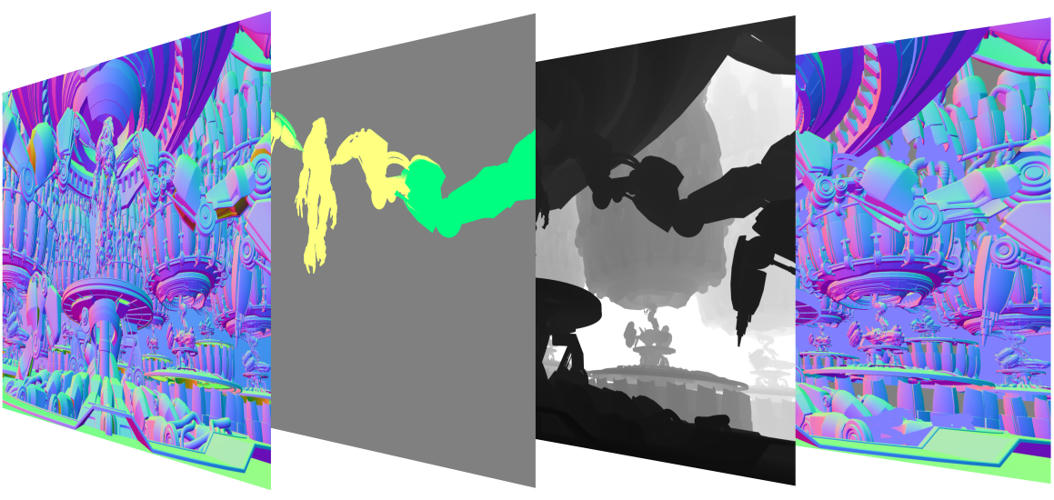
The Geometry Render Elements rely on geometry to generate geometry data for the compositing
process. These include the Velocity, Z-Depth, and Normals Render Elements.
Utility Render Elements

The Utility Render Elements give insight into how V-Ray is running and extra functionality for compositing.
These include the Distributed Render ID, Sample Rate, Denoiser, Extra texture, etc.
List of Supported Render Elements
The following render elements are supported by V-Ray. All render elements support native V-Ray materials while some render elements support standard Maya materials, as noted in the table below.
Render element | Maya node name | Color Depth of EXR floating-point channels* | Description |
|---|
Render element | Maya node name | Color Depth of EXR floating-point channels* | Description |
|---|---|---|---|
vrayRE_Atmospheric_Effects | 16bit/32bit | Atmospheric effects, such as Environment Fog. | |
– | 16bit/32bit | Expands as all beauty elements for the actual rendering. | |
vrayRE_Background | 16bit/32bit | Image background, such as any Background Texture specified in the Environment overrides. | |
vrayRE_BumpNormals | 16bit/32bit | Normals generated by bump maps, in screen space (which is not the same as camera space). Use the VRaySamplerInfo utility texture node to get the normals in camera, world or object space. | |
vrayRE_Caustics | 16bit/32bit | The caustics on the material. These caustics are present only when the Caustics option of V-Ray is enabled. This channel does not include GI caustics. | |
vrayRE_Coat | 16bit/32bit | Direct surface specular highlights coming from the VRayMtl Coat layer used in the scene. | |
vrayRE_Coat_Filter | 16bit/32bit | Reflection filter for VRayMtl Coat layer. | |
vrayRE_Coat_Glossiness | 16bit/32bit | Returns a float value that corresponds with the Coat Glossiness value of the VRayMtl Coat layer. | |
vrayRE_Coat_Reflection | 16bit/32bit | Indirect reflections coming from the Coat layers of VRayMtl used in the scene. | |
vrayRE_Coverage | 16bit/32bit | For each pixel, the final values for the render element are taken from the object that makes the largest contribution to that pixel. | |
vrayRE_Cryptomatte | forced 32bit (for multi-channel files) | Uses the Cryptomatte convention by Psypop to encode mattes into multichannel OpenEXRs. | |
vrayRE_Custom_Color | 16bit/32bit | A generic render element container. Use the Alias value to specify which render element it should be used as. | |
vrayRE_DR_Bucket | 16bit/32bit | Identifies the render node responsible for rendering a bucket during distributed rendering. | |
vrayRE_Diffuse | 16bit/32bit | Pure diffuse surface color. | |
vrayRE_Denoiser | 16bit/32bit | Applies a denoising operation to the image after it is rendered (with the necessary channels). | |
vrayRE_Enhancer_Data | 16bit/32bit | Contains three render channels: MaterialID, ObjectID, and depth. These channels are automatically generated and are necessary for accurate AI-based image enhancement using the Chaos AI Enhancer tool. | |
vrayRE_Extra_Tex | forced 32bit (optional for multi-channel files) | Renders the entire scene with a single defined texture mapped on all objects. | |
vrayRE_GI | 16bit/32bit | The diffuse surface global illumination. Only present if Global illumination is enabled. | |
vrayRE_Gaussian_Splats | 16bit/32bit | Isolates the VRayGaussianSplat geometry in the scene. | |
vrayRE_Light_Mix | 16bit/32bit | Adjusts intensity and color of lights and light emitting materials during and after render directly from the VFB. | |
vrayRE_Light_Select | 16bit/32bit | Extracts the contribution of a user-defined light or a set of lights in the scene as a separate render element. | |
vrayRE_Light_Select | – | A tool for extracting specific lighting events from the scene to a separate channel. | |
vrayRE_Lighting | 16bit/32bit | Diffuse direct surface lighting. | |
vrayRE_Lightning_Analysis | 16bit/32bit | Provides visual representation of the lighting intensity within a rendered frame. | |
vrayRE_Material_ID | – | Material ID of scene objects. | |
vrayRE_Material_Select | 16bit/32bit | Renders only the object(s) assigned to a user-specified V-Ray compatible material. The material can be a top-level material or a sub-material of a VRayBlendMtl. | |
vrayRE_Matte_shadow | 16bit/32bit | Matte shadow part of the image. | |
vrayRE_Metalness | 16bit/32bit | Creates a black and white image, which can be used as a metalness mask when creating PBR shaders. | |
vrayRE_Multi_Matte | 16bit/32bit | Creates selection masks based on an object ID or material ID. | |
vrayRE_Multi_Matte_ID | 16bit/32bit | Returns an integer value in the image that corresponds to the value of the object's multiMatte ID #. | |
vrayRE_Noise_Level | 16bit/32bit | Creates a monochromatic image showing the amount of noise in the render. | |
vrayRE_Normals | 16bit/32bit | Surface normals in camera space. To output the normals in screen/object/world space, use Maya's Sampler Info utility texture node. | |
vrayRE_Object_ID | – | Returns solid un-shaded colors to represent a numerical identifiers set through that object's Attributes, Object Property, or assigned material. Useful for selection masks. EXRs and .vrimg formats store as integer values. | |
vrayRE_Object_select | 16bit/32bit | Renders only the object(s) called out with a specific Object or Material ID. This effect is reversible to create a render element that excludes a particular object or objects according to Object or Material ID. | |
vrayRE_Raw_Coat_Filter | 16bit/32bit | Creates a solid mask showing the areas of reflection in the Coat layer without being affected by Fresnel. | |
vrayRE_Raw_Coat_Reflection | 16bit/32bit | Pure surface indirect reflection from a VRayMtl Coat layer before it is multiplied by the reflection filter color. | |
vrayRE_Raw_Diffuse_Filter | 16bit/32bit | A solid mask of raw diffuse surface color information not affected by fresnel falloff. | |
vrayRE_Raw_GI | 16bit/32bit | Raw diffuse global illumination (not multiplied by the diffuse surface color). Only present if Global illumination is enabled. | |
vrayRE_Raw_Light | 16bit/32bit | Raw diffuse direct illumination before it's multiplied by the diffuse surface color. | |
vrayRE_Raw_Reflection | 16bit/32bit | Pure surface indirect reflection before it is multiplied by the reflection filter color. | |
vrayRE_Raw_Reflection_Filter | 16bit/32bit | A solid mask of raw reflection information not affected by fresnel falloff. | |
vrayRE_Raw_Refraction | 16bit/32bit | Pure surface refraction before it is multiplied by the refraction filter color. | |
vrayRE_Raw_Refraction_Filter | 16bit/32bit | A solid mask of raw refraction information not affected by fresnel falloff. | |
vrayRE_Raw_Shadow | 16bit/32bit | Raw light blocked by other objects. | |
vrayRE_Raw_Sheen_Filter | 16bit/32bit | Holds information similar to Sheen Filter RE, but without being affected by Fresnel. | |
vrayRE_Raw_Sheen_Reflection | 16bit/32bit | Pure surface indirect reflection from a VRayMtl Sheen layer before it is multiplied by the reflection filter color. | |
vrayRE_Raw_Total_Light | 16bit/32bit | Sum of all raw lighting, both direct and indirect. | |
vrayRE_Reflect_IOR | 16bit/32bit | Stores floating-point information that corresponds to the Fresnel IOR values of scene objects' materials. | |
vrayRE_Reflection | 16bit/32bit | All indirect reflections from a surface. | |
vrayRE_Reflection_Filter | 16bit/32bit | Reflection filter (the color by which the raw reflections are multiplied to give the final surface reflection). This may be considered an alpha channel for reflections. | |
vrayRE_Reflection_glossiness | 16bit/32bit | Returns a float value that corresponds with the Reflection Glossiness value of an object's material. | |
vrayRE_Refraction | 16bit/32bit | Refractions through a surface. | |
vrayRE_Refraction_Filter | 16bit/32bit | The refraction filter mitigates the raw refraction layer. This render element returns the color by which the raw refractions are multiplied to give the final surface refraction. This may be considered an alpha channel for refractions. | |
vrayRE_Refraction_glossiness | 16bit/32bit | Returns a float value that corresponds to the Refraction Glossiness value of an object's material. | |
vrayRE_Render_ID | – | Node render ID of the object that contributes most to the pixel value. | |
vrayRE_Render_Time | 16bit/32bit | Shows a floating-point number for each pixel's render time measured in milliseconds. | |
vrayRE_SSS | 16bit/32bit | Renders just the subsurface part of the VRaySSS2 material on a separate layer. | |
vrayRE_Sample_Rate | 16bit/32bit | Shows an image where the pixel brightness is directly proportional to the number of samples taken at that pixel. | |
vrayRE_Sampler_Info | forced 32bit (for multi-channel files) | Provides information about various aspects of the shaded points - position, normal, bump normal, reflection/refraction vectors and UVW coordinates. Can be used e.g. for world position passes or normal passes. | |
vrayRE_Self_Illumination | 16bit/32bit | Self-illumination of the surface. | |
vrayRE_Shadow | 16bit/32bit | Diffuse light that is blocked by other objects. | |
vrayRE_Sheen | 16bit/32bit | Direct surface specular highlights coming from the VRayMtl Sheen layer used in the scene. | |
vrayRE_Sheen_Filter | 16bit/32bit | Reflection filter for VRayMtl Sheen layer. | |
vrayRE_Sheen_Glossiness | 16bit/32bit | Returns a float value that corresponds with the Sheen Glossiness value of the VRayMtl Sheen layer. | |
vrayRE_Sheen_Reflection | 16bit/32bit | Indirect reflections coming from the Sheen layer(s) of VRayMtl used in the scene. | |
vrayRE_Specular | 16bit/32bit | All direct specular highlights coming from a surface. | |
vrayRE_Toon | 16bit/32bit | Stores results of V-Ray Toon rendering effect. | |
vrayRE_Toon_Specular | 16bit/32bit | Stores Toon Specular reflection (highlights) information calculated from the VRayToonMtl. | |
vrayRE_Total_Light | 16bit/32bit | Total lighting in the scene, both direct and indirect. | |
vrayRE_Velocity | 16bit/32bit | Surface velocity of an object. This render element is useful for generating motion blur in post-production. | |
vrayRE_Z_depth | forced 32bit (for multi-channel files) | Z-depth of surfaces in the scene. | |
vrayRE_VRScans_Paint_Mask | 16bit/32bit | Allows color changes to a V-Ray Scanned Material in compositing. | |
vrayRE_VRScans_Zone_Mask | 16bit/32bit | Shows the zone that is a map of the sub-materials. The rendered image is monochrome. The white color specifies the selected zone, whereas the black color specifies the other parts of the image. |
* For all image formats except EXR the render elements depend on their respective channels' output settings.
Notes
- V-Ray always anti-aliases with respect to the RGB Color channel. Therefore, other channels may appear jagged or noisy in areas where V-Ray has placed fewer samples.
- Render elements will render in Distributed Rendering mode.
- Render elements require additional storage when rendering and thus increase the amount of RAM used during rendering. When rendering to the V-Ray VFB, you can reduce this by rendering directly to a .vrimg file on disk and not storing the final image in memory.
- Render elements may slow down the final image rendering a little bit, depending on the number of elements that are selected. They have no effect on GI/reflection, etc. calculations.
- Since V-Ray Next, the Reflection Hilight Glossiness has been removed from the UI as it can no longer be controlled separately from the Reflection Glossiness in VRayMtl. As there will be no difference between the Reflection Hilight Glossiness Render Element and the Reflection Glossiness one, the Reflection Hilight Glossiness Render Element is no longer available.
- When selecting the Affect All channels option of VRayMtl/VRayToonMtl, be aware that the information of the respective component will affect all render elements, therefore the Back to Beauty composition will not match the RGB result from the renderer.
- The Render Time render element is always forced to be stored as a 32-bit channel when saving V-Ray raw image file (OpenEXR).