V-Ray for Maya
VRayGeoSun
The VRayGeoSun node is automatically created when a VRaySun node is created and can be used to control the direction of the sunlight based on the location on Earth's surface, date, and time of day.
Last updated 5 December 2025
Overview
The VRayGeoSun node is automatically created when a VRaySun node is created and can be used to control the direction of the sunlight based on the location on Earth's surface, date, and time of day.
The Sun, Night Sky, and Moon can be positioned either separately by manual positioning or tied together in a single Sun-Stars-Moon geo system. To disable manual positioning, go to VRayGeoSun and disable the Manual position option. That will lock the Night Sky manual positioning controls - Latitude, Longitude, Azimuth, Elevation, as well as Phase and Rotation.
Location
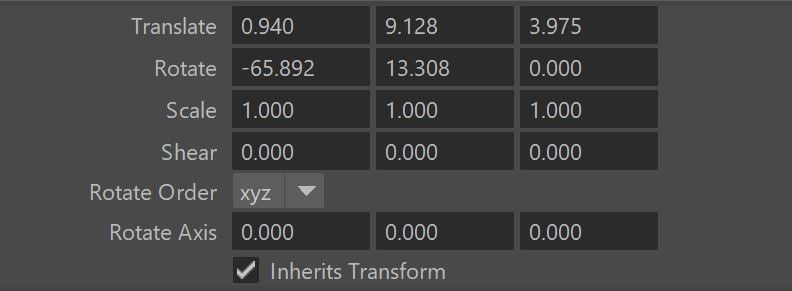
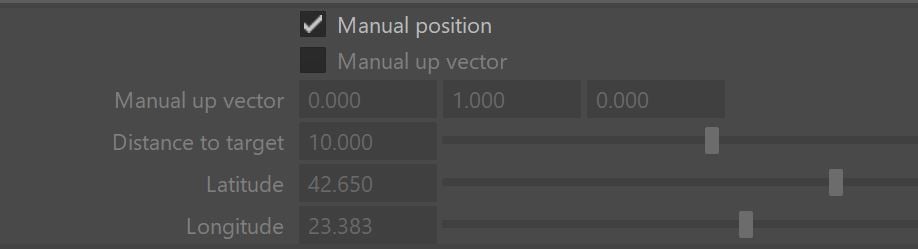
Manual position – When enabled, the sun helper can be moved freely in the viewport as any Maya transform node; the Transform Attributes section is enabled and can also be used to specify the position of the sun helper. When disabled, the position of the sun in the sky is determined by specifying the position of the scene on the Earth globe, date, and time.
Manual up vector – When enabled, specifies an up vector different from the one for the scene.
Distance to target – Specifies the distance from the sun helper to the sun target; this is useful for photon-mapped GI and caustics as it determines the distance from which photons are shot into the scene.
Latitude – Defines the position of the scene over the Earth’s globe.
Longitude – Defines the position of the scene over the Earth’s globe.
Date
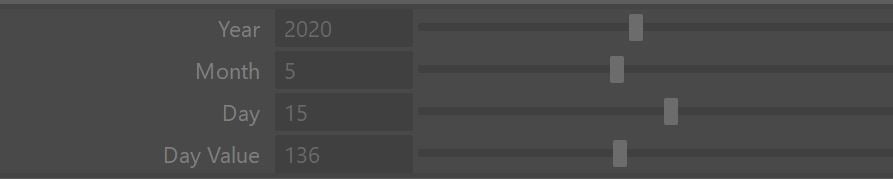
This section is enabled when the Manual position is off. It is set to the VRaySun creation date by default.
Year – The year for which to compute the sun position.
Month – The month for which to compute the sun position.
Day – The day of the month for which to compute the sun position.
Day value – The sequential number of the day in the year (day 1 is January 1st, day 365 is December 31st, except for leap years when day 366 is December 31st).
Time
This section is enabled when the Manual position is off.
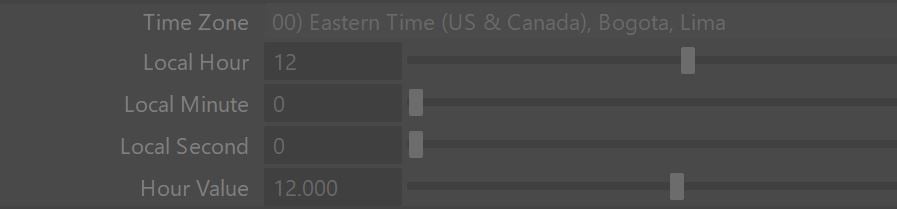
Time zone – The current time zone of the scene.
Local hour – The hour for the scene; the hour value is 0 to 23.
Local minute – The minutes within the hour for the scene; the value is 0 to 59.
Local second – The seconds within the minute for the scene; the value is 0 to 59.
Hour value – Allows to specify the time as a fraction of the total day (0 to 24 hours).
Sun position
This section is automatically calculated based on the current values used to position the sun, and is not directly editable.
Azimuth – The rotation of the sun around the up axis.
Altitude – The altitude of the sun disc over the horizon.

Transform attributes
These attributes allow you to specify the sun direction directly when the Manual position in the Location Parameters is enabled. The Initial position is set by today's date.