V-Ray for Nuke
Render ID
The Render ID Render Element creates selection masks based on the node handle of each object or the V-Ray assigned render ID. In Nuke, each object is internally assigned a unique node handle when the object is created. When V-Ray is rendering, each object is assigned a render ID. The intended use for the Render ID c...
Last updated 18 September 2025
Overview
The Render ID Render Element creates selection masks based on the node handle of each object or the V-Ray assigned render ID. In Nuke, each object is internally assigned a unique node handle when the object is created. When V-Ray is rendering, each object is assigned a render ID. The intended use for the Render ID channel is to quickly create masks, based on the node handles or the render IDs, for various objects in a scene without having to set up a separate Multi Matte Render Element for them. A wide variation of colors is used so no two objects will have the same color in the render element.
Render IDs are not the same as the Object ID. The render ID is assigned by V-Ray during rendering only. Meanwhile the Object ID is assigned by the user and can be changed at any time with the VRayObjProp node. In addition, while several objects can be assigned the same Object ID, each render ID is unique to a specific scene object.To create a channel that renders object colors based on Object IDs, use the Object ID Render Element.
There is no anti-aliasing with the Render ID Render Element; where the edge of one object meets another object, the pixel color at that spot is the color from the object that contributes most to the pixel value.

Properties
Common Uses

The Beauty Render Element
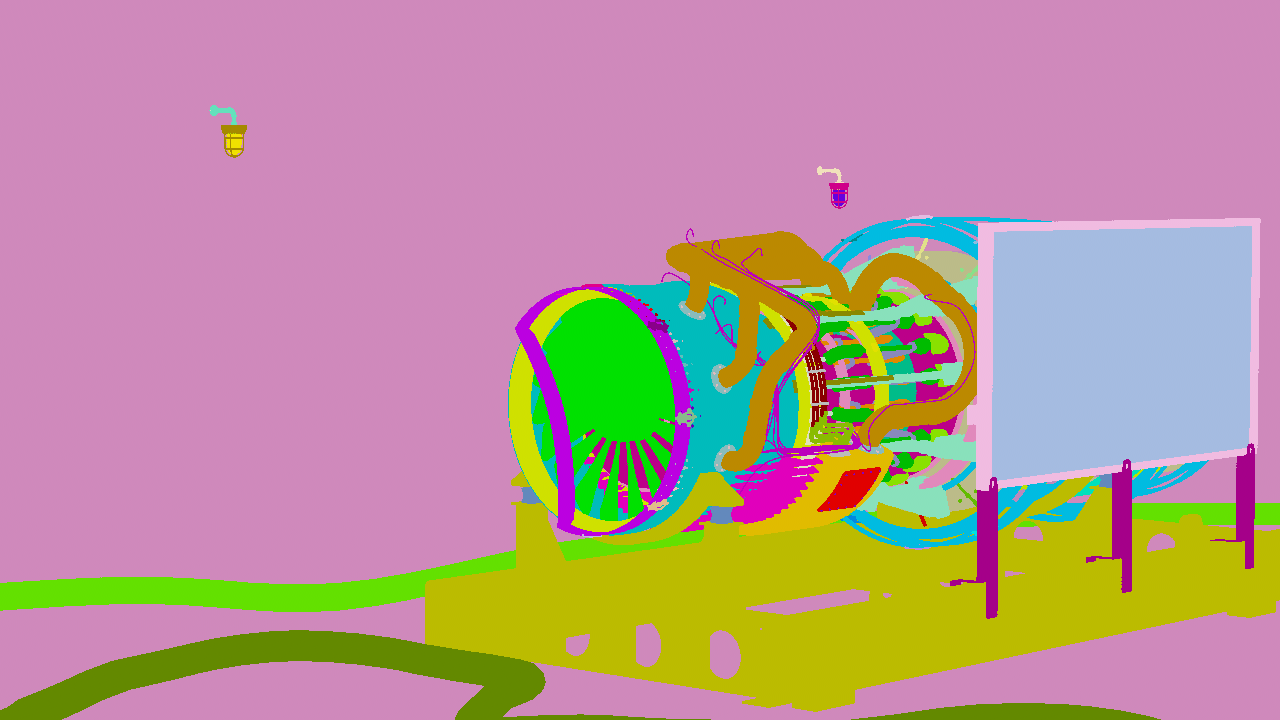
The Render ID render element

The desaturated Render ID render element

The Final composite using the Render ID render element on top set to multiply at 50% to add subtle variation