V-Ray for Nuke
Shadow Render Elements
This page gives an overview of V-Ray's Shadow Render Elements and how they are used in compositing.
Last updated 18 September 2025
This page gives an overview of V-Ray's Shadow Render Elements and how they are used in compositing.
Overview
A common need in a Beauty Pass is the ability to control shadows. Shadows can be darkened, lightened, or recolored using the Shadow Render Elements.
V-Ray provides three render elements for shadows:
- Shadow - A color image showing cast shadows and the diffuse component. Areas of shadow are shown as lighter in color, while non-shadow areas are dark.
- Shadow Raw - A grayscale image showing only cast shadows with no diffuse component. It is a reverse image of shadows, where shadow areas are brighter and non-shadow areas are darker.
- Matte Shadow - A grayscale image showing areas where light doesn't reach, as opposed to cast shadows. While this render element is not really a shadow render element, it can be used as a matte to soften, enhance, or tint dark areas of the scene to complement a change in cast shadows.
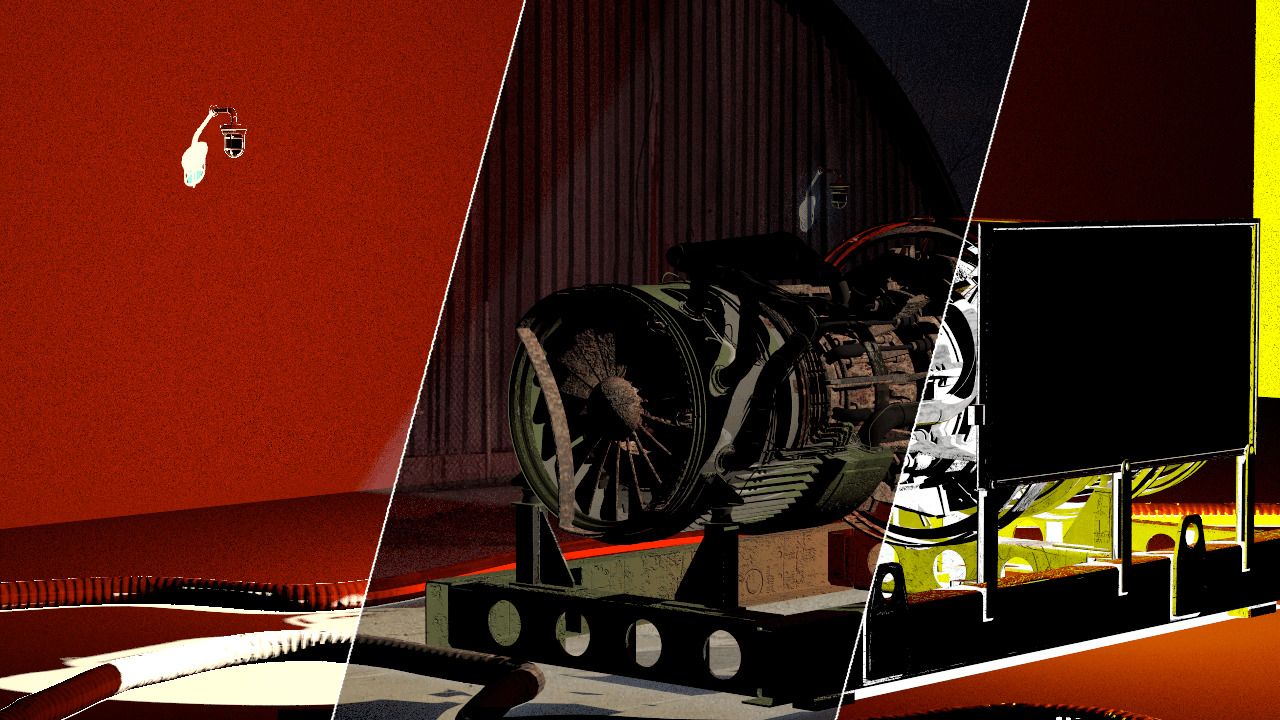
Render Element Examples


Notes
- Shadow Render Elements can be both added and subtracted at a composite level without re-rendering.
- Shadows can be color-corrected using Shadow Render Elements.