Use the Ambient Occlusion Render Element in V-Ray for SketchUp to create an ambient occlusion effect across your scene.
Overview
The V-Ray Ambient Occlusion Render Element applies ambient occlusion to the entire scene. It uses an Extra Texture render element with a Dirt Texture connected to it. The only difference is that the background uses the unoccluded (white) colour instead of black.


UI paths
||V-Ray Asset Editor|| > Render Elements (right-click) > Ambient Occlusion
||V-Ray Asset Editor|| > Create Asset (left-click) > Render Elements > Ambient Occlusion
Parameters
Denoise controls whether the render element is denoised.
Affect Matte Objects controls whether matte objects are included when generating the render element.
Consider for AA includes the render element in anti-aliasing.
Radius sets the area where the Dirt effect appears, measured in scene units. If you also use a texture, the Radius value controls the amount of texture blending.
Falloff controls how quickly occluded areas transition to unoccluded areas.
Distribution narrows the Dirt effect towards contact edges. For ambient occlusion, set this parameter to 1.0 for a distribution similar to ambient lighting on a diffuse surface.
Use Transparency
When enabled, Dirt accounts for the opacity of occluding objects.
When disabled, Dirt treats all occluding objects as opaque.

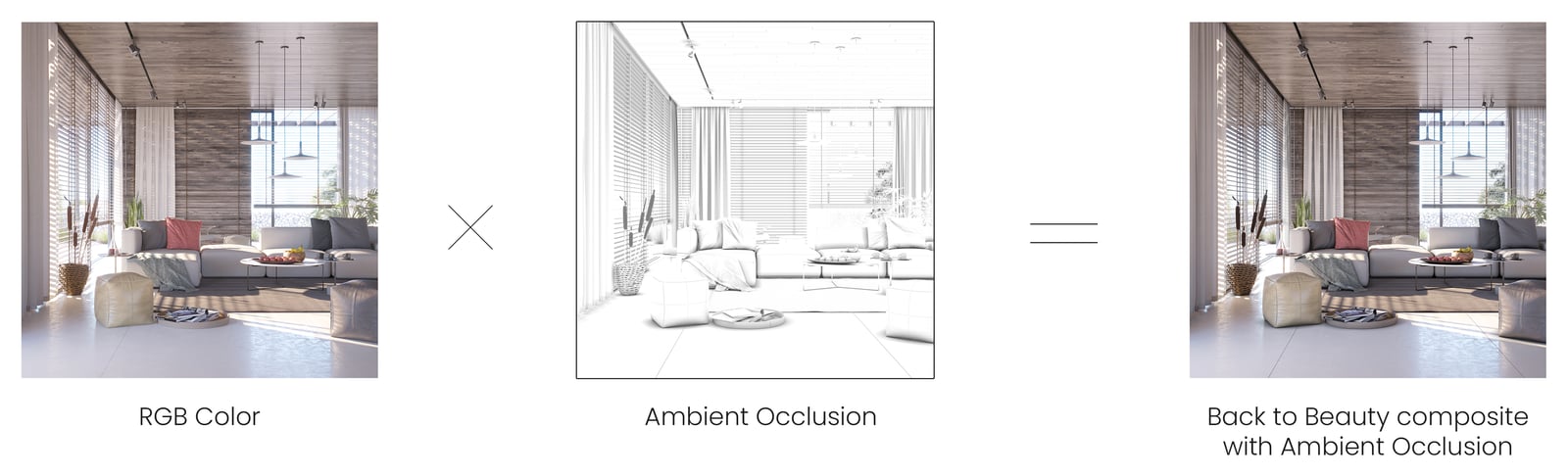
Compositing
This example blends the original RGB render with the Ambient Occlusion channel using Multiply mode. This makes shadows around all object edges stronger and more pronounced.
Notes
- SketchUp always calculates scene units in inches.