V-Ray for SketchUp
Color Correction
This page provides information on the V-Ray Color Correction Texture.
Last updated 1 September 2026
This page provides information on the V-Ray Color Correction Texture.
Overview
The Color Correction texture enables various color corrections to be applied.

UI Paths
||V-Ray Asset Editor|| > Textures (right-click) > Color Correction
||V-Ray Asset Editor|| > Create Asset (left-click) > Textures > Color Correction
Parameters
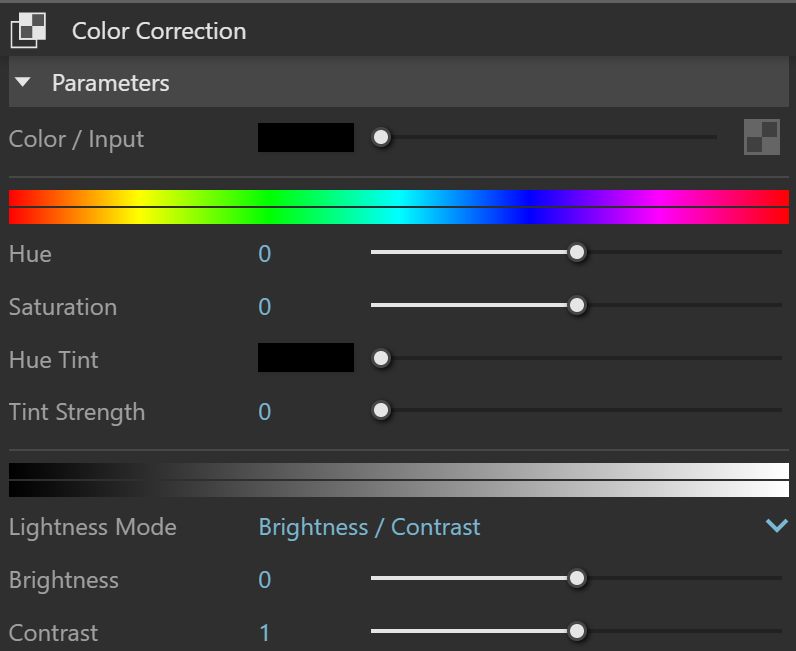
Color Input– Specifies a color or texture that is color-corrected. A texture map can be assigned to this channel.
Hue – Hue corrects the color or image.
Saturation – Adjusts how saturated or desaturated color/image is.
Hue Tint – Specifies a color that is used to tint the current color/image.
Tint Strength – Determines the strength of the hue tint.
Lightness Mode – Changes the lightness mode and parameters.
Brightness/Contrast
Gain/ Gamma/Lift
Brightness/Contrast
Brightness – Allows for correction of the color brightness.
Contrast – Allows for correction of color contrast.
Gain/Gamma/Lift
Gain – Changes the color gain.
Gamma – Allows gamma corrections.
Base – The gamma correction is applied to this value. It lets you specify a pixel value that remains unchanged.
Lift – Offsets the color/image. The correction is applied on top and can be used to change the overall brightness.
Brightness/Contrast

Gain/Gamma/Lift
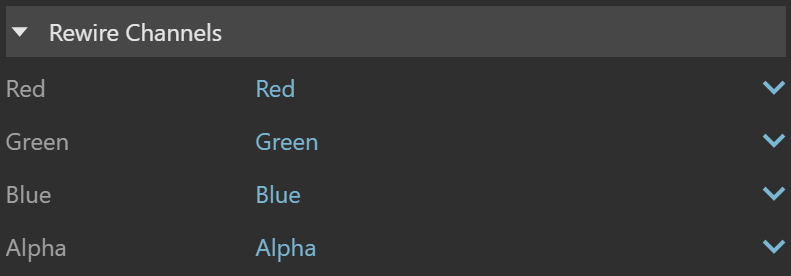
Rewire Channels
Allows for the following channels to be assigned to the Red, Green, Blue, and Alpha Channels:
Red – Assigns the red channel.
Green – Assigns the green channel.
Blue – Assigns the blue channel.
Alpha – Assigns the alpha channel.
Inverse Red – Assigns the inverse of the red channel.
Inverse Green – Assigns the inverse of the green channel.
Inverse Blue – Assigns the inverse of the blue channel.
Inverse Alpha – Assigns the inverse of the alpha channel.
Monochrome -- Assigns the channel to be monochrome.
White – Assigns the value 1.
Black – Assigns the value 0.