Use the irradiance map viewer to view, merge and save irradiance map files created by V-Ray.
Overview
Navigate a 3D projection of your scene to see where global illumination (GI) samples were taken during rendering.
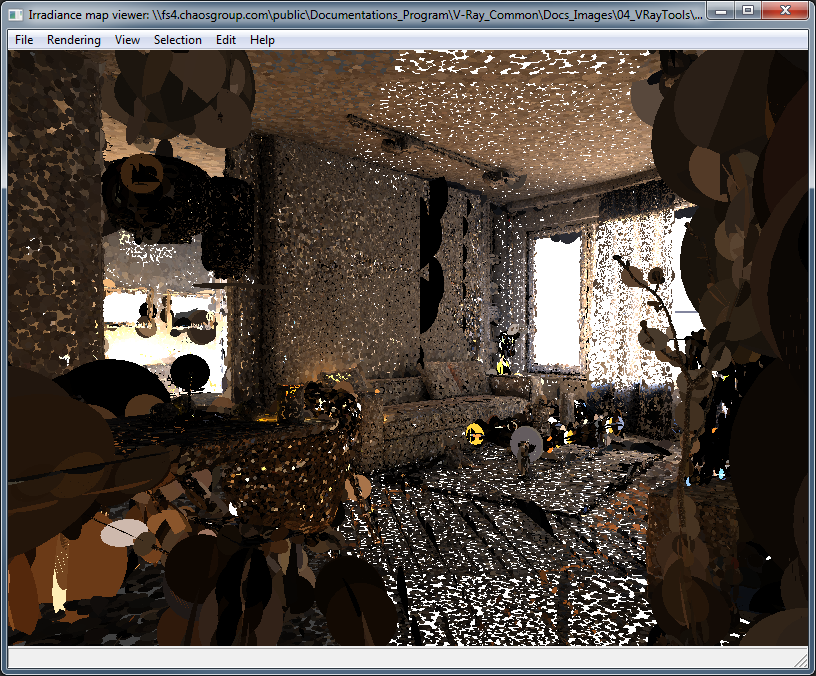
Installation
Windows | C:\Program Files\Chaos\V-Ray\V-Ray for SketchUp\extension\vray\bin |
Windows | C:\Program Files\Chaos\V-Ray\V-Ray for SketchUp\extension\vray\bin |
macOS | /Applications/Chaos/V-Ray/V-Ray for SketchUp/extension/vray/bin |
Usage
You can open the viewer using any of the methods below.
Double-click imapviewer.exe to open the Open File dialogue and browse for a light map. Starting the viewer from the Start Menu opens the same dialogue. Use the program's menus to merge, save or work with the light map.
You can also run the viewer from the command line using the commands below.
Enter this command:
> imapviewer
This opens the File Open dialogue, just as double-clicking the file does. Select an irradiance map or light cache map file.
To open a file directly, enter:
> imapviewer <filename>
Replace <filename> with the name of an irradiance map or light cache map file. The viewer opens the file automatically.
To merge several maps into one, use:
> imapviewer -load <map1> -load <map2> ... [-save<finalmap>] [-nodisplay]
This loads the specified maps and merges them into one light map of the same type. Use -save to write the result to the specified file. Use -nodisplay to hide the resulting map. Otherwise, the viewer displays it.
Options
Option | Description |
|---|
Option | Description |
|---|---|
[-incremental] -load <filename> {-load <filename>} [-save <filename>] | Merges the specified irradiance or light maps and writes them to the specified file. With -incremental, imapviewer discards samples in areas that already have enough information. Place this option before all -load options. |
-info | Prints information about the current irradiance map. |
-noDisplay | Hides the resulting map. Without this option, the viewer displays it. |
-up_axis [z|y] | Sets the up axis. The default is z. |
-convert <filenameFrom> <filenameTo.pts> [-rgb] | Converts the irradiance map file to a PTS file. |
-help | Prints a help message. |