Skip to content
07-848 2005

V-Ray for SketchUp, Render Elements

Lighting

Use the Lighting render element in V-Ray for SketchUp to adjust direct lighting after rendering.

On this page
  1. Overview
  2. UI paths
  3. Parameters
  4. Common uses
  5. Compositing

The Lighting render element in V-Ray for SketchUp lets you adjust direct lighting after rendering.

Overview

This element stores direct lighting information. Indirect illumination in the scene does not affect it.

Lighting render element showing direct illumination in a dining room, with the glass tabletop rendered black.
Full dining room render showing the glass tabletop, illuminated pendant lights and room materials.

UI paths

||V-Ray Asset Editor|| > Render Elements (right-click) > Lighting
||V-Ray Asset Editor|| > Create Asset (left-click) > Render Elements > Lighting

Parameters

Denoise controls whether this render element is denoised.

Parameters panel with the Denoise checkbox cleared.

Common uses

Use the Lighting render element to adjust direct illumination after rendering in a compositing or image editing application. The example shows a warm tone applied to the lights during compositing.
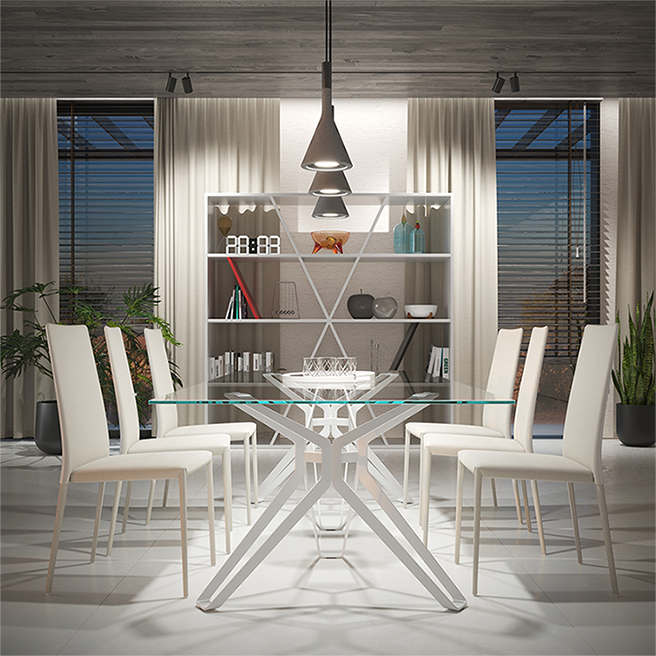
Dining room render with neutral lighting before a warm tone is applied during compositing.
Dining room render with a warm tone applied to direct lighting during compositing.

Compositing

Raw Light x Diffuse = Lighting

Compositing diagram showing Raw Light multiplied by Diffuse to produce the Lighting render element.
Adapted from Chaos documentation: Lighting. © 2026 Chaos Software EOOD

Procadsys customer support

Still need help?

Licences, renewals and billing

Our New Zealand team looks after your V-Ray licences, renewals and invoices.

Monday to Friday, 9:00 am to 4:30 pm NZ time, excluding New Zealand public holidays.

Technical problems

Installation errors, crashes and other technical problems with V-Ray are handled by Chaos support.